How Does a Website Actually Work?
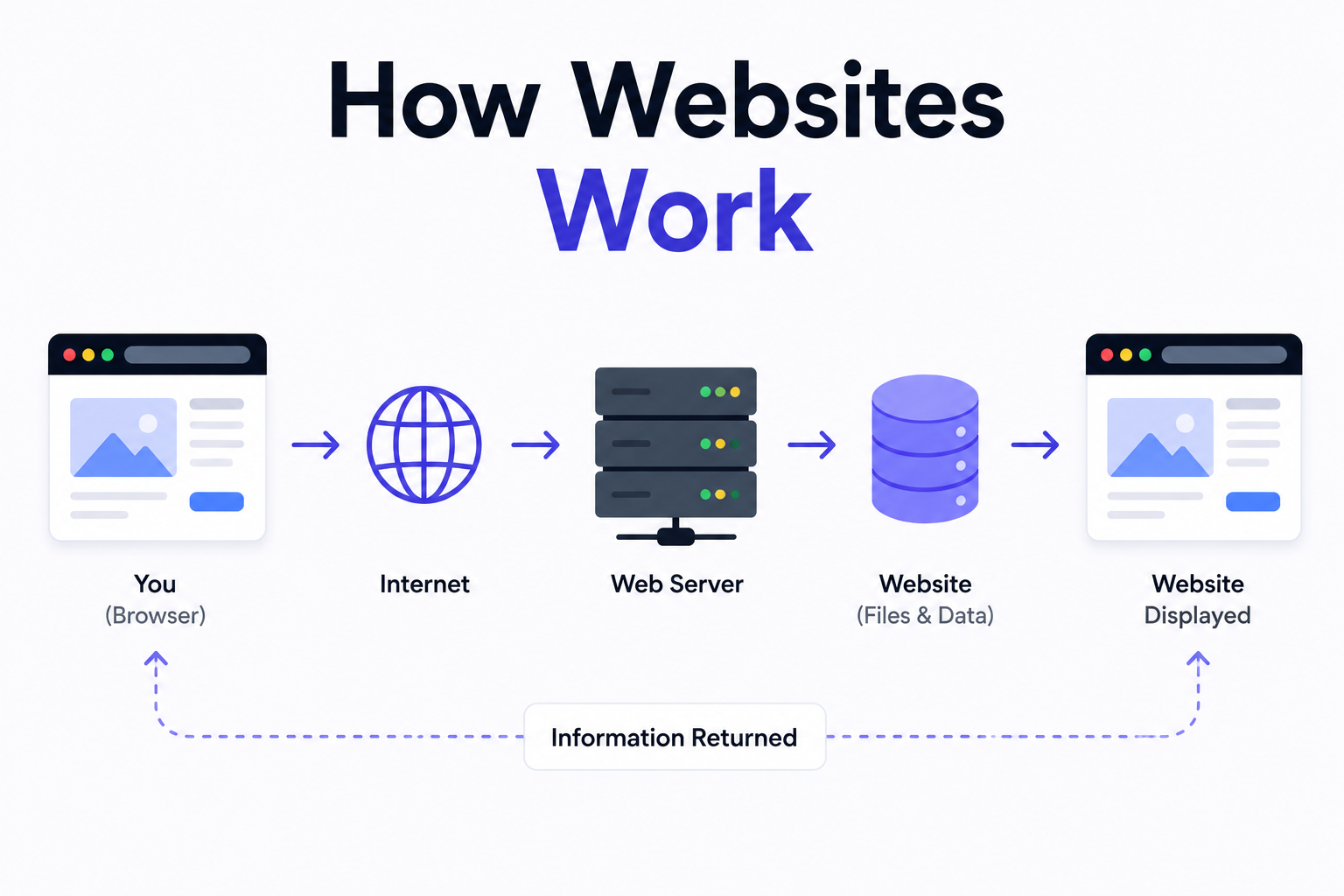
Most people use websites every day without ever thinking about what is actually happening behind the screen. You type an address, press enter, and a page appears within seconds. That process feels simple, but there is a significant amount of technology working together to make it happen. Understanding how websites work gives business owners, entrepreneurs, and beginners a much clearer picture of what they are actually investing in when they commission a professional website.
This guide explains the entire process in plain language, from the moment you type a web address to the moment a fully loaded page appears on your screen. No technical background is required to follow along.
What Happens When You Visit a Website?
When you type a website address into your browser and press enter, a series of events happen almost instantaneously. Your browser does not magically know where that website lives. It has to ask for directions, find the right server, request the page, receive the files, and then render everything into the visual layout you see on screen. Each of these steps happens in a fraction of a second on a well-built website.
The entire journey involves several key components working together. These include your browser, the Domain Name System, a web server, and the files that make up the website itself. Understanding each one makes the whole process much easier to follow.
Step One: The Domain Name System (DNS)
Every website on the internet has a unique numerical address called an IP address. Something like 192.168.1.1 is a basic example of what an IP address looks like. Humans cannot easily remember strings of numbers, which is why domain names exist. A domain name like munixstudio.com is simply a human-readable label that points to an IP address.
When you type a domain name into your browser, the first thing that happens is a DNS lookup. The Domain Name System works like a phonebook for the internet. Your browser asks the DNS servers: "What is the IP address for this domain?" The DNS responds with the correct address, and your browser now knows exactly where to send its request. This lookup typically takes milliseconds, and results are often cached so it does not need to happen on every single visit.
Step Two: The Web Server
Once your browser has the IP address, it sends a request to the web server where the website is hosted. A web server is essentially a powerful computer that runs continuously and is connected to the internet around the clock. Its job is to receive requests from browsers and respond by sending back the files that make up the requested web page.
Web servers run software like Nginx or Apache that handles incoming requests efficiently. When a request arrives, the server processes it, finds the relevant files or data, and sends them back to the browser. On a static website, this means simply retrieving pre-built HTML files. On a dynamic website, the server may need to query a database, run some application logic, and assemble the page before sending it back.
Step Three: How HTTP and HTTPS Work
The communication between your browser and the web server follows a set of rules called HTTP, which stands for HyperText Transfer Protocol. This is the agreed-upon language that browsers and servers use to communicate. When you visit a website, your browser sends an HTTP request saying essentially: "Please send me the files for this page." The server responds with an HTTP response containing those files along with a status code that indicates whether the request was successful.
HTTPS is the secure version of HTTP. The S stands for Secure, and it means the communication between the browser and the server is encrypted. This prevents third parties from intercepting and reading the data being transferred. In 2026, HTTPS is not optional for any serious website. Google treats it as a ranking signal, and browsers actively warn users when they visit a site without it. Every website built by Munix Studio is deployed with HTTPS configured from day one.
Step Four: How a Browser Loads a Website
Once the browser receives the files from the server, it begins rendering the page. The first file it receives is typically an HTML document that defines the structure and content of the page. As the browser reads through the HTML, it discovers references to other files it needs, such as CSS stylesheets for visual presentation and JavaScript files for interactive behavior. It sends additional requests to retrieve each of these assets.
The browser then builds what is known as the Document Object Model, or DOM. The DOM is essentially a structured map of all the elements on the page and how they relate to each other. CSS rules are applied to this structure to determine how each element should look. JavaScript then runs to add interactivity, handle user events, and in many modern applications, dynamically load or update content without requiring a full page reload.
How quickly a browser can complete this process is what we refer to as page load speed. A well-optimized website minimizes the number and size of files the browser needs to download, uses efficient code, and delivers assets from locations that are geographically close to the user. These are not minor details. Page speed is one of Google's confirmed ranking factors, and every second of delay reduces the likelihood that a visitor stays on the page.
How Domain and Hosting Work Together
Domain and hosting are two separate things that work together to make a website accessible. The domain is the address people type to reach the site. The hosting is where the actual files and data of the website live. Think of it this way: the hosting is the building, and the domain is the street address that directs people to it.
You purchase a domain name through a domain registrar, and you purchase hosting through a hosting provider. The two are connected by pointing the domain's DNS records to the hosting server's IP address. When someone types your domain into a browser, the DNS lookup retrieves this IP address and directs the request to your hosting server, which then serves the website files back to the visitor.
The quality of hosting matters enormously for website performance. Cheap shared hosting places hundreds of websites on the same server, meaning your site competes for resources with everyone else on that server. Professional development agencies like Munix Studio deploy websites on dedicated cloud infrastructure using platforms like AWS, Azure, or DigitalOcean, which provides the reliability, speed, and security that business websites require.
Static Websites Versus Dynamic Websites
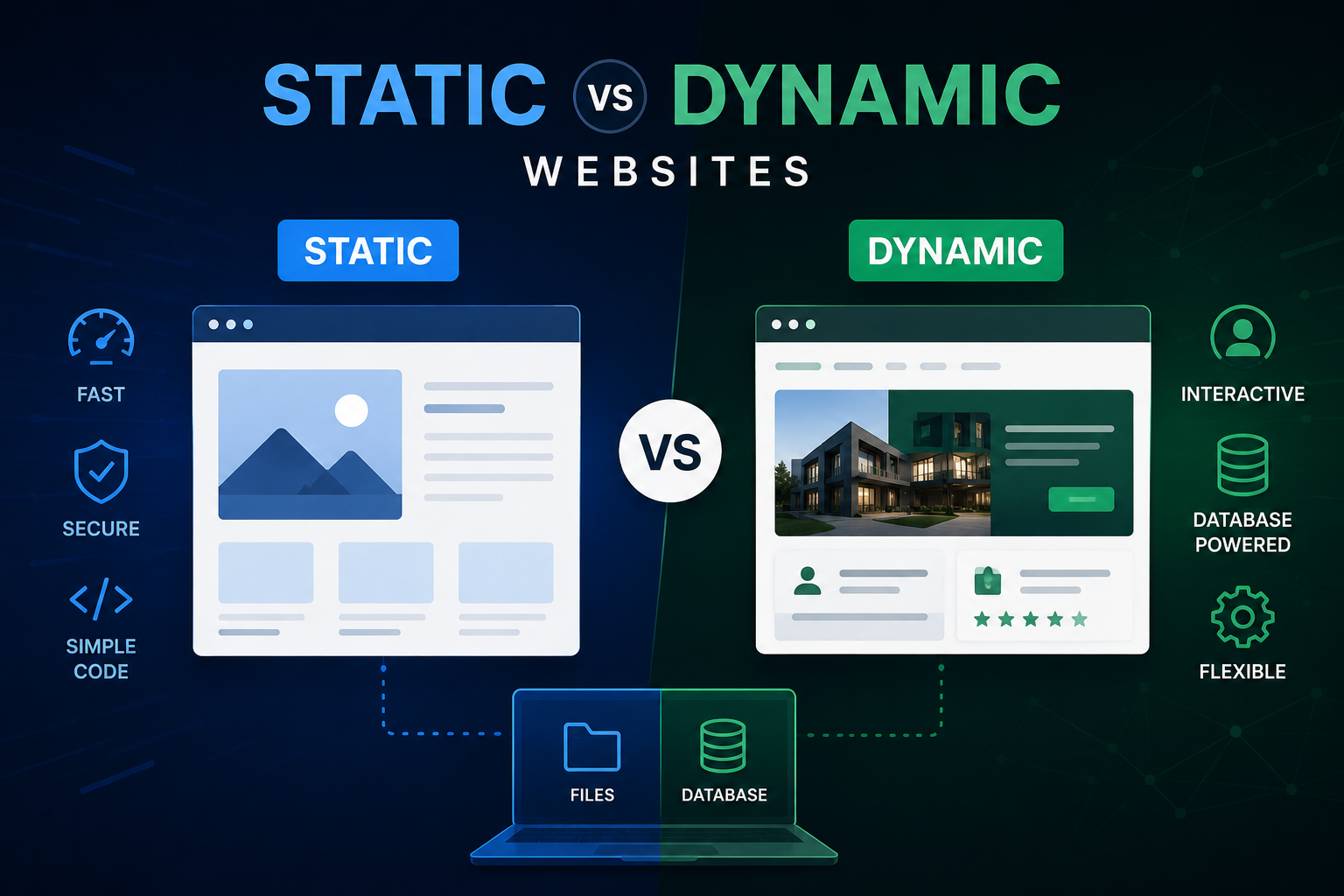
Not all websites work the same way. A static website serves the same pre-built files to every visitor regardless of who they are or what they have done previously. The server simply retrieves and sends the HTML files without any processing. Static sites are extremely fast because there is no computation required on the server before responding. They work well for marketing pages, portfolios, and informational content that does not change frequently.
A dynamic website generates content on the fly based on who is visiting, what they have requested, and what data exists in the database. When you log into an online store and see your personal order history, that content is being pulled from a database and assembled into a page specifically for you in real time. Dynamic websites require a backend server and a database to function, which adds complexity but also enables far more powerful and personalized user experiences.
Modern frameworks like Next.js blur the line between static and dynamic by supporting both approaches within the same project. Pages that do not need to change frequently can be pre-built as static files for maximum speed, while pages that require real-time data can be rendered dynamically on the server. This flexibility is one of the reasons Next.js has become the framework of choice for professional web development.
What Makes a Website Fast or Slow?
Website speed is determined by several factors working together. The size and number of files the browser needs to download is one of the biggest contributors. Large uncompressed images, bloated JavaScript bundles, and unnecessary third-party scripts all add to the time it takes for a page to load. A professional development team optimizes each of these areas as a standard part of the build process, not as an afterthought.
Server response time also plays a major role. If the server takes a long time to process a request before it even starts sending files, the entire experience feels sluggish regardless of how optimized the frontend code is. Content Delivery Networks, commonly known as CDNs, help by caching copies of website assets on servers distributed around the world, so files are delivered from a location close to the user rather than from a single distant server.
Google measures website performance using a set of metrics called Core Web Vitals. These measure things like how quickly the largest visible element loads, how long it takes before a user can interact with the page, and how much the layout shifts as the page loads. Websites that perform well on these metrics are rewarded with better search rankings. This is why performance is built into the development process at Munix Studio from the very first line of code.
Ready to Build a Website That Works Properly?
Now that you understand how websites work, you can appreciate why the quality of the development behind your site matters so much. A website built on poor infrastructure, slow hosting, or unoptimized code will underperform regardless of how good it looks. At Munix Studio we engineer websites from the ground up with performance, security, and scalability built in at every layer.
Website Development Services — Custom websites built on React and Next.js, engineered for speed, SEO, and long-term growth.
UI/UX Design Services — Interfaces designed around how real users think and navigate, built to reduce friction and improve conversions.
App Development Services — Web and mobile applications for businesses that need dynamic, database-driven functionality beyond a standard site.
Maintenance and Support — Ongoing management to keep your website secure, updated, and performing at its best after launch.
How do websites work for beginners?
When you visit a website, your browser first looks up the domain name through DNS to find the server's IP address. It then sends a request to that server, which responds by sending back the website files. Your browser reads those files and renders them into the visual page you see on screen. The entire process happens in milliseconds on a well-built website.
What is a web server and what does it do?
A web server is a computer that runs continuously and stores the files that make up a website. When someone visits your website, their browser sends a request to your web server, and the server responds by sending back the relevant HTML, CSS, JavaScript, and image files. The quality and reliability of your web server directly affects how fast and consistently your website loads for every visitor.
What is DNS and how does it work?
DNS stands for Domain Name System. It works like an internet phonebook, translating human-readable domain names like munixstudio.com into numerical IP addresses that browsers use to locate the correct server. Without DNS, you would need to remember the IP address of every website you wanted to visit, which would be completely impractical.
What is the difference between domain and hosting?
A domain is the address people type to reach your website. Hosting is where your website's files and data actually live. You need both for a website to be accessible on the internet. The domain is connected to the hosting through DNS records, which direct browser requests to the correct server where your website is stored.
What is the difference between a static and a dynamic website?
A static website serves the same pre-built files to every visitor. It is fast and simple but limited in what it can do. A dynamic website generates content in real time based on user data, database queries, and application logic. E-commerce stores, membership platforms, and web applications are all examples of dynamic websites. Modern frameworks like Next.js can combine both approaches within a single project for the best of both worlds.
Why does website speed matter so much?
Website speed affects both user experience and search rankings. Studies consistently show that users abandon pages that take more than three seconds to load. Google also uses page speed as a direct ranking factor through its Core Web Vitals metrics. A slow website loses visitors, damages brand perception, and ranks lower in search results compared to faster competitors covering the same topics.
What is HTTPS and why does every website need it?
HTTPS is the secure version of the HTTP protocol that browsers and servers use to communicate. The encryption it provides prevents third parties from intercepting the data being exchanged between a visitor and a website. Google treats HTTPS as a ranking signal, and modern browsers display prominent warnings when users visit sites that do not have it. Every professionally built website in 2026 should have HTTPS configured from the moment it goes live.
Frequently Asked Questions
Related Articles

What is Website Development? The Complete Guide for Beginners
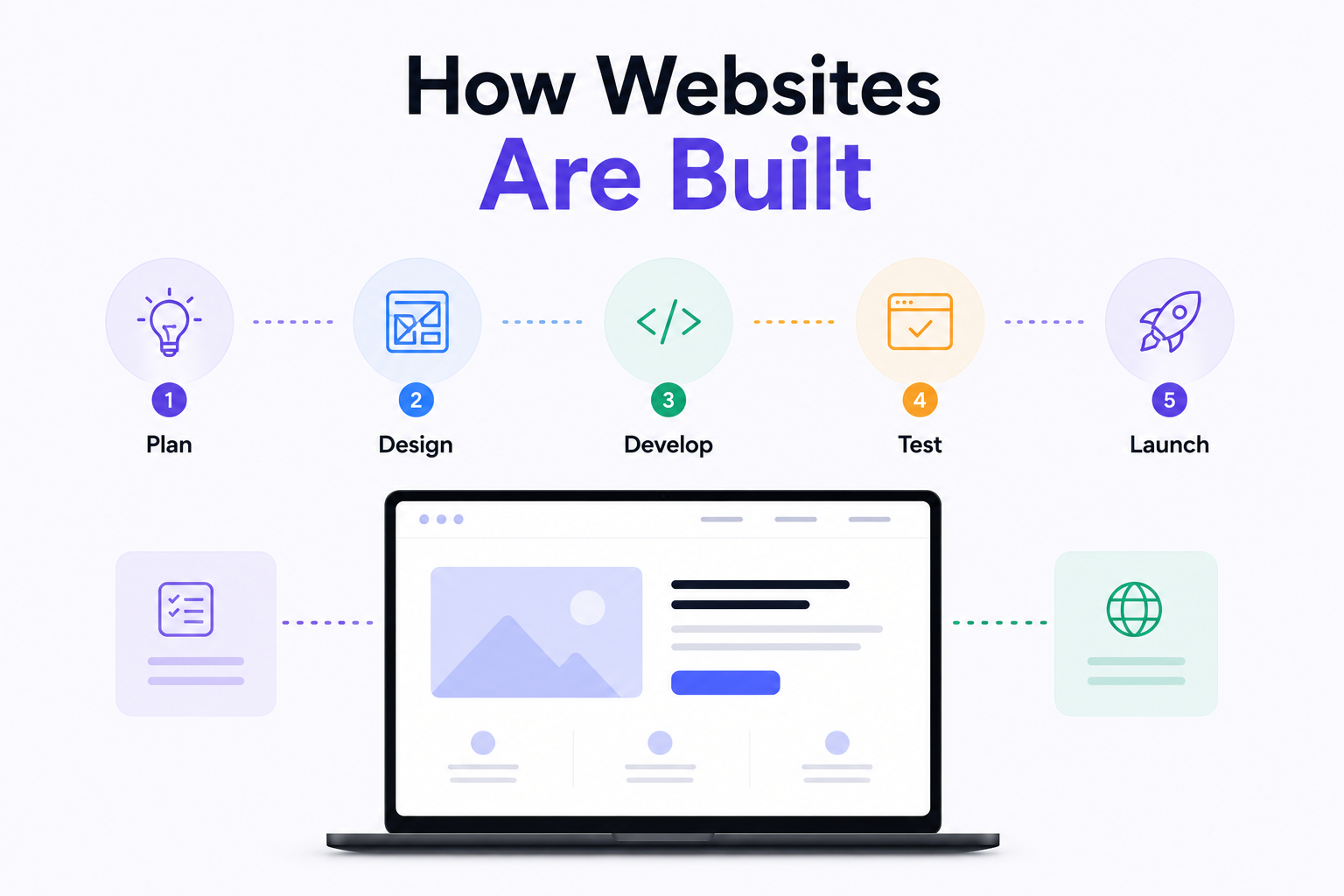
How Are Modern Websites Built in 2026?

Website Development Process & Life Cycle : Complete Guide
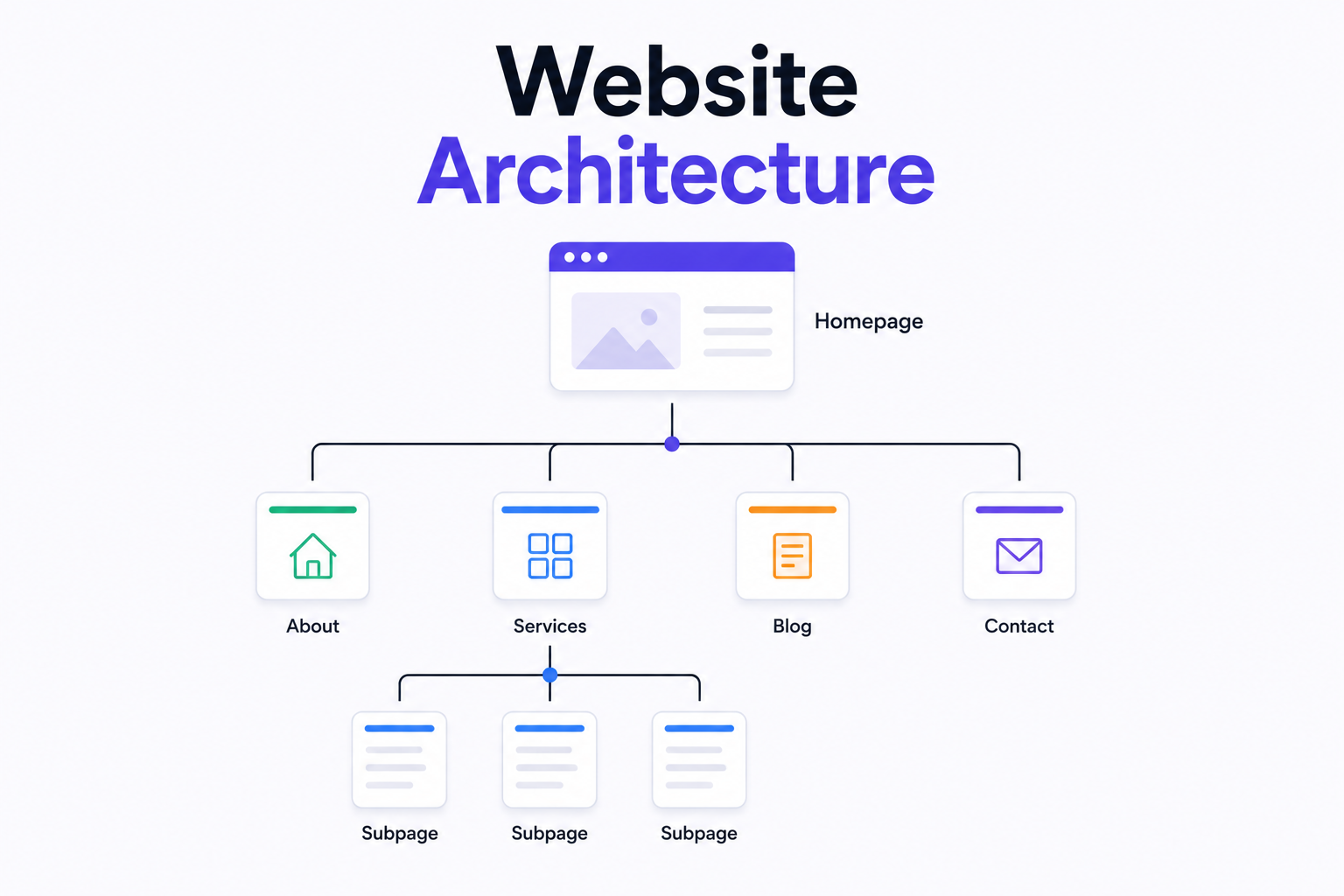
What is Website Architecture? Best Practices
Architecture Firm Website Design & Portfolio