What Is HTML and Why Does It Matter?
HTML stands for HyperText Markup Language. It is the foundational language of the web and the starting point for anyone learning how to build websites. Every web page you have ever visited, regardless of how complex or visually sophisticated it appears, is built on an HTML foundation. Understanding HTML is not optional for web development. It is the baseline that everything else builds on top of.
HTML is not a programming language in the traditional sense. It does not handle logic, calculations, or conditional behavior. What it does is define the structure and content of a web page by wrapping text, images, links, and other elements in tags that tell the browser what each piece of content is and how it relates to everything else on the page. A heading is wrapped in a heading tag. A paragraph is wrapped in a paragraph tag. An image is defined with an image tag. The browser reads these tags and renders them into the visual page the user sees.
This guide covers everything you need to know to create a website with HTML from scratch, including the core tags and structure, how CSS works alongside HTML to control visual presentation, best practices for writing clean and semantic markup, and when it makes sense to move beyond plain HTML to a modern framework.
What You Need to Get Started
One of the most accessible things about learning HTML is that the barrier to entry is extremely low. You do not need to install complex software, pay for tools, or configure a development environment before you can write your first web page. All you need is a text editor and a web browser, both of which are already on every computer.
That said, using a proper code editor makes the process significantly more comfortable than working in a basic text editor. Code editors provide syntax highlighting that color-codes different parts of your HTML to make it easier to read, auto-completion that suggests tag names and attributes as you type, and error highlighting that flags mistakes before you even open the file in a browser.
Tool Type Best For Cost VS Code Code Editor All levels, industry standard Free Sublime Text Code Editor Lightweight and fast editing Free / Paid Notepad++ Text Editor Windows beginners Free CodePen Browser-based editor Quick experiments and learning Free WebStorm Full IDE Advanced developers Paid
VS Code is the overwhelming choice among professional developers and is the editor most tutorials and courses use as their reference. If you are just starting out, install VS Code and use it from day one so your environment matches what you will encounter everywhere else.
The Basic Structure of an HTML Document
Every HTML file follows a standard structure that tells the browser what kind of document it is dealing with and organizes the content into logical sections. Before adding any visible content, a properly structured HTML document contains several essential elements that the browser needs to render the page correctly.
The document begins with a doctype declaration that tells the browser this is an HTML5 document. This is followed by the html element which wraps the entire page. Inside the html element there are two main sections: the head and the body. The head contains information about the page that is not visible to the user, including the page title, character encoding, links to external stylesheets, and meta tags used by search engines. The body contains everything that is actually displayed on the page.
A minimal but complete HTML document looks like this in structure: doctype declaration at the top, followed by the opening html tag with a language attribute, then the head section containing at minimum a charset meta tag, a viewport meta tag for responsive behavior, and a title element, followed by the body section where all visible page content lives, and finally the closing html tag at the bottom.
The Most Important HTML Tags You Need to Know
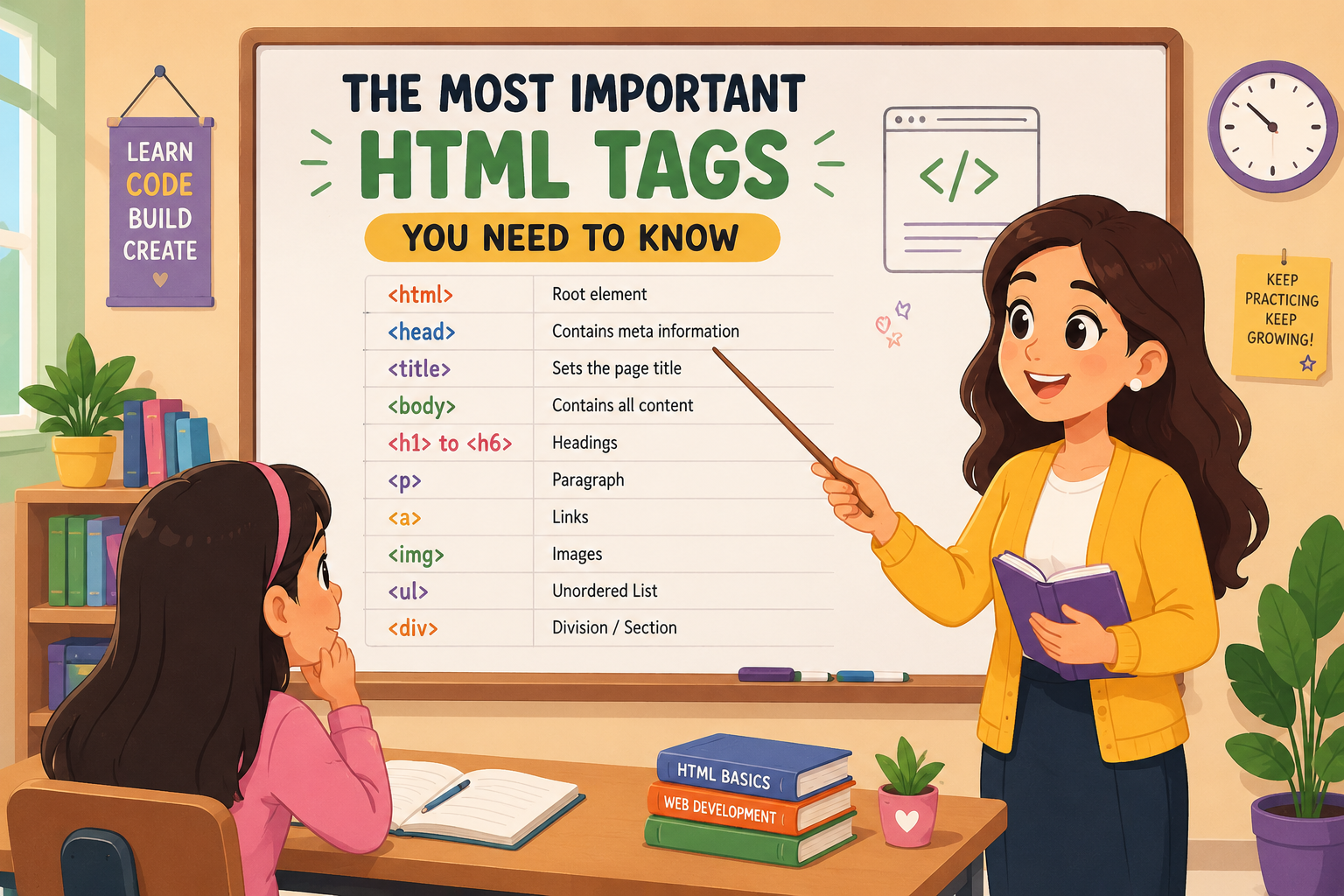
HTML has over a hundred different tags, but the reality is that a relatively small set of them covers the vast majority of what you will use when building websites. Mastering the core tags first before branching out into more specialized ones is the most efficient way to get productive quickly.
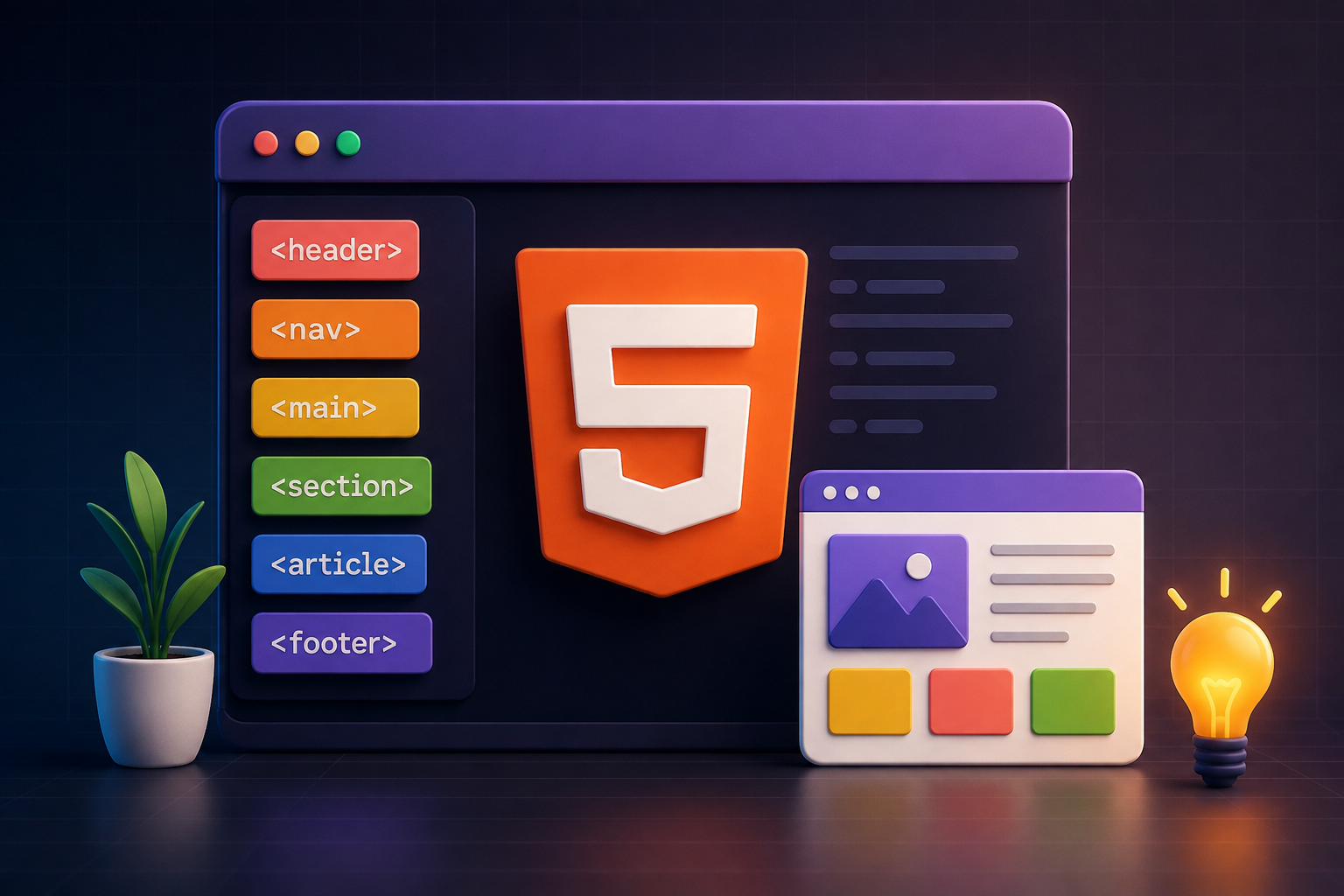
Tag Purpose Example Use h1 to h6 Headings from most to least important Page titles, section headings p Paragraph of text Body copy, descriptions a Hyperlink to another page or resource Navigation links, CTAs img Embeds an image into the page Photos, logos, illustrations ul / ol / li Unordered and ordered lists Feature lists, step guides div Generic container for grouping elements Layout sections, wrappers span Inline container for styling text Highlighting words, inline styles form / input / button User input and form submission Contact forms, search bars header / nav / main / footer Semantic structural elements Page layout and accessibility meta Page metadata for SEO and browser behavior Title, description, viewport
What Is Semantic HTML and Why Does It Matter?
Semantic HTML means using tags that describe the meaning and purpose of the content they contain, not just how it looks. Using a header tag for the top of your page tells the browser, search engines, and screen readers that this is the header section. Using a nav tag for your navigation links tells them this is the site's navigation. Using an article tag for a blog post tells them this is a standalone piece of content.
The alternative is to wrap everything in div tags with class names to indicate meaning. While this works visually, it provides no structural meaning to anything that reads the page beyond a human looking at the rendered layout. Semantic HTML directly benefits SEO because search engines use the semantic structure of a page to understand what the content is about and how it is organized. It also benefits accessibility because screen readers used by visually impaired users rely on semantic tags to navigate page content correctly.
How CSS Works With HTML
HTML defines the structure and content of a page. CSS, which stands for Cascading Style Sheets, defines how that content looks. Without CSS, every web page would be plain black text on a white background with no layout, no color, no typography, and no visual hierarchy. CSS is what transforms a structured HTML document into a visually designed web page.
CSS works by targeting HTML elements through selectors and applying style rules to them. You can target elements by their tag name, their class attribute, their ID attribute, or their position within the document structure. A CSS rule applied to the paragraph tag will affect every paragraph on the page. A rule applied to a specific class will only affect elements that carry that class.
CSS can be written in three ways. Inline styles are applied directly to an HTML element through a style attribute. Internal styles are written in a style tag inside the head section of the HTML document. External stylesheets are separate CSS files linked to the HTML document through a link tag. External stylesheets are the correct approach for any real project because they keep styling separate from structure and allow the same styles to be applied consistently across multiple pages.
CSS Method Where It Lives Best Use Case Recommended? Inline styles Inside the HTML element tag One-off overrides only Avoid for general use Internal stylesheet Inside a style tag in the head Single page projects OK for small projects External stylesheet Separate .css file linked via link tag All multi-page websites Yes, always
Building Your First Web Page Step by Step
Building a basic web page with HTML follows a straightforward process. You start by creating a new file in your code editor with an .html extension. Inside that file you write the standard document structure covering the doctype declaration, the html element with a language attribute, the head section with a charset declaration, viewport meta tag, and title, and the body section where your visible content will live.
Inside the body you add your content using the appropriate semantic tags. A header element contains your site name or logo and navigation. A main element wraps the primary content of the page. Within main, you use heading tags to create your content hierarchy and paragraph tags for body text. Images are added with img tags that include an src attribute pointing to the image file and an alt attribute describing the image for accessibility and SEO. Links are created with anchor tags that include an href attribute containing the destination URL. A footer element at the bottom contains copyright information and secondary navigation.
Once your HTML structure is in place, you create a separate CSS file and link it to your HTML document through a link tag in the head section. Your CSS file targets the HTML elements and classes you have defined and applies the visual styles that transform the plain structure into a designed page.
HTML Best Practices Every Beginner Should Follow
Writing clean, well-structured HTML from the start makes your code easier to read, easier to maintain, and more likely to behave consistently across different browsers and devices. These are the practices that experienced developers follow consistently and that separate professional-quality HTML from the kind that causes problems later.
Always include a DOCTYPE declaration at the top of every HTML file to ensure the browser renders the page in standards mode.
Always include a viewport meta tag in the head section. Without it, mobile browsers will render your page at desktop width and scale it down, making it effectively unusable on a phone.
Use semantic tags instead of div tags wherever a more meaningful tag exists. Header, nav, main, article, section, aside, and footer all communicate meaning that a div cannot.
Always include alt attributes on img tags. This is required for accessibility, used by screen readers to describe images to visually impaired users, and read by search engines when indexing image content.
Use only one h1 tag per page. The h1 is your primary heading and should describe the main topic of the page clearly. Multiple h1 tags on the same page dilute the heading hierarchy and weaken the SEO signal.
Keep your indentation consistent throughout the file. Properly indented HTML is significantly easier to read and debug than flat, unindented markup, particularly as files grow in complexity.
Always close your tags. While browsers are forgiving about some unclosed tags, relying on browser error correction produces inconsistent results across different browsers and makes your code harder to follow.
Advantages and Limitations of Building With Plain HTML
Advantages of Plain HTML
Extremely fast to load since there is no JavaScript framework overhead, server processing, or database queries involved in serving a static HTML file.
Very easy to host since static HTML files can be served from virtually any hosting environment including free platforms like GitHub Pages and Netlify.
No dependencies to maintain. A plain HTML file written today will still work exactly the same way in ten years without any updates or dependency management.
The best possible foundation for learning web development since every other technology in the stack builds directly on top of HTML understanding.
Limitations of Plain HTML
No reusable components. If your navigation menu appears on 50 pages and you need to change it, you have to update every single HTML file manually. Frameworks solve this by allowing you to define a component once and use it everywhere.
No dynamic content. Plain HTML cannot fetch data from a database, respond to user authentication, or update content without a full page reload. Any interactivity requires JavaScript.
Difficult to scale. A website with hundreds of pages built in plain HTML becomes increasingly difficult to maintain as content grows and the structure needs to evolve.
No built-in routing. Navigation between pages in a plain HTML site relies on separate files for each page, which does not scale well for complex applications.
Plain HTML vs Modern Frameworks: When to Make the Switch
Plain HTML is the right starting point for anyone learning web development. It is also genuinely appropriate for simple static projects like personal portfolio pages, simple landing pages, or email templates. But for any project that needs dynamic content, reusable components, complex interactivity, or the ability to scale beyond a handful of pages, a modern framework is the better choice.
Factor Plain HTML React / Next.js Learning curve Low Medium to high Reusable components No Yes Dynamic content No Yes SEO performance Excellent Excellent with Next.js SSR Scalability Poor beyond small sites Excellent Hosting complexity Very simple Moderate Best for Learning, simple static pages Business websites, apps, platforms
At Munix Studio we build all client projects on React and Next.js rather than plain HTML because the projects we work on consistently need reusable components, dynamic content, backend integration, and the ability to scale. Learning HTML thoroughly first is still the right path for any developer because it is the foundation that makes everything else make sense.
How to Publish Your HTML Website Online
Once you have built your HTML website locally and are happy with how it looks in the browser, the next step is publishing it so anyone on the internet can access it. This requires two things: a domain name and a hosting service.
For simple static HTML websites, free hosting platforms like GitHub Pages, Netlify, and Vercel are excellent options. These platforms allow you to upload your HTML files and have the site live at a public URL within minutes. They also provide free SSL certificates automatically, which means your site will be served over HTTPS from day one without any additional configuration.
For a professional website attached to a custom domain, you purchase the domain through a registrar like Namecheap or GoDaddy, point the domain's DNS records to your hosting provider, and the site becomes accessible at your chosen domain address. The exact steps vary slightly depending on which hosting platform you use, but all of the major platforms provide clear documentation for connecting a custom domain.
Ready to Go Beyond HTML?
HTML is the right starting point for learning web development, but professional business websites require more than what plain HTML can deliver. At Munix Studio we build on React and Next.js, giving clients the performance, scalability, and design flexibility that modern businesses need from their digital presence.
Website Development — Custom websites built on React and Next.js, engineered for performance, SEO, and long-term scalability far beyond what plain HTML can achieve.
UI/UX Design — Professional interface design that goes well beyond basic HTML layouts to create experiences that engage users and drive conversions.
Dedicated Developers — Hire a skilled frontend or full stack developer who works directly with your team and can take your project from HTML foundations to a fully engineered modern web application.
Maintenance and Support — Ongoing technical management for websites that have grown beyond what a simple HTML setup can support reliably.
Frequently Asked Questions
Ready to Get Started?
Website Development
Custom websites built on React and Next.js, going far beyond plain HTML to deliver the performance, scalability, and functionality that professional business websites require.
Explore Website DevelopmentUI/UX Design
Professional interface design that transforms basic HTML structure into polished, conversion-focused experiences that engage users across all devices.
Explore UI/UX DesignDedicated Developers
Hire a skilled frontend or full stack developer who works directly with your team and can take your project from basic HTML to a fully engineered modern web application.
Explore Dedicated DevelopersMaintenance and Support
Ongoing technical management for websites that have grown beyond what a simple HTML setup can reliably support on its own.
Explore Maintenance and SupportRelated Articles
What is Website Development? The Complete Guide for Beginners
How Are Modern Websites Built in 2026?

Website Development Process & Life Cycle : Complete Guide
How Websites Work: DNS, Servers, Browsers
What is Website Architecture? Best Practices