Why a Database Is the Foundation of Every Serious Website
Every website that does more than display static information needs a database. User accounts require a place to store credentials and profiles. A product catalogue requires a structure to hold inventory, pricing, and descriptions that can be queried, filtered, and updated without touching code. A blog requires a system for storing and retrieving posts, authors, categories, and comments independently of the frontend that renders them. A booking system, a CRM, a dashboard, a marketplace — all of them are fundamentally interfaces built on top of a database.
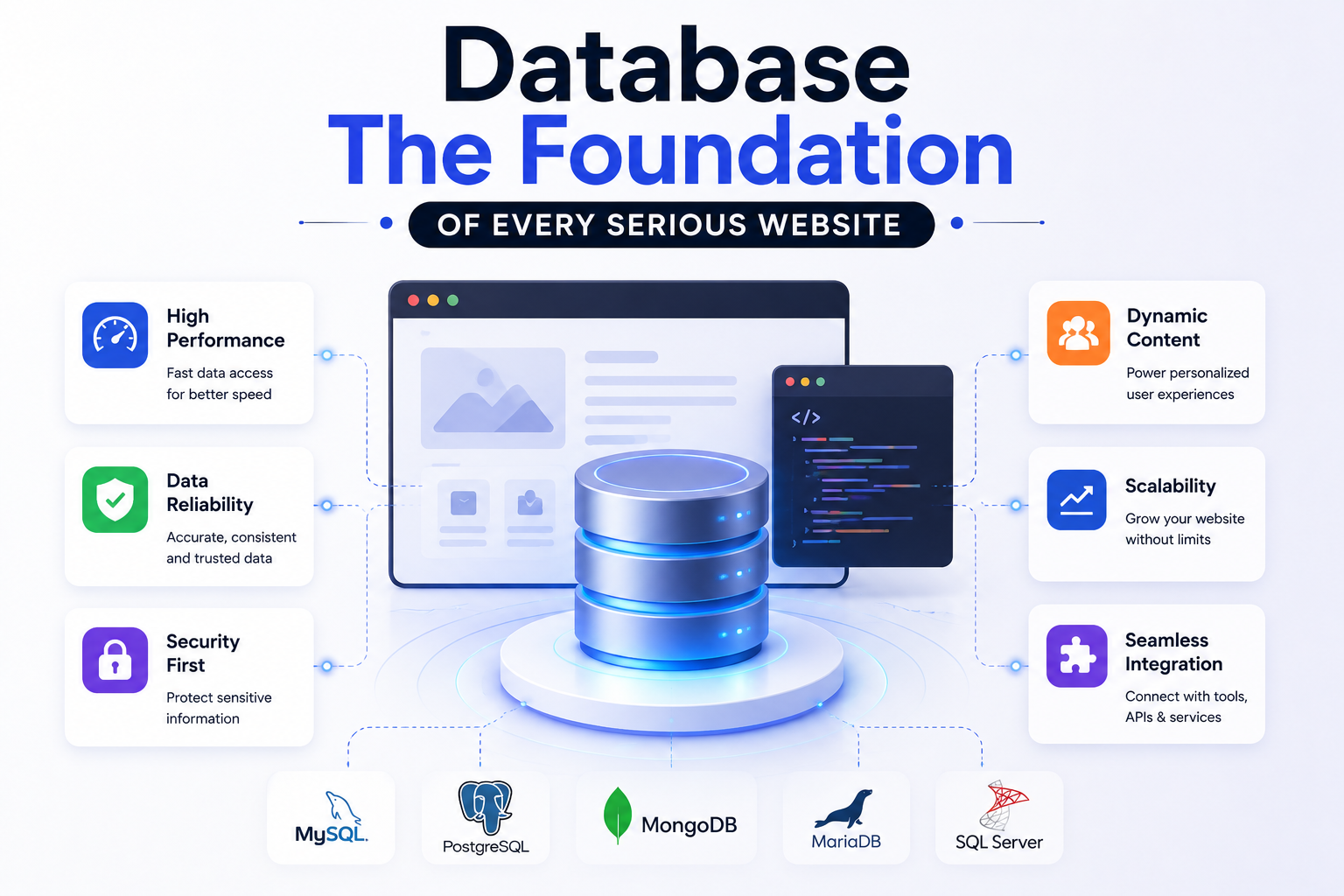
Understanding how to design, connect, and query a database correctly from the beginning of a project is one of the most consequential skills in web development. The decisions made at the data layer — what database to use, how the schema is structured, how the application queries it, and how it scales under load — determine the long-term maintainability, performance, and capability of everything built on top of them. Retrofitting a properly designed database architecture onto an application that was built without one, or with a poorly designed one, is one of the most expensive and disruptive engineering tasks a development team can face.
This guide covers every stage of building a website with a database, from choosing the right database type and designing a schema that supports growth, through to connecting it to a modern web application, querying it efficiently, and deploying the whole stack in a production-ready configuration.
Step 1: Choose the Right Type of Database
The first decision in building a website with a database is choosing the type of database that best fits the data model and access patterns of the application. This is not a decision to make by default or by familiarity alone. The two primary categories are relational databases and non-relational databases, and they handle data in fundamentally different ways with different strengths and trade-offs.
Criteria Relational (SQL) Non-Relational (NoSQL) Data Structure Tables with fixed schemas Documents, key-value, graphs Schema Enforced, structured Flexible, schema-optional Relationships Native via joins and foreign keys Managed in application logic Transactions ACID compliant Varies by platform Scaling Model Vertical, some horizontal Horizontal by design Query Language SQL (standardised) Varies by platform Best For Most web applications Real-time, unstructured data Popular Options PostgreSQL, MySQL, SQLite MongoDB, Firebase, DynamoDB
For the vast majority of websites being built today, PostgreSQL is the right default choice. It is open source, battle-tested at every scale from a single-server startup to a multi-region enterprise deployment, supports advanced data types including JSON columns for semi-structured data, handles complex relational queries efficiently, and has first-class support in every major managed database platform. Unless there is a specific and well-reasoned case for a NoSQL database based on the application's actual data model, PostgreSQL should be the starting point.
Step 2: Select a Managed Database Platform
Running a database directly on a self-managed server is an operational burden that most web development projects do not need to take on. Managed database platforms handle provisioning, backups, failover, scaling, and security patching, which removes an entire category of operational complexity and lets the development team focus on building the application rather than maintaining infrastructure.
Platform Database Best For Free Tier Supabase PostgreSQL Full-stack apps, auth included Yes Railway PostgreSQL, MySQL, MongoDB Developer-friendly deployments Yes PlanetScale MySQL (Vitess) Horizontal scaling, branching Yes Neon PostgreSQL (serverless) Serverless, auto-scaling Yes AWS RDS PostgreSQL, MySQL, others Enterprise, full AWS integration Limited Firebase Firestore (NoSQL) Real-time apps, mobile-first Yes
For most Next.js applications, Supabase is the most productive starting point. It provides managed PostgreSQL, a built-in authentication system, auto-generated REST and GraphQL APIs, real-time subscriptions, and a file storage service, all accessible through a well-documented JavaScript client library. This combination eliminates a significant amount of boilerplate infrastructure setup and allows development to focus on application-specific logic from day one.
No-Code and Low-Code Database Website Options
Everything from this point forward in this guide assumes a custom-built application with a developer writing schema, queries, and API logic directly. That's the right approach for a serious, scalable product — but it's not the only way to build a website backed by a database, and it's not the right starting point for every project.
Bubble is a full visual application builder where the database, logic, and interface are all configured through a drag-and-drop editor rather than code. It supports relational data structures similar in spirit to the schema design covered in Step 3, without requiring SQL or a backend framework. It's a reasonable choice for an internal tool, an MVP, or a founder validating an idea before committing to custom development.
Airtable-backed builders — Softr and Glide both turn an Airtable base (a spreadsheet with database-like relational features) into a functional website or web app, complete with forms, filtered views, and user logins. This path suits anyone already comfortable managing data in a spreadsheet interface who needs a simple front end on top of it, without touching a line of code.
Xano sits a step closer to the custom end of the spectrum: a visual backend-as-a-service that lets you define a relational database schema and build API endpoints through a no-code interface, which can then be connected to a custom frontend or a no-code tool like Webflow or FlutterFlow. It's the more scalable option of the group if the project is likely to outgrow a pure drag-and-drop builder.
Step 3: Design Your Database Schema
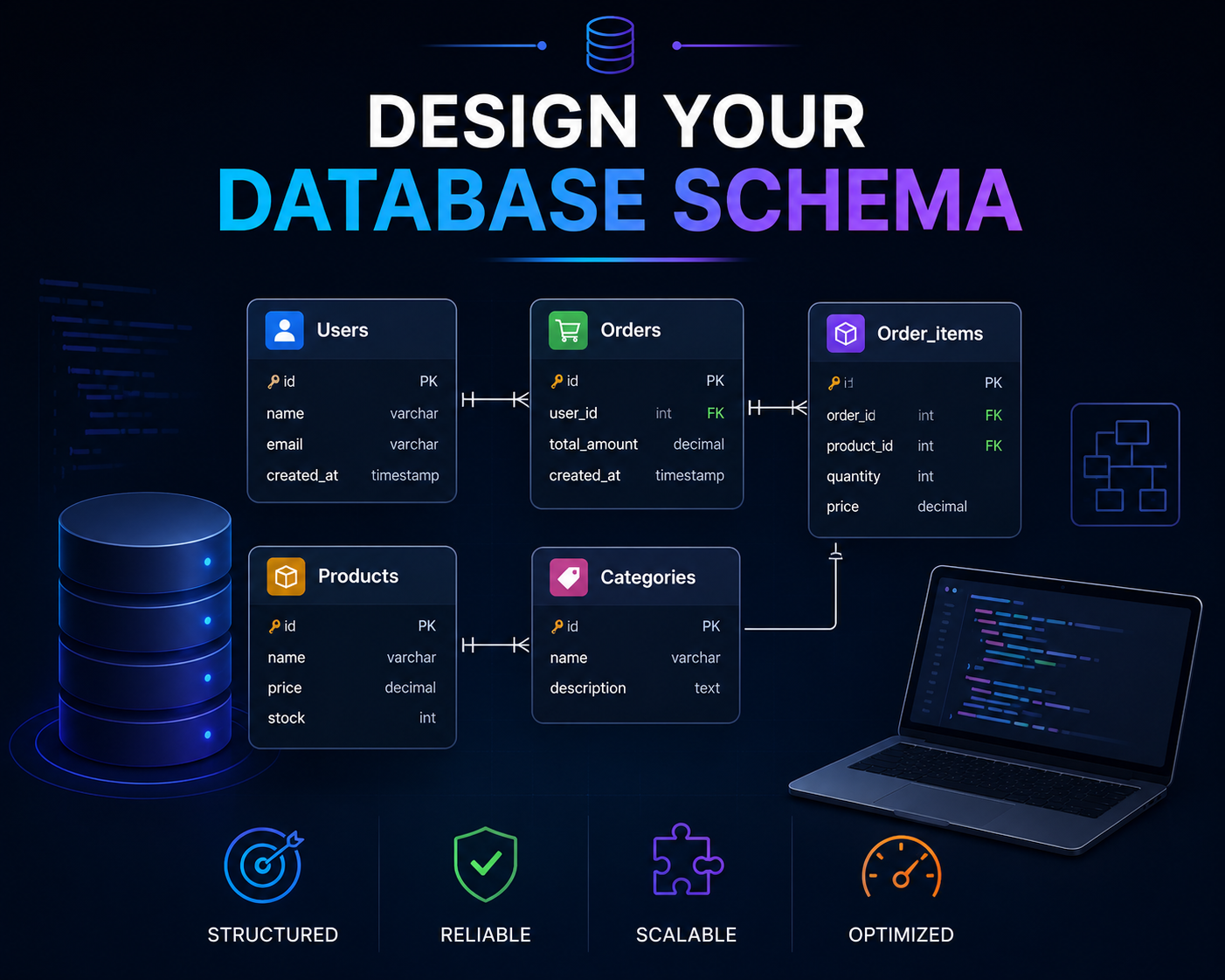
Schema design is the most intellectually demanding part of building a website with a database, and the one where mistakes are most costly to correct later. A well-designed schema accurately models the real-world entities and relationships in the application's domain, enforces data integrity at the database level, and supports the query patterns the application actually needs without requiring expensive operations or complex workarounds.
The process begins with identifying the core entities in the application, the things the system needs to store and reason about. For an ecommerce website, the core entities might include users, products, categories, orders, order items, and addresses. For a booking platform, they might include users, services, providers, availabilities, bookings, and payments. Each entity becomes a table in a relational schema, and the relationships between entities are expressed through foreign keys that link rows across tables.
A simplified schema for a content-driven website with user accounts illustrates the basic structure clearly.
Table Key Columns Relationships users id, email, name, role, created_at Has many posts, comments posts id, title, slug, body, author_id, published_at Belongs to users, has many comments, tags categories id, name, slug, description Has many posts comments id, body, author_id, post_id, created_at Belongs to users, belongs to posts tags id, name, slug Many-to-many with posts post_tags post_id, tag_id Junction table for posts and tags
Three normalisation principles should guide schema design for most web applications. First, each table should store data about one entity only. Mixing user profile data and user preference data in the same table creates coupling that makes both harder to manage over time. Second, every row should be uniquely identifiable by a primary key, typically a UUID or auto-incrementing integer. Third, data that is likely to be queried together should be structured to avoid expensive joins in the most common read paths.
Step 4: Connect Your Database to a Next.js Application
With a database provisioned and a schema designed, the next step is connecting the database to the web application. In a Next.js application, database access happens exclusively on the server side, either in API routes, server actions, or server components. Database credentials must never be exposed to the client and should be stored in environment variables that are only available in the server runtime.
There are three primary approaches to querying a PostgreSQL database from a Next.js application, each with different trade-offs in terms of control, type safety, and developer experience.
Raw SQL via a driver — Using a library like
pgorpostgres.jsto write and execute SQL queries directly. Provides complete control over queries and is the most performant option but requires the developer to write all SQL manually and manage type safety explicitly.Query builder — Libraries like
Drizzle ORMorKyselyallow SQL to be written using a type-safe JavaScript API that generates the underlying queries. Provides strong TypeScript integration and more control than a full ORM while reducing raw SQL boilerplate.Full ORM —
Prismais the most widely used ORM for Node.js and Next.js applications. It generates a fully type-safe client from the schema definition, handles migrations, and provides a clean query API that does not require writing SQL for most operations. The developer experience advantage is significant, particularly for teams that are not SQL specialists, at a slight cost in query performance optimisation flexibility for complex cases.
For most Next.js applications, Prisma strikes the best balance of developer productivity, type safety, and capability. The schema definition file serves as a single source of truth for the data model, migration history is version controlled alongside the application code, and the generated client provides auto-complete and type checking for every database operation throughout the codebase.
Step 5: Set Up and Manage Database Migrations
A database migration is a versioned, incremental change to the database schema that can be applied forward to update the structure and rolled back if the change introduces a problem. Managing schema changes through migrations rather than making direct alterations to the production database is the practice that prevents the category of incidents where a schema change breaks a running application without a reliable path to recovery.
With Prisma, the migration workflow is straightforward. The developer modifies the schema definition file to reflect the desired changes, runs prisma migrate dev in development to generate and apply a migration file, reviews the generated SQL to confirm it reflects the intended change, and commits the migration file to version control alongside the schema change. In production, prisma migrate deploy applies any pending migrations as part of the deployment pipeline. This ensures the database schema and application code are always deployed in sync, which eliminates an entire category of production errors caused by schema and code version mismatches.
Step 6: Build Your API Layer to Expose Data
With the database connected and queryable, the application needs an API layer that exposes data to the frontend in a controlled, validated, and secure way. In Next.js, this can be implemented through API routes in the app/api directory or through server actions that execute database operations directly in response to form submissions and user interactions without a separate HTTP endpoint.
Every API endpoint that accepts user input must validate that input before it reaches the database. Input validation catches malformed data early, prevents injection attacks, and provides clear error messages to client-side code that can be surfaced usefully in the user interface. Zod is the most widely used validation library in the Next.js ecosystem and integrates cleanly with both API routes and server actions, providing runtime validation that matches the TypeScript types used throughout the codebase.
Every API endpoint that returns data must also enforce authorisation, confirming not just that the requesting user is authenticated but that they have permission to access the specific data being requested. Returning all records from a table to any authenticated user, rather than filtering to the records that user is permitted to see, is one of the most common data security failures in web applications and one of the most straightforward to prevent with a systematic authorisation check on every data access.
Step 7: Optimise Queries for Performance
Database query performance is one of the most common sources of slowness in web applications, and it is one that becomes more significant as the data volume grows. A query that runs in five milliseconds on a table with one thousand rows may take five seconds on the same table with one million rows if it is not properly indexed. Building good query performance habits from the start of a project is significantly easier than diagnosing and fixing performance problems on a production application under load.
Add indexes on columns used in WHERE clauses and JOINs. Every foreign key column should be indexed by default. Columns frequently used to filter, sort, or join data should be indexed based on the actual query patterns of the application rather than speculatively.
Select only the columns you need. Fetching entire rows with
SELECT *when only two or three columns are used in the response transfers unnecessary data across the network and increases memory usage in the application layer. Prisma'sselectoption makes this explicit and enforced at the type level.Use pagination for large result sets. Never return unbounded query results to the client. Cursor-based pagination using a unique, indexed column performs significantly better at scale than offset-based pagination, which requires the database to scan and discard all preceding rows to reach the requested page.
Use EXPLAIN ANALYZE to inspect slow queries. PostgreSQL's query planner output shows exactly how a query is being executed, which indexes are being used, where sequential scans are occurring, and where the execution cost is concentrated. Running this on any query that takes more than a few hundred milliseconds in development almost always reveals an obvious optimisation opportunity.
Cache the results of expensive repeated queries. For data that is read frequently but changes infrequently, an in-memory cache like Redis sitting between the application and the database can reduce database load by orders of magnitude and reduce response times for the most common data access patterns to sub-millisecond.
Step 8: Secure Your Database Connection and Data
Database security requires attention at multiple levels of the stack. At the infrastructure level, the database should not be publicly accessible. It should only accept connections from the application servers that need it, enforced through network access controls or private networking within the hosting environment. The connection string, which contains the database host, port, name, username, and password, must be stored as an environment variable and never committed to version control or exposed in client-side code.
At the application level, every query that incorporates user-supplied input must use parameterised queries rather than string concatenation. Parameterised queries separate the SQL instruction from the data values, which makes SQL injection attacks structurally impossible regardless of what the user supplies as input. Prisma and other ORMs use parameterised queries by default for all operations, which provides this protection automatically. Developers who drop down to raw SQL for specific queries must apply parameterisation explicitly and consistently.
Row-level security, available in PostgreSQL and exposed through Supabase's policy system, allows access control rules to be enforced at the database level rather than relying entirely on application code. This provides a defence-in-depth approach where even if the application layer fails to enforce an access check correctly, the database itself prevents the unauthorised data access from succeeding.
Step 9: Handle Database Connections in a Serverless Environment
Deploying a Next.js application on a serverless platform like Vercel introduces a specific database connection challenge. Traditional database clients maintain a persistent connection pool, where a fixed number of connections are opened once and reused across multiple requests. Serverless functions are stateless and short-lived, which means each invocation may create a new database connection, rapidly exhausting the connection limit of the database under any meaningful load.
The standard solution is a connection pooler that sits between the serverless functions and the database, managing a shared pool of connections that many function invocations can share efficiently. PgBouncer is the most widely used connection pooler for PostgreSQL. Supabase includes a PgBouncer-compatible connection pooling endpoint in every project. Neon uses a serverless driver that handles connection management natively for serverless environments without requiring a separate pooler. Configuring the application to use the pooled connection string rather than the direct database connection string is essential for any Next.js application deployed on a serverless platform.
Step 10: Deploy With Automated Backups and Monitoring
A production database requires automated backups configured before the application goes live, not after the first data incident makes the absence of backups apparent. Managed database platforms including Supabase, Railway, and AWS RDS all provide automated daily backups with configurable retention periods. Verifying that backups are actually being created, and periodically testing that they can be restored successfully, is a basic operational responsibility that many teams neglect until they need a backup urgently.
Monitoring should cover database-level metrics including connection count, query execution time distribution, storage usage, and replication lag if applicable. Application-level monitoring through tools like Sentry surfaces database errors and slow query alerts in the context of the requests that triggered them, which makes diagnosis significantly faster than correlating separate database logs with application logs manually. Setting up alerting thresholds for connection exhaustion, storage approaching capacity limits, and sustained slow query rates before they become user-facing incidents is the operational standard that production database deployments require.
How We Work
Schema design is where most database-backed projects either earn or lose years of future flexibility, so it's the first thing we whiteboard — not the last. We identify every core entity and its real relationships before touching Prisma or writing a single migration, because a schema retrofit six months into a live product is one of the most expensive corrections in web development, and it's almost always avoidable with an hour of planning up front.
Build Your Database-Driven Website With Munix Studio
Retrofitting a database onto an application that wasn't designed for one is expensive. Munix Studio designs the schema first, then builds the application around it — with Prisma, PostgreSQL, and connection pooling configured correctly for serverless deployment from day one.
Website Development — Schema design, migrations, and API layers built on Next.js and Prisma before any frontend code is written.
UI/UX Design — Interfaces for data-heavy applications that stay legible even as the underlying data model grows more complex.
SEO Optimization — Ensuring database-driven pages render fully for crawlers rather than depending on client-side data fetching.
App Development — Full-stack applications with authentication, relational data, and real-time features layered on the same schema.
Maintenance and Support — Ongoing migrations and query optimization as your data volume and access patterns grow.
Frequently Asked Questions
Ready to Get Started?
Website Development
Custom database-driven websites built on Next.js with Prisma, PostgreSQL, full API development, and headless CMS integration from the very first page.
Explore Website DevelopmentUI/UX Design
Interface design for data-driven web applications that presents dynamic, complex content with the clarity and usability that modern users expect.
Explore UI/UX DesignSEO Optimization
Technical SEO for database-driven websites ensuring dynamic content is correctly rendered, indexed, and structured for search engines to rank effectively.
Explore SEO OptimizationApp Development
Full-stack web and mobile application development with complex relational data models, user authentication, real-time features, and production-grade database infrastructure.
Explore App DevelopmentMaintenance and Support
Ongoing schema migrations, query optimisation, dependency updates, and infrastructure monitoring to keep your database-driven application fast, secure, and growing.
Explore Maintenance and SupportRelated Articles

What is Website Development? The Complete Guide for Beginners
How Are Modern Websites Built in 2026?

Website Development Process & Life Cycle : Complete Guide
How Websites Work: DNS, Servers, Browsers
What is Website Architecture? Best Practices