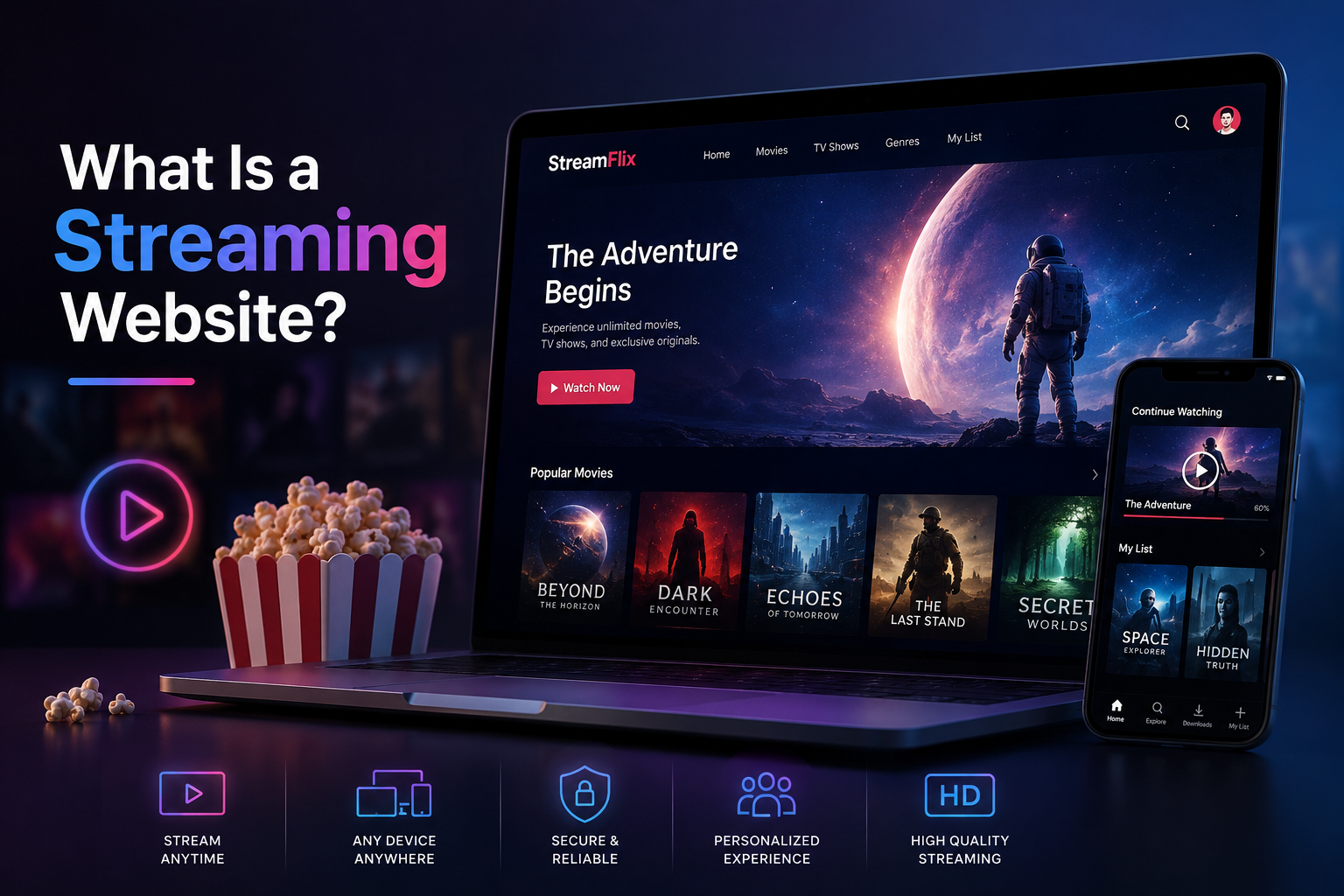
What Is a Streaming Website?
A streaming website is a platform that delivers audio or video content to users in real time or on demand without requiring them to download the full file before playback begins. The content is transmitted continuously from a server or content delivery network to the user's device, which buffers a small portion ahead of the current playback position to maintain smooth viewing. Netflix, YouTube, Twitch, Spotify, and Disney Plus are all streaming platforms at their core, but the same underlying architecture powers everything from a private corporate training portal to a niche fitness on-demand library to a church live stream.
The distinction between the major types of streaming matters architecturally because video on-demand and live streaming have fundamentally different technical requirements, different infrastructure costs, and different user experience design priorities. A platform that tries to serve both without understanding those differences produces a site that handles neither well. This guide covers both in full, along with the shared foundations every streaming website requires regardless of the content delivery model.
Video On-Demand vs Live Streaming: Core Differences
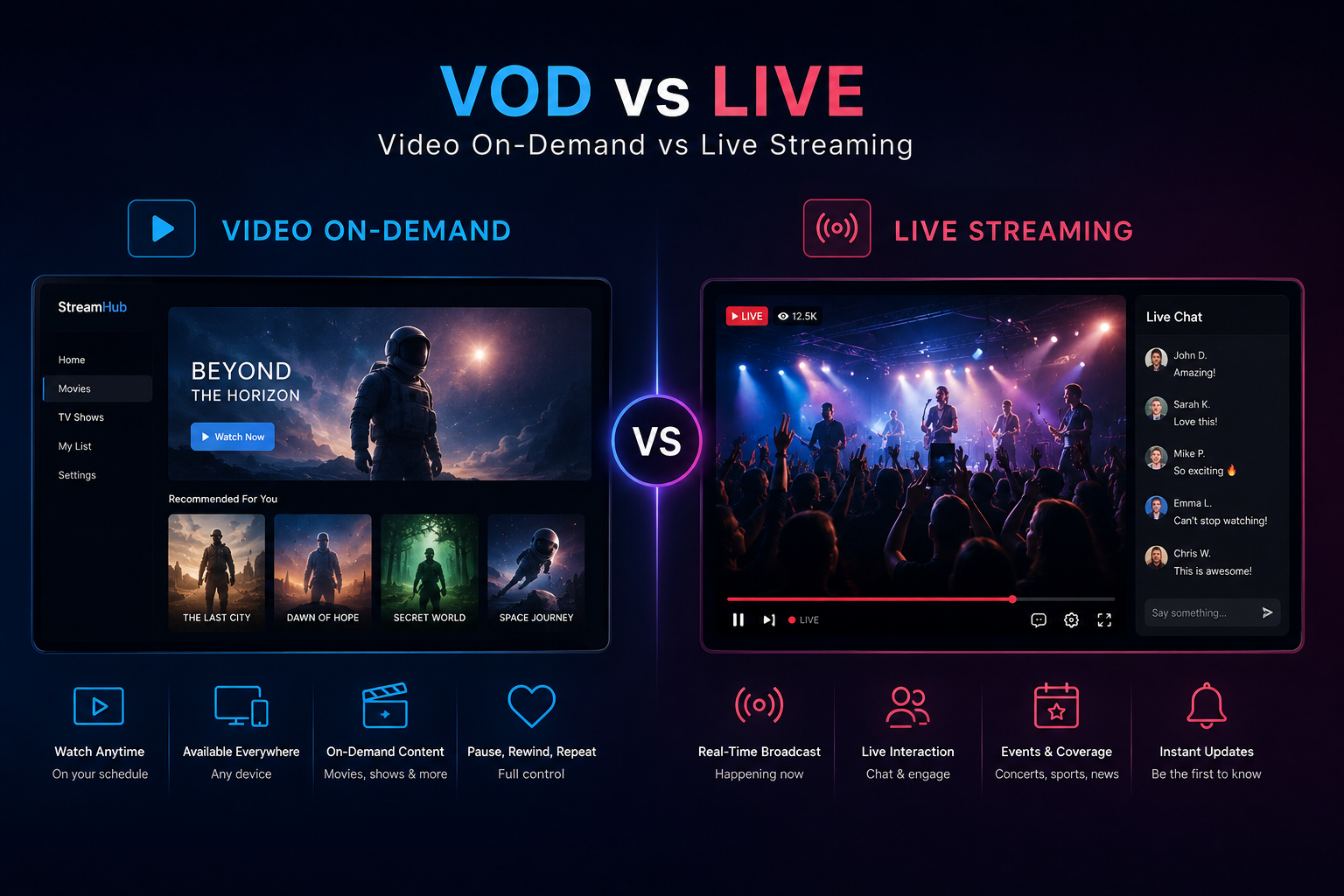
Before any technology decisions are made, the streaming model needs to be defined. The two primary approaches are video on-demand and live streaming. Many platforms eventually offer both, but they are best understood and architected separately before combining them.
Factor Video On-Demand (VOD) Live Streaming Content timing Pre-recorded, watched anytime Real-time, broadcast as it happens Infrastructure complexity Moderate High Storage requirement High — all content stored permanently Lower — streams are ephemeral unless recorded Latency tolerance High — buffering acceptable Low — delay frustrates live audiences Concurrent user spikes Gradual, predictable growth Sudden, unpredictable at event start Primary protocol HLS, DASH (adaptive bitrate) RTMP ingest, HLS or WebRTC delivery SEO opportunity High — indexable content pages Moderate — event pages, replays Monetisation model Subscription, pay-per-view, advertising Pay-per-view, donations, subscriptions, sponsorships Examples Netflix, Vimeo OTT, MasterClass Twitch, sports broadcasts, webinar platforms
Step 1: Define Your Streaming Platform Model
A streaming website without a clearly defined model is an infrastructure project without a purpose. Before choosing a video host, a player library, or a monetisation tool, the platform model needs to be defined across four dimensions: what content is being streamed, who the audience is, how the platform generates revenue, and whether the streaming is on-demand, live, or both.
The content type shapes everything downstream. A fitness platform streaming workout videos has different content volume, different subscription expectations, and different quality requirements than a sports broadcaster streaming live events. A corporate training portal has different access control requirements than a public educational channel. Getting the model definition right before building prevents the expensive rebuilds that come from discovering the platform cannot handle the actual use case six months into development.
Platform Type Content Model Monetisation Key Technical Need OTT subscription platform VOD library Monthly subscription DRM, adaptive bitrate, CMS Live events platform Live streams Pay-per-view, tickets Low latency, scalable ingest Online course platform Structured VOD lessons Course purchase or subscription Progress tracking, access gating Gaming or creator platform Live + VOD replays Subscriptions, donations, ads Real-time chat, low latency Corporate training portal Private VOD library B2B licence fee SSO, role-based access, analytics Church or community stream Live + archived replays Donations, free access Simplicity, reliability, archive
Step 2: Choose Your Video Infrastructure
Video infrastructure is the most technically demanding and most expensive layer of a streaming website. Unlike a standard web application where the server delivers HTML and JSON, a streaming platform must encode, store, and deliver large binary video files efficiently to potentially thousands of concurrent users on diverse devices and network conditions. Building this infrastructure from scratch is neither practical nor cost-effective for most platforms. The right approach is to use a managed video infrastructure provider and build the streaming website as a custom frontend on top of it.
Video On-Demand Infrastructure Options
Provider Key Features Best For Pricing Model Mux API-first, adaptive bitrate, analytics, DRM Developer-built custom platforms Usage-based per minute stored and delivered Cloudflare Stream Simple API, global CDN, live and VOD Cost-effective at scale Per minute stored plus delivered AWS MediaConvert + S3 + CloudFront Full control, enterprise grade, complex Large scale, existing AWS stack Component pricing, requires expertise Vimeo OTT / Vimeo API Managed platform, less API flexibility Non-technical teams, faster launch Subscription tiers Bunny.net Stream Affordable, fast CDN, HLS output Budget-conscious platforms Very low per-GB pricing
Live Streaming Infrastructure Options
Provider Latency Ingest Protocol Best For Mux Live Low latency mode available RTMP, RTMPS, SRT Custom platforms needing API control Cloudflare Stream Live Standard HLS latency RTMP Cost efficiency, simple setup AWS IVS Ultra-low latency (under 3 seconds) RTMP, RTMPS Interactive live experiences, gaming Agora or Daily.co Ultra-low via WebRTC WebRTC Interactive video, audience participation Wowza Streaming Engine Configurable RTMP, SRT, WebRTC Enterprises needing self-hosted control
For most custom-built streaming websites on Next.js, Mux is the recommended infrastructure layer for both VOD and live because its API-first design integrates cleanly with a Next.js backend, its analytics provide genuine insight into playback quality and viewer behaviour, and it handles transcoding, adaptive bitrate packaging, and global delivery without requiring the platform team to manage any encoding infrastructure directly.
Step 3: How to Create a Video Streaming Website
A video streaming website, also called a VOD platform, delivers pre-recorded content from a library that users browse, select, and watch at their own pace. Building one correctly requires careful attention to five distinct technical layers: video storage and transcoding, adaptive bitrate delivery, the video player, the content management layer, and the user account and access control system.
Video Transcoding and Adaptive Bitrate Delivery
When a video file is uploaded to the platform, it cannot be served to viewers in its original format. It must be transcoded into multiple quality levels at different bitrates, typically 360p, 480p, 720p, 1080p, and sometimes 4K, and packaged into an adaptive bitrate format such as HLS or MPEG-DASH. Adaptive bitrate streaming allows the player to switch between quality levels in real time based on the viewer's available bandwidth, which prevents the buffering that drives viewers away on slower connections without sacrificing quality for viewers on fast ones.
Managed providers like Mux and Cloudflare Stream handle transcoding automatically when a video is uploaded via their API. The platform uploads the source file once and the provider produces all the necessary renditions and delivers them via their CDN. This removes the most technically complex and computationally expensive part of video streaming from the platform's own infrastructure entirely.
Choosing and Implementing a Video Player
The video player is the most user-facing component of a streaming website. It needs to support HLS playback across all browsers and devices, display correctly on mobile and desktop, load fast without blocking the rest of the page, and support the specific features the platform requires such as chapters, subtitles, quality selection, and playback speed control.
Player HLS Support Customisable DRM Support Best For Mux Player Native Yes Yes Mux-hosted content, best integration Video.js Via plugin Highly customisable Via plugin Open source, full control HLS.js Native Fully custom UI Manual implementation Developers wanting full UI ownership JW Player Native Moderate Yes Publishers, ad-supported platforms Plyr Via HLS.js CSS customisable No Clean UI, non-DRM content
Content Protection and DRM
Digital Rights Management is the technical mechanism that prevents viewers from downloading, copying, or redistributing protected video content. For platforms that sell or license premium video content, DRM is not optional. Without it, a paid subscriber can download a video and share it freely, eliminating the commercial value of the content entirely.
The three dominant DRM systems are Widevine from Google which covers Chrome, Android, and most Chromium browsers, FairPlay from Apple which covers Safari and iOS, and PlayReady from Microsoft which covers Edge and Windows. A platform that needs to protect content across all devices needs to implement all three, which is why DRM-capable infrastructure providers like Mux and AWS include multi-DRM support as part of their offering rather than requiring each platform to negotiate separate DRM licences.
Step 4: How to Create a Live Streaming Website
A live streaming website presents a fundamentally different set of technical challenges from a VOD platform. The content does not exist before the stream begins. It must be ingested from a source encoder in real time, transcoded on the fly, packaged into a streaming format, and delivered to potentially thousands of concurrent viewers with minimal latency, all without the safety net of pre-processing and testing that pre-recorded content allows.
The Live Streaming Technical Flow
Source capture — A camera, screen capture, or broadcast source feeds video and audio into an encoder. Software encoders such as OBS Studio and hardware encoders like Teradek are both commonly used. The encoder compresses the stream and pushes it via RTMP or SRT to the ingest endpoint provided by the streaming infrastructure provider.
Ingest and transcoding — The streaming provider receives the RTMP or SRT stream, transcodes it into multiple quality levels, and packages it into HLS segments in near real time. This process introduces latency, typically between two and thirty seconds depending on the provider and configuration. Low-latency modes available from providers like Mux and AWS IVS can reduce this to under five seconds for interactive use cases.
CDN distribution — The HLS segments are distributed to CDN edge nodes globally so that viewers in different regions receive the stream from a server close to them rather than from the origin, which reduces buffering and maintains quality under concurrent viewer load.
Player delivery — The HLS stream URL is passed to the video player on the viewer's device, which requests segments sequentially and adapts quality based on the viewer's available bandwidth. The player must handle the edge cases unique to live streams such as stream interruptions, quality switches, and the absence of a seek bar or a known total duration.
Real-time chat and interaction — Live streaming audiences expect to interact with the stream in real time. A chat system built on WebSockets or a managed service like Ably or Pusher enables real-time comment delivery without polling. Chat moderation, emoji reactions, and viewer count displays are standard features for consumer-facing live streaming platforms.
Recording and replay — Most live streaming platforms store a recording of each stream that becomes a VOD asset after the stream ends. Mux handles this automatically with a
recordflag on the live stream object. Making the replay available on the same URL as the live stream, with a clear indicator that the viewer is watching a recording, provides continuity for viewers who missed the live broadcast.
Step 5: Build the Full Application Stack
The video infrastructure layer handles encoding and delivery but the streaming website itself requires a full application stack built around it. User authentication, content management, subscription billing, search and browsing, watch history and progress tracking, and the admin interface for uploading and managing content all need to be built and integrated as part of the platform.
Application Layer Recommended Tool Key Responsibility Frontend framework Next.js SSR for SEO, routing, server components Authentication Clerk or Supabase Auth User accounts, sessions, social login Database PostgreSQL via Supabase Users, content metadata, watch history, subscriptions Video infrastructure Mux Upload, transcoding, delivery, live ingest Subscription billing Stripe Recurring subscriptions, pay-per-view, trials Content CMS Sanity Series, episodes, categories, metadata Real-time chat (live) Ably or Supabase Realtime Live chat, viewer count, reactions Search Algolia or Meilisearch Content discovery, filters, instant search Deployment Vercel Global CDN, serverless functions, ISR
Step 6: Design the Viewer Experience
The viewer experience on a streaming website encompasses everything from how content is discovered and browsed through to how it is watched and what happens after a video ends. Netflix's considerable investment in UX research has shaped viewer expectations across the industry: fast content discovery, smooth playback without visible buffering, intelligent continuation suggestions, and a consistent experience across devices. Any streaming platform competing for viewer attention needs to meet these expectations.
Content discovery — Browse pages organised by category, genre, topic, or instructor with filtering and sorting controls. A fast search that returns relevant results immediately, personalised recommendations based on watch history, and featured or new content sections on the homepage all reduce the time between arriving on the platform and starting to watch.
Watch page design — The watch page should prioritise the player above everything else. The player should occupy the largest possible viewport without requiring a full-screen mode, controls should appear on hover and disappear during playback, and related content should be visible below or beside the player without competing with it for visual attention during viewing.
Progress tracking and resume — For VOD platforms with longer content, saving the viewer's position and offering to resume from where they left off is a standard expectation. This requires tracking playback position in the database per user per video and surfacing the resume prompt on the watch page and on the content card in browse views.
Series and episode structure — Course or series content needs clear episode navigation that shows the viewer where they are in the sequence, which episodes are completed, and what comes next. Auto-advancing to the next episode after a configurable countdown is standard behaviour that viewers now expect from any structured content platform.
Mobile and responsive design — A significant proportion of streaming consumption happens on mobile devices. The player must resize correctly across all screen sizes, touch controls must be appropriately sized for finger interaction, and the browse experience must be as comfortable on a phone as on a desktop.
Step 7: Implement Monetisation
Streaming platforms support several distinct monetisation models and the right choice depends on the content type, the audience, and the competitive landscape the platform operates in.
Model How It Works Advantages Drawbacks SVOD (subscription) Monthly or annual fee for full access Predictable recurring revenue Requires large content library to justify cost TVOD (pay-per-view) One-time purchase per video or event No subscription commitment for buyer Revenue is transactional not recurring AVOD (advertising) Free content with pre-roll or mid-roll ads Low barrier to viewer acquisition Requires very high viewership for meaningful revenue Hybrid (freemium) Free tier plus paid subscription for premium Acquisition via free, conversion to paid Complex to manage two tiers of access Donations or tips (live) Voluntary payments during live streams Community driven, high engagement Unpredictable revenue, requires loyal audience
Step 8: Optimise for SEO to Drive Organic Discovery
Streaming platforms face a specific SEO challenge. The content itself, which is video, is not directly readable by search engines. The text surrounding that content, the page title, the description, the transcript, the category page, the series page, and the blog content about the topic area, is what search engines index and rank. Building a streaming website without investing in the text layer that makes video content discoverable produces a platform that depends entirely on paid acquisition or social media for growth.
Video schema markup — Implement VideoObject schema on every video page with the name, description, thumbnail URL, upload date, and duration. This enables Google to display video rich results in search, which dramatically increases click-through rates from video-specific queries.
Transcripts and captions — Publishing full text transcripts of video content on the page provides substantial indexable text that search engines can use to understand and rank the content for the specific topics and questions it addresses. Mux's data API can generate transcripts automatically which can then be formatted and published on the page.
Category and topic pages — Each category, series, or topic area on the platform should have a dedicated page with unique descriptive content about that category, not just a grid of video thumbnails. These pages rank for the broader category queries that bring new viewers to the platform.
Server-side rendering for content pages — Using Next.js server-side rendering or ISR for all video and category pages ensures that search engine crawlers receive fully rendered HTML with the video metadata, description, and transcript text immediately rather than waiting for JavaScript to execute.
How We Work
Video infrastructure is the one architectural decision on a streaming project you genuinely cannot walk back cheaply once content is live, so we treat it as the first conversation, not a vendor comparison spreadsheet handed over midway through. Whether the platform needs sub-5-second live latency or can tolerate 30-second VOD processing changes which provider, which pricing model, and which player library make sense — so we scope that against your actual content model before any UI work starts.
Build Your Streaming Website With Munix Studio
Streaming platforms fail on infrastructure choices made too late, not on design. Munix Studio matches the video infrastructure — Mux, Cloudflare Stream, or a custom AWS pipeline — to your actual content model and expected concurrency before any frontend work begins.
Website Development — Streaming sites on Next.js with adaptive bitrate playback, transcript-driven SEO, and subscription billing wired in from launch.
App Development — Native mobile apps with offline download and Chromecast/AirPlay support for platforms outgrowing browser-only viewing.
UI/UX Design — Viewer-first browse and watch-page design built around how people actually discover and finish content.
SEO Optimization — VideoObject schema, transcript publishing, and category pages that make non-crawlable video content discoverable.
Maintenance and Support — Ongoing monitoring of playback quality, billing, and infrastructure cost as viewership scales.
Frequently Asked Questions
Ready to Get Started?
Website Development
Custom streaming websites built on Next.js with Mux video infrastructure, Stripe subscription billing, adaptive bitrate playback, and SEO-optimised content pages from day one
Explore Website DevelopmentApp Development
Native iOS and Android streaming applications with offline download, push notifications, and Chromecast support for platforms needing a dedicated mobile viewing experience.
Explore App DevelopmentUI/UX Design
Viewer-first interface design for streaming platforms that makes content discovery effortless, keeps viewers watching longer, and delivers a polished experience across every device.
Explore UI/UX DesignSEO Optimization
Video schema implementation, transcript publishing, category page optimisation, and technical SEO for streaming platforms that need organic discovery to drive subscriber growth.
Explore SEO OptimizationMaintenance and Support
Ongoing video infrastructure monitoring, player updates, subscription billing maintenance, and performance optimisation to keep your streaming platform running reliably at scale.
Explore Maintenance and SupportRelated Articles
What is Website Development? The Complete Guide for Beginners
How Are Modern Websites Built in 2026?
Website Development Process & Life Cycle : Complete Guide
How Websites Work: DNS, Servers, Browsers
What is Website Architecture? Best Practices