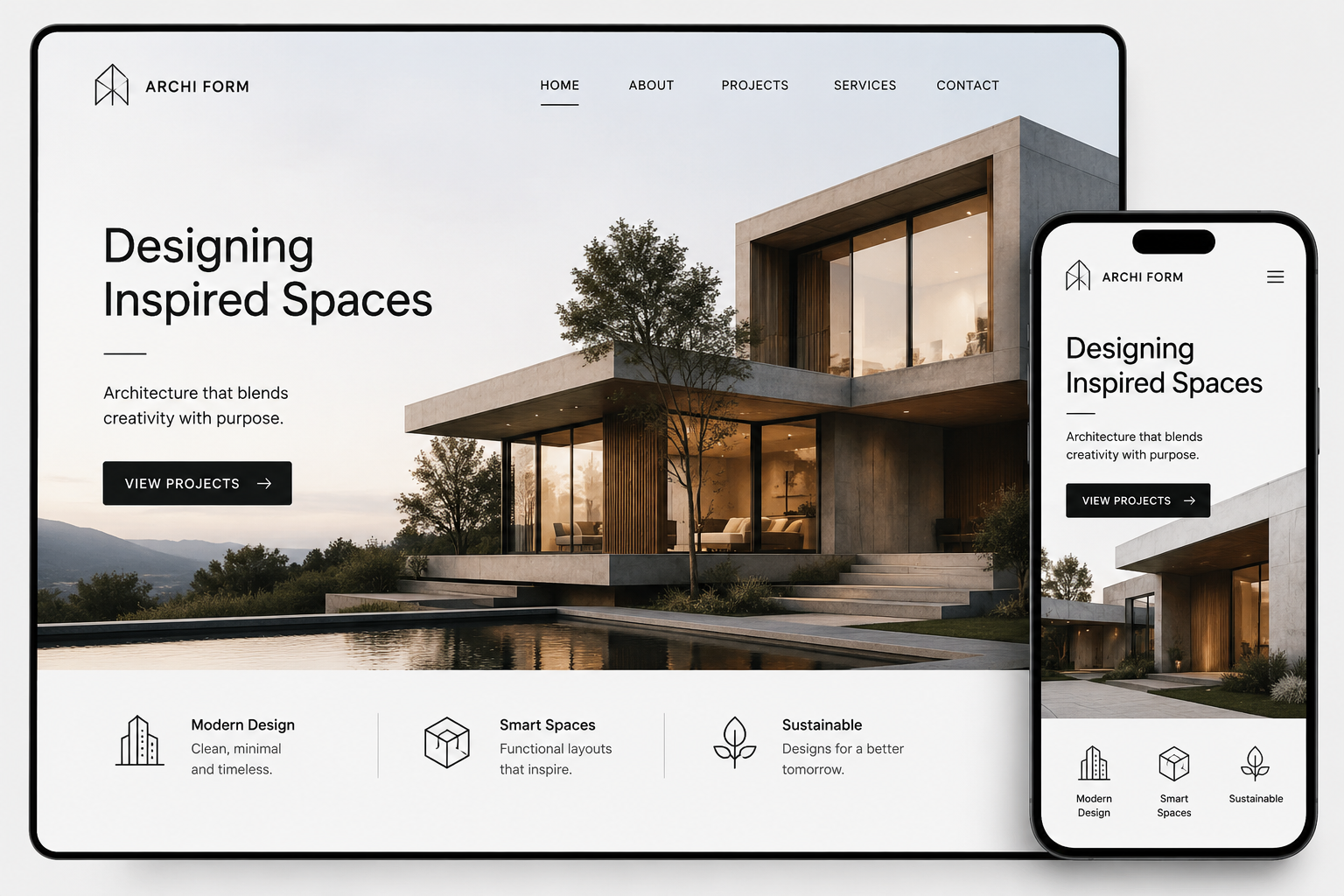
A church website is often the first place someone visits before ever stepping through your doors. A family new to the area, someone searching for community after a difficult season, or a longtime member looking for this Sunday's sermon time — they all land on your website first. What they find there shapes whether they show up at all. That is why building a church website deserves the same care and intention you bring to every other part of your ministry.
This guide walks through everything involved in creating a church website that genuinely serves your congregation and welcomes newcomers, from planning your structure and choosing the right technology to the specific features every church site needs.
Why Your Church Needs a Professional Website
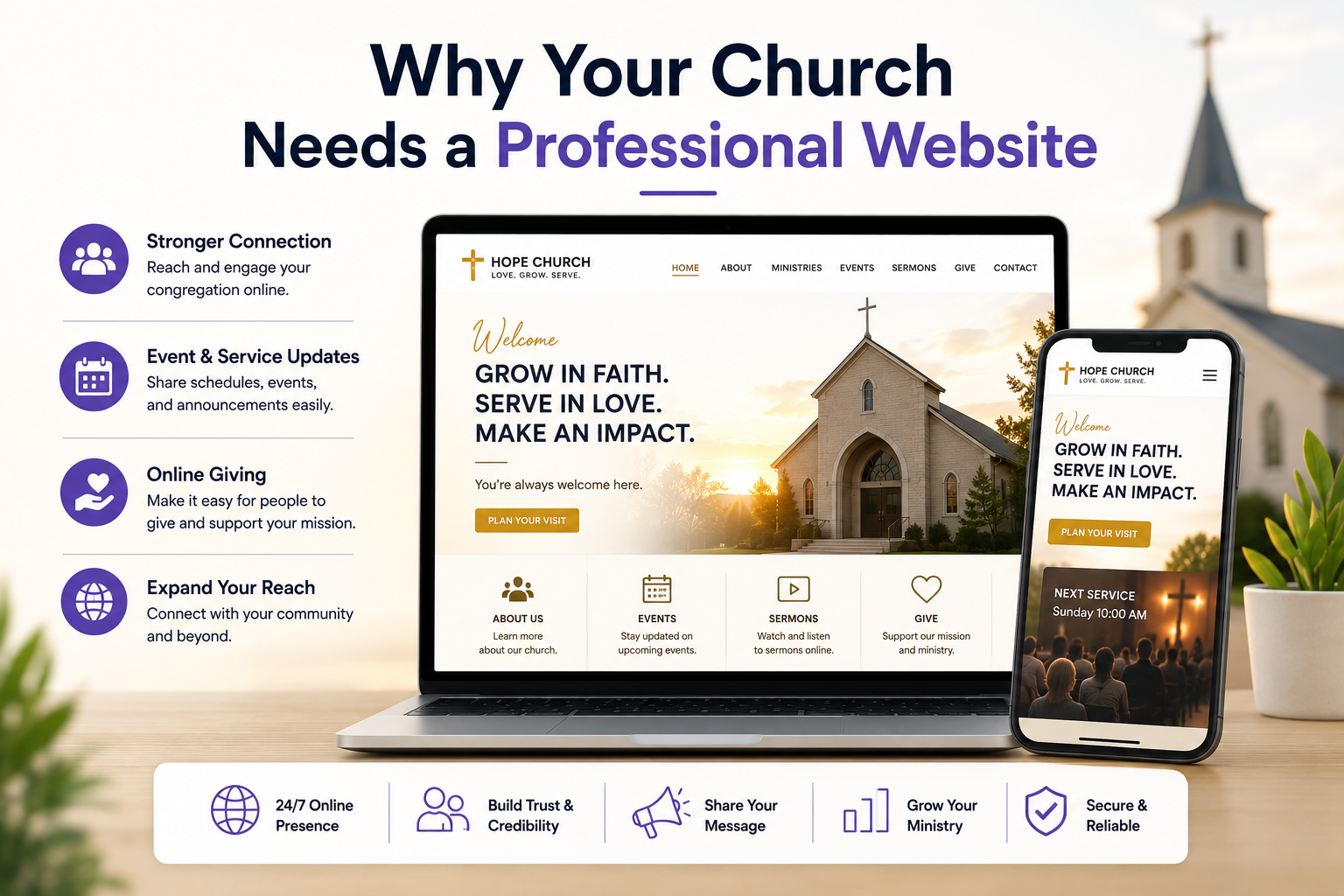
Over 80% of people research a church online before visiting in person, according to studies on faith community outreach. That number has only grown as mobile search became the default way people find anything local. A weak or outdated website tells a visitor something about the church before they ever read a word of content. A professional, well-structured site communicates that your community is active, organised, and worth their time.
Beyond first impressions, a good church website becomes a central hub for your existing members. Service times, event calendars, online giving, sermon archives, small group information, volunteer sign-ups — all of it lives in one place that members can access any time. The website stops being a marketing tool and becomes genuine infrastructure for your community.
How to Create a Church Website for Free: What Is Actually Possible
Free church websites are possible and genuinely serve some congregations well. Understanding what free options provide and where they fall short helps you decide whether free is the right choice for your situation or whether a small investment produces significantly better outcomes.
What Free Options Exist
Wix, Weebly, and Google Sites all offer free website tiers. Wix's free plan allows you to build a site but requires visitors to view your site on a Wix subdomain such as yourchurch.wixsite.com rather than a custom domain like yourchurch.com. It also displays Wix branding on every page. For a congregation that wants a web presence at zero cost and is comfortable with these limitations, this works.
Google Sites is entirely free and allows a custom domain connection at no additional cost beyond the domain registration fee itself. Domains typically cost $10 to $15 per year. A Google Sites church website will not win design awards, but it loads quickly, works on mobile, and can cover the essential pages any church needs: home, about, service times, contact, and a sermons page using YouTube embeds for video content.
WordPress.com's free plan allows basic site creation but restricts custom domains, removes advertising controls, and limits plugin access. It is less suited to church websites than the self-hosted WordPress.org version, which requires paid hosting starting around $5 to $10 per month.
What Free Options Cannot Do Well
A free church website will consistently underperform in three areas. Local SEO is the first. Without control over technical SEO elements, structured data, and proper URL structure, ranking for local church searches is difficult. The second is giving integration. Most free tiers do not support embedded third-party forms or payment widgets cleanly. The third is custom branding. Free platforms impose their own visual limitations that make it difficult or impossible to create a site that feels like a true reflection of your congregation's identity.
The Practical Recommendation
For a church at the very earliest stage with no website and no budget, a Google Sites or Wix free site is better than no website. Register a custom domain immediately even on a free platform, as it costs under $15 per year and removes the most obvious signal that the site is a free build. As soon as the budget allows, move to a hosted WordPress installation or a custom build. The difference in SEO performance, design quality, and feature capability is significant enough that delaying the investment costs more in lost visibility than the hosting costs.
Step 1 — Define Your Goals and Audience
Before touching any design tool or writing a single line of code, spend time defining who the website is for and what it needs to do. Most church websites serve two distinct audiences with different needs: first-time visitors who are exploring your church, and current members who need practical information and resources.
First-time visitors need to quickly find your location, service times, what to expect when they arrive, and who leads the church. They are evaluating whether your community feels like a fit. Current members need the events calendar, sermon library, giving options, and ministry information. Designing for both audiences means your site needs a clear, welcoming homepage that answers the visitor's questions immediately while also providing easy navigation to the deeper content your members use regularly.
Step 2 — Plan Your Website Structure
A church website's navigation should feel natural to someone who has never been to your church. Overly complex menus or jargon-heavy page names create friction. The structure below works well for most congregations and can be expanded as your site grows.
Page Primary Purpose Key Content Home Welcome and orient visitors Mission statement, service times, upcoming events, sermon preview About / Our Story Build trust and connection Church history, beliefs, leadership team, vision Sermons / Media Ongoing engagement and outreach Video or audio sermons, series archive, speaker notes Events / Calendar Drive attendance and participation Upcoming events, registration links, recurring programmes Ministries / Groups Connect people to community Children's ministry, youth, small groups, women's and men's groups Give / Donate Enable online generosity Secure giving form, fund categories, recurring giving option Contact / Find Us Reduce barriers to visiting Address, map embed, phone, email, parking information
Step 3 — Choose Your Development Approach
This is where many churches get stuck. The market is full of website builders marketed specifically at churches — Squarespace, Wix, Faithlife, Ekklesia 360, and several others. They promise quick setup and church-specific templates. Custom development, on the other hand, means building a site from scratch using frameworks like React, Next.js, or WordPress with a custom theme. Both approaches have real trade-offs worth understanding.
Church Website Builders vs Custom Development
Factor Website Builder Custom Development Setup Speed Fast (days) Longer (weeks) Design Flexibility Limited by templates Fully custom Long-term Cost Recurring monthly fees Lower after launch SEO Control Restricted Full control Scalability Hits ceilings quickly Scales without limits Unique Identity Looks like other church sites Reflects your church's identity Technical Maintenance Handled by platform Requires a developer or support plan
For a small congregation with a limited budget and no plans to scale, a well-chosen website builder can serve adequately in the short term. But churches that are growing, that want to rank in local search results, that need custom integrations with giving platforms or church management software, or that want their website to feel truly distinct, will find that custom development pays for itself over time. Template sites tend to look similar to each other, load slower due to bloated builder code, and give you no control over the technical factors that determine search rankings.
Church Website Builders Compared: Which Platform Works Best for Your Congregation
Choosing a website builder or platform is one of the most consequential early decisions in a church website project. The wrong choice means paying to rebuild the site two years later when you hit platform limitations. The right choice means a site that serves your congregation well for years with minimal overhead. The platforms below are the most commonly used by churches, evaluated honestly for their actual strengths and weaknesses in a church context.
Wix for Churches
Wix is one of the most commonly recommended website builders for churches starting from scratch with no technical team. It has a drag-and-drop interface that non-technical volunteers can use comfortably, a large library of church-specific and general templates, built-in event management, a blog function for devotional content, and a forms tool for contact and prayer request submissions. The Wix App Market includes integrations for online giving platforms and email list tools.
The limitations matter at the point when a congregation wants to grow its online presence. Wix's SEO control is moderate but not complete. You can set meta titles and descriptions, but structured data implementation, canonical handling, and technical SEO configuration require workarounds that a developer would find frustrating. Performance on Wix sites is adequate but not optimal, and the platform does not give you access to the underlying code if you need to customise beyond what the drag-and-drop editor allows. For a small congregation focused on having a functional, maintained web presence without technical complexity, Wix is a practical starting point.
Squarespace for Churches
Squarespace produces cleaner, more design-forward sites than Wix by default and is a reasonable choice for congregations where visual quality matters and the team is comfortable with a slightly more structured editor. Squarespace has native audio and video embedding for sermon content, solid blog functionality, and event pages with basic registration. The templating system is more constrained than Wix but produces more consistently professional results.
The same SEO limitations apply. Squarespace gives you control over basic on-page elements but limited access to technical SEO configuration. Performance is generally better than Wix on average but still falls short of a well-optimised custom site.
Faithlife Equip
Faithlife is a platform built specifically for churches and ministry organisations. It integrates directly with Faithlife's broader suite of church tools including Proclaim, Faithlife TV, and Faithlife Giving. If your church is already embedded in the Faithlife ecosystem, using their website platform creates genuine integration advantages. Sermons published in Faithlife TV appear automatically on the website. Events from the Faithlife church calendar sync to the website automatically. Giving through Faithlife Giving connects directly to the website's giving page.
The limitation is that Faithlife Equip produces sites that look distinctly like Faithlife sites. The template selection is narrower than general-purpose builders, and for congregations that want a distinctive visual identity, the platform imposes constraints that matter. It is the right choice for churches that prioritise ministry tool integration over design flexibility.
Ekklesia 360
Ekklesia 360 is a church-specific CMS with more flexibility than most builders. It supports custom page design, full sermon media management, integrated event registration, online giving connections, and a member portal. It is positioned above general-purpose builders in capability and below fully custom development in flexibility. For medium to large congregations that need more than a basic builder but cannot justify a full custom build, Ekklesia 360 occupies a reasonable middle ground.
WordPress for Churches
WordPress with a church-specific theme or a general theme customised for ministry use is the most flexible non-custom option available. You get complete control over design through theme selection and customisation, full access to SEO plugins like Yoast or RankMath, proper structured data implementation, an events management plugin, sermon management plugins like Sermon Manager, and the ability to integrate virtually any giving platform through embeddable widgets or direct API connections.
The tradeoff is maintenance overhead. WordPress requires regular updates to core, themes, and plugins to stay secure. Poorly maintained WordPress sites are a significant security risk. A church that chooses WordPress needs either a technically capable volunteer or staff member to manage updates, or a maintenance plan with a developer. When that is in place, WordPress is the most capable non-custom option for a church website and the one that gives the most SEO control of any builder or platform approach.
Step 4 — Essential Features Every Church Website Needs
Once you have your structure planned and your development approach chosen, the next step is defining what features your site actually needs to function well. Some of these are non-negotiable for any church site. Others depend on your congregation's size and programmes.
Non-Negotiable Features
Clear service times and location displayed prominently, ideally in the header or above the fold on the homepage.
Mobile-responsive design, since the majority of first-time visitors will find you on a phone.
An embedded Google Map on your contact page to reduce the friction of finding your building.
A sermon or media library where past messages can be watched or listened to on demand.
An online giving option integrated with a secure payment processor.
An events calendar that shows upcoming services, programmes, and community events.
A contact form or clearly visible contact details so visitors can reach someone before they visit.
Features Worth Adding as You Grow
A member portal or login area where congregation members can access exclusive resources.
A blog or devotional section that produces fresh content and supports SEO.
Live streaming integration for services broadcast on YouTube or a custom player.
Small group or ministry sign-up forms with automated email confirmation.
Prayer request submission with optional privacy settings.
Integration with church management software such as Planning Center or Breeze.
Step 5 — Design Principles for Church Websites
Church website design sits at an interesting intersection. The site needs to feel warm and welcoming without looking amateurish, and professional without feeling cold or corporate. The visual language should reflect your congregation's personality — a traditional cathedral parish will look different from a contemporary multisite church, and that difference should come through clearly in the design.
Photography Matters More Than You Think
Generic stock photography is the fastest way to make your site feel impersonal. Real photos of your actual congregation, your building, your events, and your community do more to communicate who you are than any copy or design choice. If your budget allows only one professional investment, spend it on a photographer who can capture your church during a real service or community event. Those images will carry your website for years.
Typography and Colour
Choose a typeface pairing that balances readability with personality. A strong serif for headings paired with a clean sans-serif for body text is a reliable starting point that works across many different church aesthetics. Your colour palette should have a clear primary colour used consistently across buttons, links, and accent elements, with enough contrast to meet accessibility standards. WCAG AA contrast guidelines are worth following — many members of your congregation may have visual impairments, and accessible design serves everyone better.
How to Design a Church Website: A Practical Guide to Layout and Visual Identity
Church website design is more specific than general web design and less forgiving of generic choices. A visitor arriving at your church website is making an emotional decision, not a commercial one. They are deciding whether your community feels like somewhere they belong. The visual design of the site communicates that before they read a single word. Getting it right requires deliberate decisions about layout, imagery, colour, and content hierarchy that generic website templates are not built to make for you.
Start With the Homepage Layout
The homepage is where most design decisions are made and where first impressions form. A well-designed church homepage follows a clear visual hierarchy. The top of the page, above the fold on both desktop and mobile, must answer three questions in under five seconds: what kind of church is this, where is it, and when do services happen. A large hero image or video that shows real people in your congregation, paired with a clear headline and service time information, accomplishes all three.
Below the fold, the homepage should provide a brief introduction to the church's values or story, a preview of the latest sermon or upcoming event, and a clear call to action for first-time visitors. Plan a visit or Find out more work better than generic calls to action because they speak directly to the most common action a first-time visitor wants to take.
Colour Palette for a Church Website
Your colour palette should do two things simultaneously: reflect your congregation's personality and meet accessibility contrast standards so the site is readable by everyone including older members and those with visual impairments. A traditional congregation typically benefits from warmer tones, traditional serif typography, and a more formal layout. A contemporary multisite church with a younger demographic often uses bolder, higher-contrast colour combinations and more dynamic layouts.
Whichever palette you choose, limit it to two or three primary colours. One dominant colour for key elements like buttons and links, one secondary colour for accents and highlights, and a neutral background that keeps text readable. Applying more colours than this creates visual noise that undermines the sense of calm and welcome that a church website should project.
Typography for Readability and Warmth
Typography on a church website serves a different emotional purpose than typography on a tech or retail site. The goal is to feel approachable, readable, and trustworthy rather than exciting or aggressive. A serif typeface for headings, paired with a clean sans-serif for body text, is the most reliable combination for this purpose. The heading font carries the personality of the brand while the body font prioritises legibility for longer text passages like sermon descriptions, event details, and devotional content.
Font size matters particularly for church websites because a significant portion of your congregation may be older. Body text should be a minimum of 16 pixels, and preferably 17 to 18 pixels, across all screen sizes. Line spacing of 1.6 to 1.8 times the font size makes longer passages comfortable to read without straining.
Designing for Mobile First
Over 60 percent of first-time visitors will arrive on your church website through a mobile device, typically after seeing your church in a Google search or getting a link through a text message or social post. Designing for desktop first and adapting for mobile produces a worse mobile experience than designing for mobile first and expanding for desktop. Your navigation menu on mobile should be a single tap to open, service times should be visible without scrolling, and the call to action button should be large enough to tap comfortably without zooming.
What Should a Church Website Include in the Design
Beyond the homepage, every page on a church website has design requirements specific to its purpose. The sermons page benefits from a card-based grid layout that shows episode art, title, date, and a play button prominently. The events page works best with a calendar view option alongside a list view so different visitor types can navigate in the way that suits them. The about page should feature real photography of leadership, not clip art or stock icons, alongside written biographies that feel human rather than formal. The giving page should feel secure and calm with minimal distractions, clear fund labels, and a simple form that takes under two minutes to complete.
A Note on Church Website Templates
Templates save time and reduce upfront cost but impose constraints that compound over time. The most visible constraint is differentiation. Many church website templates are used by hundreds or thousands of congregations simultaneously. A visitor who has seen your template before will recognise it immediately, which undermines the sense that your site reflects your specific community. The deeper constraint is structural. Templates are built around the designer's assumptions about what a church website needs. When your congregation's actual needs diverge from those assumptions, the template resists rather than accommodates. A church growing into a multi-campus operation or launching a significant ministry initiative will consistently find that templates create friction at the exact moments when flexibility matters most.
Step 6 — SEO for Church Websites
Local SEO is arguably the most important marketing channel for any church. When someone moves to your city and searches for "church near me" or "Baptist church in [city]", you want your site to appear. That does not happen by accident.
Start with a Google Business Profile. Claim and fully complete your listing with your address, phone number, service times, photos, and denomination. This is the single highest-impact action for local search visibility and costs nothing. Your website should then reinforce that information — your name, address, and phone number should appear identically on your site and your Google listing.
On the site itself, each page should have a unique title tag and meta description. Your homepage title should include your church name and city. Pages like your sermons library and ministry pages provide ongoing opportunities to add fresh, keyword-relevant content that search engines reward over time. A blog or devotional section, even updated monthly, gives the site a content depth that many competitor church sites lack.
Technical SEO Checklist for Church Sites
SEO Element Status Notes Google Business Profile claimed Essential Free — do this first Mobile-responsive design Essential Google uses mobile-first indexing Page load speed under 3 seconds Essential Use Google PageSpeed Insights to test Unique title tags per page Essential Include city name on key pages SSL certificate (HTTPS) Essential Required for trust and search ranking Schema markup (LocalBusiness) Recommended Helps Google display rich results XML sitemap submitted Recommended Helps search engines find all pages Alt text on all images Recommended Accessibility and image search benefit
Step 7 — Online Giving Integration
Online giving has become standard expectation rather than a nice-to-have. Many congregation members — particularly younger ones — no longer carry cash or cheques. A church that only accepts physical offerings is leaving generosity on the table. The data supports this: churches that offer online giving consistently report higher total giving, not just a shift from in-person to digital.
Popular platforms for church online giving include Tithe.ly, Pushpay, and Planning Center Giving. Each offers embeddable widgets and dedicated giving pages that can be integrated into your website. When evaluating these platforms, look at transaction fees, recurring giving support, fund designation options (so donors can specify which ministry their gift supports), and mobile app availability.
On a custom-built site, the giving page can be designed to match your brand exactly, with clear messaging around the impact of generosity and frictionless form design. This matters more than people assume — a giving page that feels like a different website from the rest of the site undermines trust at the most critical moment.
Step 8 — Launch, Maintain, and Grow
Launching a church website is not a one-time event. The sites that serve congregations best are treated as living documents that get updated regularly. Stale content — last year's events still showing, a sermon library that stops updating — signals to both visitors and search engines that the site is not being maintained.
Assign a clear owner for the website within your team or ministry staff. This person does not need to be a developer — a well-built custom site will have a content management system that non-technical staff can use. Their job is to keep service times accurate, add new events, upload sermon recordings, and flag anything that looks broken or outdated.
Beyond regular content updates, schedule a proper technical review at least once a year. Check that plugins and dependencies are updated, that the site is still loading quickly, that your forms are working correctly, and that your Google Business Profile still matches your website information. Small inconsistencies — a phone number that changed, an address formatted differently in two places — quietly hurt your local search rankings over time.
Related Services
Building a church website that truly serves your congregation and welcomes new visitors requires more than just putting pages online. Munix Studio offers the services your project needs, from custom development and design to ongoing SEO and maintenance.
Website Development — Custom church websites built on modern frameworks, designed to welcome first-time visitors and serve your congregation for years.
UI/UX Design — Thoughtful design that reflects your church's identity and makes navigation effortless for every visitor, whether they are 18 or 80.
SEO Optimization — Local SEO strategies that help people in your area find your church when they search for a community to join.
Maintenance and Support — Ongoing technical support so your church website stays fast, secure, and up to date without placing the burden on your ministry staff.
Graphic and Branding — Visual identity work including logos, colour palettes, and brand guidelines that carry through consistently from your website to your printed materials.
Frequently Asked Questions
Ready to Get Started?
Website Development
Custom church websites built on modern frameworks that load fast, rank in local search, and make it easy for first-time visitors to find what they need from the moment they land on your homepage.
Explore Website DevelopmentUI/UX Design
Church-focused design that balances warmth and professionalism, making your site feel like a genuine invitation rather than a generic template your congregation could find anywhere.
Explore UI/UX DesignSEO Optimization
Local SEO work that helps people in your city find your church when they search for a community, covering your Google Business Profile, on-page optimisation, and ongoing content strategy.
Explore SEO OptimizationMaintenance and Support
Ongoing technical support that keeps your church website secure, fast, and fully functional so your team can focus on ministry rather than troubleshooting website problems.
Explore Maintenance and SupportGraphic and Branding
Visual identity design that gives your church a consistent, recognisable look across your website, social media, printed programmes, and event materials.
Explore Graphic and BrandingRelated Articles
What is Website Development? The Complete Guide for Beginners
How Are Modern Websites Built in 2026?
Website Development Process & Life Cycle : Complete Guide
How Websites Work: DNS, Servers, Browsers
What is Website Architecture? Best Practices