The most repeated claim in this comparison is that Next.js wins for SEO because of Core Web Vitals. It gets repeated so often that many developers and founders treat it as settled fact. It is not. The real picture is more nuanced, more useful, and almost entirely absent from the content currently ranking on this topic.
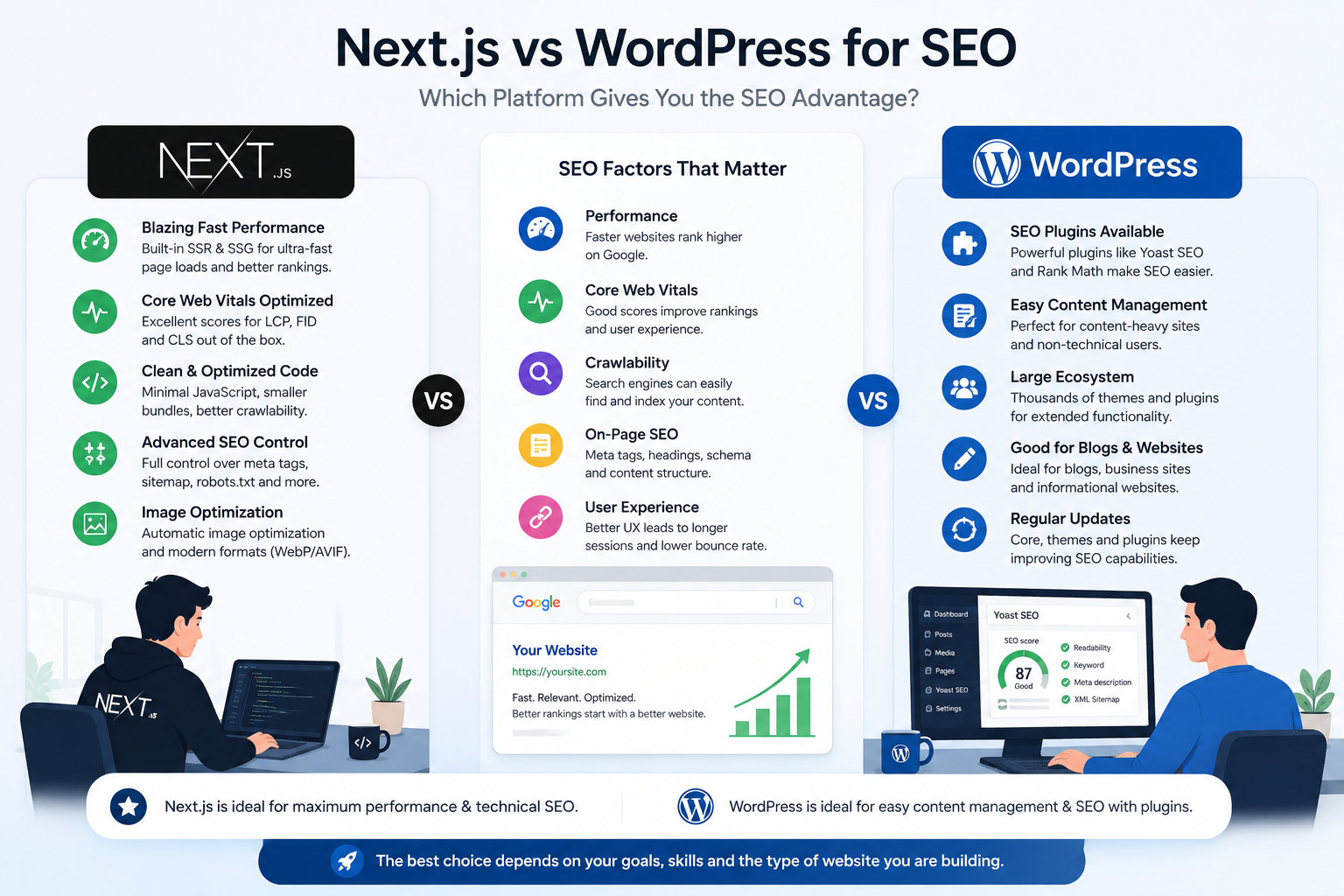
Before making a platform decision on SEO grounds, you need to understand what Google actually says about CMS choice, what the performance data really shows, and how to diagnose whether your SEO problem is even platform-related in the first place. Getting this wrong is how teams spend $40,000 on a migration that does not move their rankings.
What Google Actually Says About CMS Choice and Ranking
During an Ask Googlebot session, John Mueller was asked directly whether CMS choice matters for rankings. He answered that Google's search systems do not look for any particular CMS and do not treat platforms differently. For Google, a CMS is simply one way of creating web pages. They focus on the final result, not how the page was created. As far as Mueller stated, all mainstream CMS systems can create pages that work well in search.
Mueller has also stated directly that Core Web Vitals are not giant factors in ranking, pushing back against the assumption that improving these scores produces dramatic ranking gains. Both points together are the foundation of the honest version of this comparison. The platform does not determine your rankings. The implementation does.
A 2026 analysis of 631 top-ranking domains reached the same conclusion from the data side: WordPress is the most common real CMS among top-ranking domains, but the single largest group is sites with no detectable off-the-shelf CMS at all. The study's conclusion matches Mueller's position directly: your CMS choice is not a ranking factor. It is not the car, it is the driver.
Why WordPress Sites Commonly Struggle With Core Web Vitals
Acknowledging that platform does not determine rankings is not the same as saying both platforms perform identically in practice. They do not. The WordPress mobile Core Web Vitals pass rate in June 2025 was 43.44 percent, explained primarily by themes, plugins, and hosting rather than by WordPress core itself. The distinction matters because it tells you where the problem actually lives.
The average WordPress site runs 20 to 30 plugins. Each one loads its own JavaScript and CSS on every page regardless of whether that page uses the plugin's functionality. A page builder like Elementor loads its full CSS file on every page. A contact form plugin loads scripts on pages with no form. The cumulative result is a frontend asset bundle significantly larger than it needs to be, producing slower load times and lower Lighthouse scores that a well-configured caching setup can only partially offset.
This is a plugin and configuration problem, not a WordPress problem. A lean WordPress setup on quality managed hosting with a lightweight theme, a minimal plugin stack, and proper image optimization routinely passes Core Web Vitals. The failure pattern is not inherent to WordPress. It is inherent to how most WordPress sites are built and maintained over time.
Where Next.js Has a Real Structural Edge
Next.js has a stronger performance baseline by default, and that difference is real and worth stating accurately. Automatic image optimization, route-level code splitting, and static generation at build time give a Next.js site structural advantages that reduce the ongoing effort required to stay fast. You do not need to install a caching plugin, configure a CDN separately, or audit a plugin stack annually to maintain performance. The framework handles a meaningful portion of that work at the architecture level.
The honest caveat is that these advantages disappear with poor implementation. Client-side rendering misuse cost Next.js a 10 percent decline in Core Web Vitals scores year over year in the 2024 Web Almanac. Next.js has a higher performance ceiling, but only when built with server-side rendering, static generation, or incremental static regeneration. A Next.js site built with client-side rendering and large client bundles performs no better than a plugin-heavy WordPress setup and requires significantly more developer expertise to maintain.
A Direct Comparison of SEO Capabilities
SEO Factor WordPress Next.js Default crawlability Excellent, server-rendered HTML by default Excellent with SSR or SSG, poor with CSR only Meta tags and schema control Excellent via Yoast or RankMath, no code needed Full control but requires developer implementation XML sitemap generation Automatic via plugin, no setup required Built-in Next.js sitemap API, requires configuration Core Web Vitals pass rate (mobile) Roughly 43 percent industry-wide Higher baseline when using SSR or SSG correctly Performance ceiling Good with optimization, limited by plugin overhead Higher, architectural performance built in Non-technical SEO management Excellent, marketing teams self-sufficient Requires developer for most metadata changes Redirect management Plugin-based, manageable without code Config file or middleware, developer required Publishing velocity for content teams High, no developer dependency for content Low without a dedicated CMS layer on top
The Actual Diagnostic: Is Your SEO Problem Even Platform-Related?
Before assuming a platform migration is the solution, spend thirty minutes in Search Console and a crawl tool to find out what is actually happening. Most SEO problems that get attributed to WordPress are content problems, link problems, or crawlability problems that have nothing to do with the CMS.
Symptom You Are Seeing Likely Actual Cause Does a Migration Fix It? Traffic declining steadily Content quality, algorithm update, or losing links No, platform change will not fix a content problem Failing Core Web Vitals on mobile Plugin bloat, heavy theme, poor hosting, unoptimized images Maybe, but optimize first before migrating Pages not indexed or slow to index Crawl budget issues, robots.txt, noindex tags No, these are configuration issues fixable in WordPress Rankings stuck despite good content Backlink profile, domain authority, topical depth No, off-page factors are not platform-related Performance ceiling despite full optimization Plugin architecture genuinely limiting speed Yes, this is the legitimate migration case Multi-channel content delivery needed Architectural requirement beyond WordPress's CMS model Yes, headless is the right answer here
The right question is not which platform is better but what is actually causing your current SEO problem. A rebuild is often premature if there is no clear technical failure pattern, and the decision should be backed by actual Search Console and crawl data rather than general platform reputation. Run PageSpeed Insights on your current site. Open Search Console's Core Web Vitals report. Pull a crawl with Screaming Frog. What you find there should drive the platform decision, not what you have read about either platform in the abstract.
WordPress's Real SEO Advantage That Next.js Content Ignores
Most comparisons treat SEO as a technical discipline and evaluate platforms on technical output. That framing misses something important. SEO at scale is also an operational discipline. Content needs to be published consistently, meta titles and descriptions need to be updated as pages are refreshed, redirects need to be managed when URLs change, and structured data needs to stay current. All of this happens faster and with less developer dependency on WordPress.
Yoast SEO has over 13 million active installations and handles meta title and description management, XML sitemap generation, breadcrumb support, and schema markup with near-zero technical effort. A marketing team using Yoast can update metadata, add FAQ schema, and manage sitemaps without filing a ticket with a developer. In a Next.js application, every one of those tasks requires code changes deployed through the build pipeline. The cumulative operational cost of that dependency across a year of active content work is real and rarely accounted for in platform comparisons that focus only on Lighthouse scores.
The Middle Path: Headless WordPress With Next.js Frontend
For teams that want Next.js's performance profile without giving up WordPress's editorial experience, headless WordPress is the practical architecture. WordPress continues running as the content backend. The public-facing site is a Next.js application that fetches content via the WordPress REST API or WPGraphQL. Content editors keep the admin interface they know. Developers get to work in React and Next.js. The frontend is deployed as statically generated pages on a CDN, delivering the performance characteristics of a native Next.js build.
This pattern is covered in detail in our page on headless CMS vs WordPress and the practical migration process is covered in our guide on migrating from WordPress to Next.js. If you are evaluating whether to migrate at all, those two pages together give you the complete picture before committing to a decision.
How Munix Studio Scopes an SEO-Driven Platform Decision
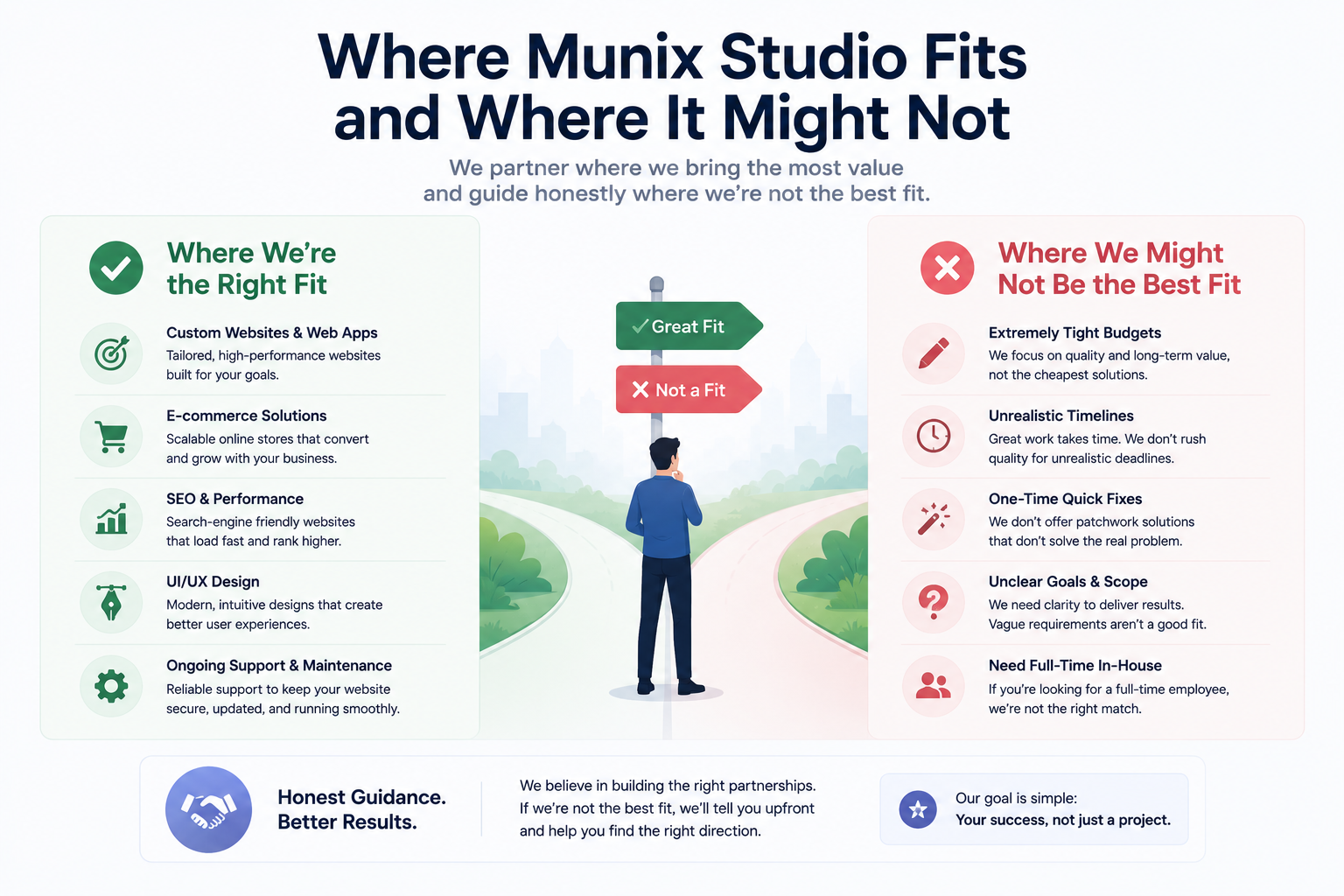
When a client comes to us citing SEO as the reason they want to move from WordPress to Next.js, we ask to see their Search Console data and their current Lighthouse scores before recommending anything. In the majority of cases, the issues are solvable inside WordPress with plugin optimization, hosting changes, and image optimization, without a full rebuild. We will tell a client that directly even when the rebuild would be a larger project for us.
When the data shows a genuine performance ceiling that optimization cannot close, or when the project has real multi-channel requirements, we scope a migration or a headless setup that addresses the specific problem. We build on Next.js and we are experienced with both full migrations and headless WordPress configurations. If you want a rough cost estimate for either approach before any conversation, our free website cost calculator gives you a starting range.
Related Services
Whether you need a performance audit of your current WordPress site, a full migration to Next.js, or a headless setup that keeps both, the services below cover what this decision most commonly leads to.
Website Development — Custom Next.js and headless WordPress builds for teams that need a modern frontend without sacrificing the editorial experience their content team depends on.
SEO Optimization — Technical SEO audits that diagnose whether your ranking or performance problems are platform-related before recommending a rebuild, covering Core Web Vitals, crawlability, and indexation.
Maintenance and Support — Ongoing WordPress optimization and Next.js maintenance that keeps your technical SEO foundation intact regardless of which platform you are building on.
Frequently Asked Questions
Related Articles

Ecommerce SEO: The Complete Guide to Ranking Your Online Store

The History of SEO: How Search Engine Optimisation Began

Organic SEO Marketing: Build Search Visibility That Compounds

SEO Content Strategy: How to Create Content That Ranks and Converts
SEO for B2B Companies: A Complete Strategy Guide