Why the Design Process Matters More Than the Tools
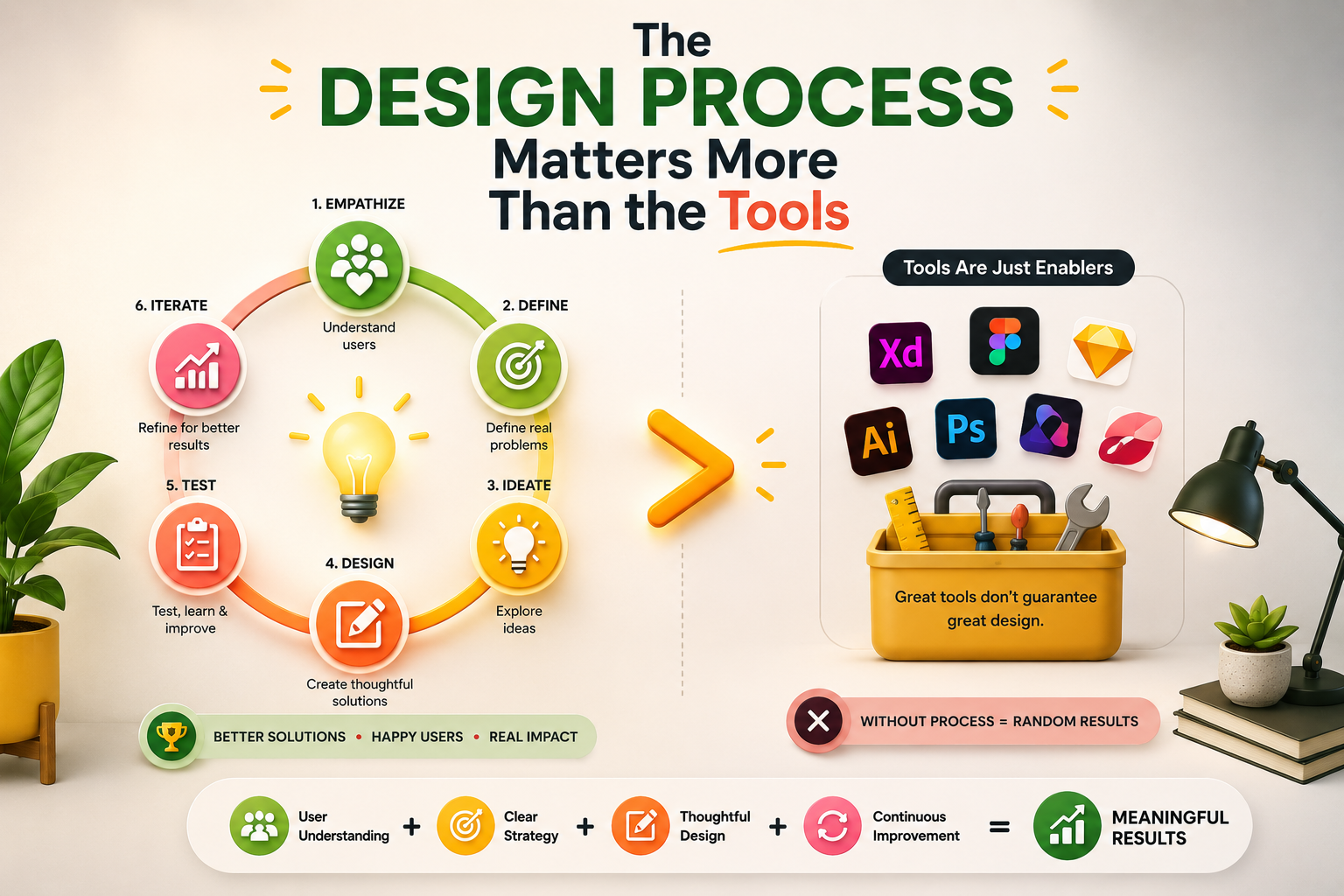
Every digital product that works well for its users got that way through a process, not an accident. Figma did not make it good. The designer's taste did not make it good. What made it good was a sequence of decisions, each grounded in evidence about what real users need, what the business requires, and what the technology can support. That sequence is the UI/UX design process.
Teams that skip stages of this process ship products that look finished but fail in use. They build features nobody asked for, design navigation that confuses the people it was supposed to serve, and spend development budgets correcting problems that user research would have caught in week one. The process exists to prevent exactly that. Every stage has a specific job, and understanding what each one does is the foundation for doing any of them well.
This guide covers the complete UI/UX design process from first principles through to handoff, explaining each stage, the methods used within it, and how the outputs of one stage feed directly into the next.
What Is Design Thinking and Why Does It Frame Everything?
Before getting into the individual stages of the design process, it is worth understanding design thinking, the broader mindset that frames how good design teams approach problems. Design thinking is not a tool or a deliverable. It is a philosophy of problem-solving that places the user at the centre of every decision and treats assumptions as hypotheses to be tested rather than facts to be acted on.
Design thinking unfolds across five interconnected phases. Empathise, which means developing a genuine understanding of the people the product will serve. Define, which means translating that understanding into a clear, specific problem statement. Ideate, which means generating a wide range of possible solutions before committing to any one direction. Prototype, which means building a testable version of the most promising ideas. And Test, which means observing real users interact with that prototype and using what you learn to improve it. These five phases are not a linear sequence. Teams move between them repeatedly as new information reshapes earlier conclusions.
Design Thinking Phase Core Question Primary Methods Key Output Empathise Who are our users and what do they actually experience? User interviews, observation, surveys Research insights, empathy maps Define What is the real problem we are solving? Affinity mapping, problem statements, personas Point of view statement, user personas Ideate What are all the possible ways to solve this? Brainstorming, Crazy 8s, mind mapping Concept sketches, prioritised ideas Prototype How can we make this idea tangible enough to test? Wireframing, low-fi and high-fi prototyping Testable prototype at appropriate fidelity Test Does this solution actually work for real users? Usability testing, A/B testing, analytics review Validated learnings, refined design direction
UX Design Methodologies Beyond Design Thinking
Design Thinking, covered above, is the most widely taught design methodology, but it isn't the only framework teams use to structure their work, and understanding the alternatives helps clarify which approach actually fits a given project.
Lean UX strips the process down to the fastest possible loop between an idea and validated learning, deliberately favouring speed over comprehensive documentation. Rather than producing extensive personas and journey maps before any design work begins, Lean UX teams form a hypothesis, build the smallest possible experiment to test it, and use the result to decide the next step. It's the natural fit for early-stage startups and teams operating under significant uncertainty about whether an idea is worth pursuing at all.
The Double Diamond, developed by the UK Design Council, structures the process into two distinct diverge-then-converge phases: the first diamond explores the problem broadly before narrowing to a specific problem definition, and the second diamond explores solutions broadly before narrowing to a single design to build. It's a more structured cousin of Design Thinking's five phases, and it's particularly useful for communicating to non-design stakeholders why the process needs to widen before it narrows, rather than jumping straight to a solution.
Agile UX adapts design work to run inside software development's sprint cycle rather than as a separate phase that completes before development starts. Designers typically work one to two sprints ahead of development, so research and design for an upcoming feature happen in parallel with development of the current one. This avoids the common failure mode of design becoming a bottleneck that blocks an agile development team, at the cost of requiring designers to work with less complete information than a fully sequential process would allow.
Design Sprints, popularised by Google Ventures, compress the entire process from problem definition through to a tested prototype into a single, intensive five-day workshop. A sprint is most valuable when a team needs to resolve a specific, high-stakes design question quickly, rather than as a replacement for an ongoing design process across an entire product.
No single methodology is universally correct. The choice depends on the team's certainty about the problem, the development methodology it needs to integrate with, and how much time is available before a decision needs to be made. Many teams blend elements of several rather than adopting one wholesale — using Lean UX's speed for early validation, then a more thorough process once a direction is confirmed.
Where a Proof of Concept Fits in the Process
Before committing to the full research-through-handoff process described throughout this guide, some projects benefit from a proof of concept, or POC: a fast, narrow exercise built to answer a single specific question about whether an idea or interaction pattern actually works, before investing in the fuller process at all.
A POC belongs before Stage 1 of this guide's process, not inside it. It's appropriate when a project relies on an unfamiliar interaction pattern, when there's genuine internal disagreement about a fundamental direction, or when the cost of being wrong about a foundational assumption is high enough that a few days spent validating it is clearly worth the delay. Rather than running full user research, journey mapping, and wireframing for an idea that might not survive first contact with a real user, a POC tests the riskiest assumption directly, often with nothing more than a rough clickable prototype and a handful of test participants.
The output of a POC determines what happens next. If it validates the core assumption, the team proceeds into the full process described in this guide with real confidence in the foundation they're building on. If it doesn't, the team has avoided the far more expensive mistake of discovering the same problem after a complete research and design cycle has already been invested in the wrong direction. A more detailed breakdown of how to structure a POC itself is covered in this site's UI/UX Design Concepts guide — the point to take from this guide is simply where it sits: as a fast gate before the process begins, not a stage within it.
Stage 1: User Research
User research is where every credible design process begins. It is the practice of systematically gathering information about the people who will use a product, their goals, their frustrations, their mental models, and the context in which they operate. Without this foundation, every subsequent design decision rests on assumption rather than evidence, and assumption is expensive to correct once a product is built.
User research methods fall into two broad categories. Qualitative methods, including user interviews, contextual observation, diary studies, and focus groups, produce deep insight into why users behave as they do. Quantitative methods, including surveys, analytics review, and heatmap analysis, produce measurable data about what users do and how frequently. The strongest research programmes combine both: the numbers tell you that something is happening, the conversations tell you why.
A user interview is structured around open-ended questions designed to reveal behaviour and motivation rather than opinion. Asking a user what they think about a feature produces a polite answer. Asking them to walk you through the last time they tried to accomplish a specific task produces genuine behavioural data. The difference between these two question types is the difference between research that validates what you already believe and research that challenges it. Good researchers go looking for evidence that they are wrong.
Stage 2: User Journey Mapping
A user journey map is a visual representation of every step a specific user takes as they interact with a product or service to accomplish a goal. It documents not only what they do at each stage but what they are thinking, what they are feeling, and where the friction and frustration points occur. The map is built from real research data, not from how the team imagines users behave.
A typical user journey map moves horizontally through the stages of an experience, with each column representing a touchpoint or phase. The rows capture the user's actions at that stage, their thoughts, their emotional state, and the channels or interfaces involved. When the map is complete, patterns become visible that are invisible in raw interview notes: the moment users consistently feel confused, the step where motivation drops before a decision is made, the expectation that the product repeatedly fails to meet.
Journey maps are particularly powerful in team settings because they create a shared, evidence-based picture of the user experience that every stakeholder can engage with directly. A developer, a product manager, and a business owner looking at the same journey map see the user's experience from the same perspective, which makes alignment on priorities significantly faster than any other format.
Stage 3: Information Architecture
Information architecture is the structural design of shared information environments. In the context of digital products, it refers to how content, features, and navigation are organised so that users can find what they need without confusion or backtracking. Poor information architecture is invisible when it works and obvious when it fails. When users land on a page and immediately understand where they are and how to get to where they want to be, the architecture is doing its job. When they get lost, cannot find things, or give up, the architecture is failing regardless of how polished the visual design looks.
The most common IA deliverable is a sitemap, a hierarchical diagram showing every page or screen in a product and how they connect. Sitemaps are the foundation on which wireframes are built. Before a single screen is designed, every screen that needs to exist should be accounted for in the architecture. Card sorting is the most widely used method for validating information architecture with real users. Participants organise a set of topics or features into groups that make sense to them, and the patterns that emerge reveal how users' mental models map to the organisation the team is planning.
Stage 4: Wireframing
A wireframe is a low-fidelity, structural representation of a screen or interface. It shows where elements will be placed and how they relate to each other spatially, without colour, typography, imagery, or any other visual treatment that might distract from the underlying structure. Think of a wireframe as an architectural floor plan. It communicates how a space is laid out and what its components are, without showing how the finished building will look.
The reason wireframes deliberately strip out visual design is practical. When stakeholders and users review a polished, coloured design, they tend to comment on the visual treatment rather than the structural logic. They notice that a button is the wrong shade of blue instead of noticing that the checkout flow requires six steps when three would serve the same purpose. Wireframes focus attention where it belongs at this stage: on layout, hierarchy, navigation flow, and content priority.
Wireframes can be produced on paper, on whiteboards, or in digital tools like Figma, Balsamiq, or Whimsical. Paper wireframes are fastest for early ideation and work well for exploring multiple layout options quickly without investment in any particular direction. Digital wireframes are more precise, easier to share with remote teams, and can be linked together to represent basic navigation flows.
Stage 5: Prototyping
A prototype is an interactive simulation of a design that allows users and stakeholders to experience how it works before any code is written. Where a wireframe is a static representation of structure, a prototype adds interaction. Buttons click through to other screens. Menus open and close. Forms can be filled in. The goal is to approximate the real experience of using the product closely enough that meaningful feedback can be collected from real users.
High Fidelity vs Low Fidelity Prototypes
Fidelity describes how closely a prototype resembles the final product across three dimensions: visual accuracy, content accuracy, and interactive accuracy. Low-fidelity prototypes are quick to build, rough in appearance, and designed for testing structural and navigational decisions at a stage when changing direction is still inexpensive. High-fidelity prototypes closely resemble the finished product in visual detail, content, and interaction, and are used to validate the complete user experience before development begins.
Factor Low Fidelity Prototype High Fidelity Prototype Visual accuracy Rough, greyscale, placeholder content Close to final, real colours, typography, imagery Interaction accuracy Basic screen-to-screen navigation only Full micro-interactions, animations, conditional flows Time to build Hours to a day Days to weeks depending on scope Best used for Testing flow, structure, and navigation logic Testing full UX before development, stakeholder sign-off User feedback quality Good for structural issues, limited for interaction feel High quality, users behave more naturally Cost of change Very low — revisions take minutes Higher — more time invested means more to update Tools commonly used Paper, Balsamiq, Whimsical, Figma (basic) Figma, Adobe XD, Axure, InVision
The decision about which fidelity to prototype at is a resourcing decision as much as a design one. Early in a project when the structure is still being explored, low fidelity is faster and wastes less effort if the direction changes. Later, when structure is settled and the team needs to validate the complete interaction experience before committing development resources, high fidelity delivers the most accurate user feedback.
Stage 6: Usability Testing
Usability testing is the practice of observing real users attempting to complete specific tasks with a product or prototype, and using what you see to identify where the design succeeds and where it fails. It is the most direct form of evidence available to a design team about whether their work is actually usable.
The structure of a usability test is straightforward. A facilitator presents a participant with a scenario and a task, something like: imagine you have just received an order confirmation but need to change the delivery address. Show me how you would do that. The facilitator then observes silently as the participant works through the task, noting where they hesitate, where they make wrong choices, what they say aloud, and where they succeed or fail. The facilitator does not help, does not react visibly to mistakes, and does not reveal what the correct path is. The data collected is the participant's natural interaction with the design.
Usability testing does not require large sample sizes to be valuable. Research by Jakob Nielsen established that five users in a moderated test typically uncover around 85 percent of the most significant usability issues on a given interface. The value of the test is not in statistical significance but in observational insight. Watching a user be confused by something the design team considered obvious is the kind of evidence that changes design decisions more reliably than any amount of internal debate.
Test Type How It Works Best For Tools Moderated in-person Facilitator observes participant live in the same room Deep qualitative insight, early stage exploration Screen recording, Lookback Moderated remote Facilitator observes via video call, participant shares screen Accessing participants in any location Zoom, Lookback, UserZoom Unmoderated remote Participants complete tasks independently, sessions recorded Fast, scalable testing at lower cost Maze, UserTesting, Useberry A/B testing Two versions shown to different user groups, performance compared Live products with sufficient traffic Optimizely, VWO, Google Optimize Heuristic evaluation Expert reviewer assesses design against established usability principles Rapid issue identification without participant recruitment Nielsen's 10 heuristics as evaluation framework
Stage 7: UI Design Principles in Practice
Once the structure and flows are validated through wireframing and prototyping, the UI design phase applies the visual layer: colour, typography, iconography, spacing, and every other aesthetic decision that shapes how the product looks and feels. UI design is not decoration applied after the UX thinking is done. It is the final medium through which all the UX decisions are communicated to the user. Weak visual execution undermines strong structural thinking. Strong visual design elevates it.
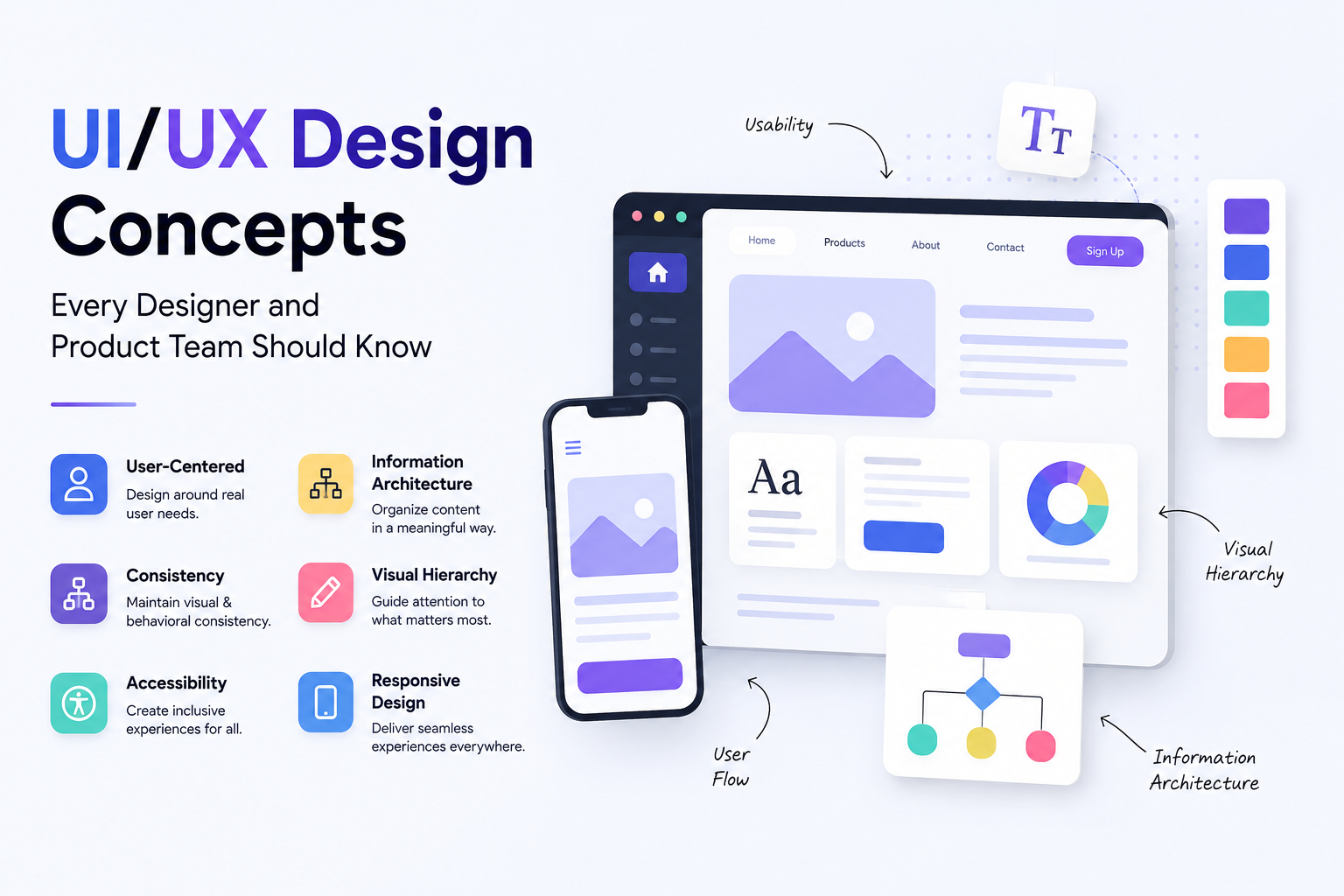
The UI design principles that consistently produce effective interfaces are well established. Visual hierarchy guides the user's eye to the most important elements first through size, weight, contrast, and position. Consistency means that identical actions produce identical results and that interface patterns are repeated rather than reinvented from screen to screen. Feedback means that every user action produces a visible response confirming that something happened. Affordance means that interactive elements look like they can be interacted with. And accessibility means that the interface works for users with visual, motor, or cognitive differences, not as an add-on but as a design constraint from the start.
UI Design Principle What It Means Example in Practice Visual hierarchy The eye should move through a page in an order that matches user intent Primary CTA is largest and highest contrast element on screen Consistency Same patterns, same components, same behaviour across the entire product All primary buttons have the same colour, size, and corner radius Feedback Every action produces a visible response that confirms it worked Button changes state on click, form shows success message on submit Affordance Interactive elements signal their interactivity through visual cues Links are underlined or coloured, buttons have depth or border Accessibility The interface is usable for people with disabilities Minimum 4.5:1 colour contrast, all actions keyboard accessible Proximity Related elements are grouped together, unrelated elements are spaced apart Form label sits directly above its input field, not floating elsewhere Error prevention Design prevents mistakes from happening rather than relying on error messages Confirm dialog before irreversible actions, inline validation on forms
Stage 8: Design Systems
A design system is a centralised library of reusable UI components, design tokens, and guidelines that governs how a product looks and behaves across every screen and every team working on it. It is the single source of truth for the product's visual and interaction language. When it exists and is maintained, designers spend less time recreating existing components and more time solving new problems. Developers build with consistent, pre-tested patterns rather than interpreting one-off designs. And the product maintains visual coherence as it scales and as team membership changes.
A design system is not a style guide, though it contains one. A style guide documents decisions. A design system actively enables them. It typically includes a component library with every reusable element from buttons and form inputs to navigation patterns and data tables, each with defined states including default, hover, active, disabled, and error. It includes design tokens: the named values for colours, typography scales, spacing units, border radii, and shadow levels that underpin every component. And it includes documentation that explains not just what each component is but when to use it, when not to, and what accessibility requirements it must meet.
The most widely referenced public design systems include Google's Material Design, Apple's Human Interface Guidelines, and Atlassian's Design System. Each of these has influenced how millions of designers think about component architecture and design language. For product teams building custom systems, Figma's component and variable architecture has made maintaining a living design system significantly more practical than it was with earlier tooling.
UX Design Principles That Run Through Every Stage
Beyond the principles specific to UI visual design, there is a set of UX design principles that apply across the entire process regardless of which stage the team is working in.
Design for the user, not for the designer. The most common failure in design is optimising for what looks good to the person building it rather than what works for the person using it. Every decision should be traceable back to user data, not aesthetic preference.
Reduce cognitive load wherever possible. Every element on screen asks the user to process it. Screens that ask users to process too many things simultaneously produce confusion and mistakes. Remove anything that does not serve the user's immediate task.
Design for the worst case, not the happy path. A checkout flow designed only for users who know exactly what they want and make no mistakes will fail the majority of real users. Error states, empty states, loading states, and edge cases deserve as much design attention as the primary flow.
Iterate based on evidence, not intuition. The process is designed to replace guesswork with observation. When a design decision is contested, the answer is to test it with users, not to hold a longer meeting.
Involve users earlier and more often than feels necessary. Most teams test too late and too infrequently. Bringing users into the process at the wireframe stage rather than the finished prototype stage catches structural problems before the cost of changing them has grown.
The Full UI/UX Design Process at a Glance
Stage Primary Activity Key Deliverable Who Is Involved Discovery Define project scope, business goals, and constraints Project brief, success metrics Client, product manager, lead designer User research Interviews, surveys, competitor analysis, analytics review Research report, personas, empathy maps UX researcher, designer Journey mapping Visualise user experience across all touchpoints User journey maps, pain point analysis UX designer, researcher, product manager Information architecture Organise content and navigation structure Sitemap, card sort results, user flows UX designer, content strategist Wireframing Define layout, structure, and hierarchy of each screen Low-fidelity wireframes for all key screens UX designer Prototyping Build interactive version of design for testing Clickable prototype at appropriate fidelity UX/UI designer Usability testing Observe real users completing tasks with prototype Test report, prioritised issues list UX researcher, designer UI design Apply visual design layer to validated wireframes High-fidelity mockups, design system components UI designer Developer handoff Deliver specifications, assets, and annotated designs Annotated Figma file, component documentation UI designer, developer Post-launch iteration Monitor live product, collect real user data, improve Analytics insights, updated design iterations Full product team
The UX Design Lifecycle: Why the Process Doesn't End at Launch
The stage-by-stage process and the table above describe a single pass through the design process, from discovery to handoff. In practice, that pass is one iteration of an ongoing lifecycle, not a one-time project that concludes at launch.
The lifecycle closes the loop that the linear process leaves open. Post-launch analytics and user feedback, gathered once a product is live, become the input for the next round of user research, the same research method described in Stage 1 of this guide, just informed by real usage data instead of pre-launch assumptions. A feature that seemed clearly needed in initial research might show low engagement once real users interact with it; a friction point invisible in usability testing might become obvious at scale once thousands of real users pass through the same flow. Each of these findings feeds directly back into a new cycle of journey mapping, wireframing, and testing, exactly as described earlier in this guide, but now grounded in production data rather than a pre-launch hypothesis.
This reframing matters practically because teams that treat the design process as complete at launch consistently under-invest in the work that follows it. A product's user experience needs are not static: user expectations shift, competitors introduce new patterns that reset what feels normal, and a product's own growth surfaces edge cases and user segments that didn't exist in the original research. Treating the process in this guide as the first lap of a recurring cycle, rather than a project with a defined end, is what separates products that improve steadily after launch from those that quietly stagnate the day the design team moves on to the next project.
How We Work
At Munix Studio, the UI/UX design process is not a phase that happens before development begins. It runs in parallel with it, continuously informing technical decisions and being informed by them. Our designers and developers work from the same shared understanding of user goals, which means the gap between design intent and built reality is smaller than it is on projects where design and development operate in separate silos.
Every project begins with a structured discovery phase that establishes the business goals, the user profile, and the constraints that will shape every subsequent decision. We invest in this phase because the cost of a wrong assumption in week one is orders of magnitude lower than the cost of discovering it in week eight of development. Wireframes are tested with users before visual design begins. Prototypes are validated before a line of production code is written. And the design system built during the project becomes an ongoing asset that reduces the cost of every future change.
UI/UX Design Services From Munix Studio
A well-executed UI/UX design process is the difference between a product that users find and a product that users love. Munix Studio applies every stage of this process to the digital products we design and build, from the first user interview through to post-launch iteration.
UI/UX Design — End-to-end design process from user research and wireframing through to high-fidelity UI, prototyping, usability testing, and developer-ready design system delivery.
Website Development — Custom websites built on React and Next.js with the design system and component architecture that keeps visual consistency intact as the product grows and evolves.
App Development — Mobile and web application development where the UI/UX design process is run in full before a production build begins, reducing rework and accelerating time to a product users actually want to use.
Maintenance and Support — Post-launch design iteration based on real user analytics, usability testing of live product changes, and ongoing design system updates as the product scales.
Frequently Asked Questions
Ready to Get Started?
UI/UX Design
End-to-end design process from user research and wireframing through to high-fidelity UI, prototyping, usability testing, and developer-ready design system delivery.
Explore UI/UX DesignRelated Articles
What Is UI/UX Design? A Complete Guide for Businesses and Founders
Best UI/UX Design Tools in 2026: Figma, Prototyping, and Beyond
UX Design for Business: Why It Matters, What It Costs, and How to Get It Right
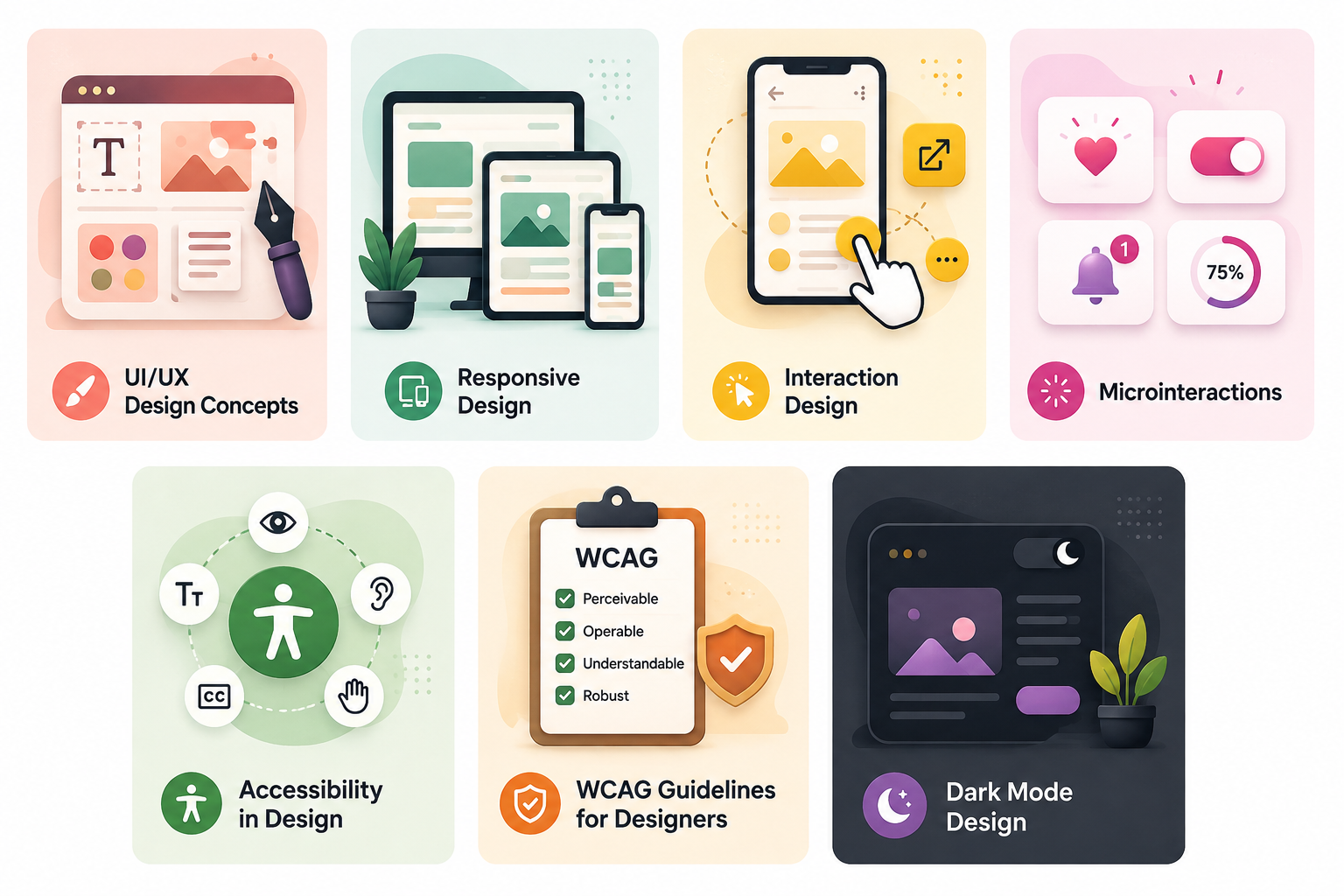
UI/UX Design Concepts Every Designer and Product Team Should Know