Why These Three Roles Get Confused
UI designer, UX designer, and product designer are three of the most commonly misunderstood job titles in the technology industry. They appear interchangeably in job postings, portfolios, and agency service pages. Companies hire for one role expecting the responsibilities of another. Aspiring designers study the wrong skill set for the career path they actually want. And businesses commission design work without understanding which type of expertise their specific problem requires.
The confusion exists for a legitimate reason. The three roles overlap significantly in practice, particularly at smaller companies and agencies where one person frequently covers multiple disciplines. But overlap is not the same as equivalence. Understanding where these roles are genuinely different helps businesses make better hiring decisions, helps aspiring designers choose the right path, and helps everyone involved in product development collaborate more effectively.
What Does UX Stand For?
UX stands for User Experience. The term was coined by cognitive scientist Don Norman while working at Apple in 1993. His argument was that products needed to be designed around the full experience a person has when using them, not just the visual interface they interact with. UX encompasses everything from first discovering a product to understanding how to use it, accomplishing a goal within it, and deciding whether to return to it.
The abbreviation UX is used both as a noun and an adjective. UX as a noun refers to the experience itself. UX as an adjective describes the discipline, the designer, or the process that shapes that experience. When someone says they are a UX designer, they mean they are a person whose professional work focuses on designing how users experience a product, as distinct from how it looks visually or what features it contains.
What Is a UI Designer?
A UI designer is responsible for the visual and interactive layer of a digital product. Every color, typography choice, spacing decision, button style, icon set, and interactive state on a screen is the result of UI design work. The UI designer translates a structural wireframe or UX specification into the high-fidelity visual design that developers build from.
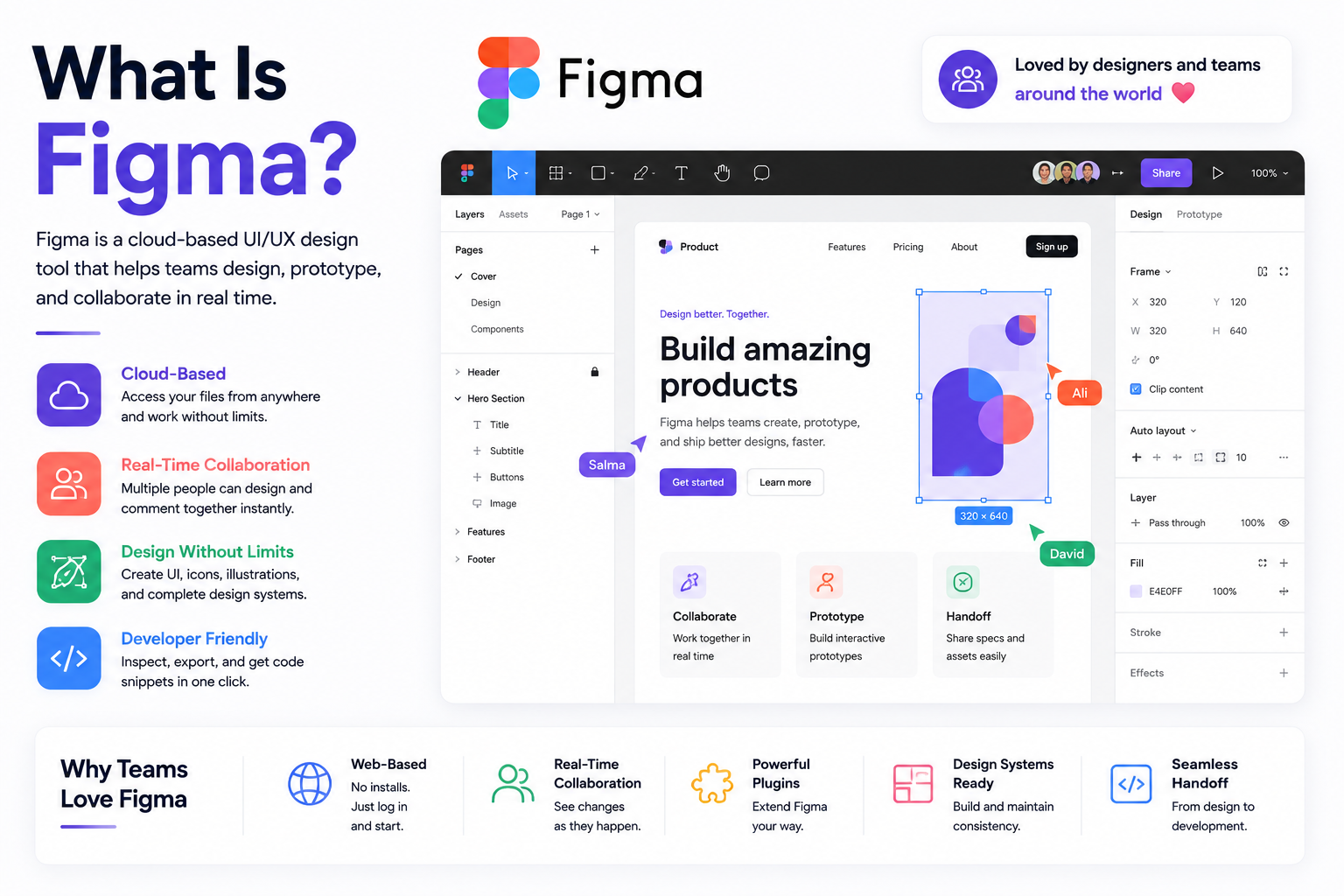
The UI designer's primary tool is Figma, which has become the near-universal standard for interface design in 2026. Their key deliverables are high-fidelity screen mockups, interactive prototypes, component libraries, and design systems that define how visual elements should be applied consistently across every screen and state in the product. A good UI designer understands color theory, typography, visual hierarchy, accessibility, and how to communicate brand identity through interface design decisions.
The simplest way to understand what a UI designer does is the interior designer analogy. If a building is being constructed, the interior designer decides the colors, materials, furniture, lighting, and aesthetic character of each space. They are not determining the floor plan or the structural layout. They are deciding how each space looks and feels within the structure they have been given. A UI designer does the same thing for digital products.
What Is a UX Designer?
A UX designer is responsible for ensuring that a digital product works the way its intended users expect it to. Their work begins before any visual design happens and focuses on understanding who the users are, what they are trying to accomplish, and how the product's structure and flow can best support those goals.
On a practical level, a UX designer conducts user research through interviews, surveys, and usability testing. They synthesize that research into user personas and journey maps. They define the information architecture of the product, deciding how content and features are organized and navigated. They produce wireframes that show the structural layout of screens without the distraction of visual design. And they run usability tests to validate that design decisions work for real users before development begins.
Using the building analogy, the UX designer is the architect. They determine the floor plan, how rooms connect to each other, where the entrance is, how people move through the space, and whether the layout actually serves the needs of the people who will live or work in the building. They are making structural decisions before the interior designer has any surface to work on.
What Is a Product Designer?
A product designer takes a broader scope than either a UI or UX designer. Where a UX designer asks whether the product is usable and a UI designer asks whether it looks right, a product designer asks whether the product should exist in its current form at all, and whether what is being built will actually achieve the business outcome it is intended to produce.
Product designers work across the full design lifecycle including UX research, information architecture, wireframing, visual design, and prototyping, but they also engage heavily with product strategy, roadmap decisions, stakeholder alignment, and the business metrics that determine whether a design decision was the right one. They collaborate closely with product managers, engineers, and business leadership rather than primarily with other designers.
Extending the building analogy, if the UX designer is the architect and the UI designer is the interior designer, the product designer is closer to the project developer who decides what type of building to construct in the first place, for whom, at what cost, and whether the investment will generate the intended return.
UI Designer vs UX Designer vs Product Designer: Side by Side
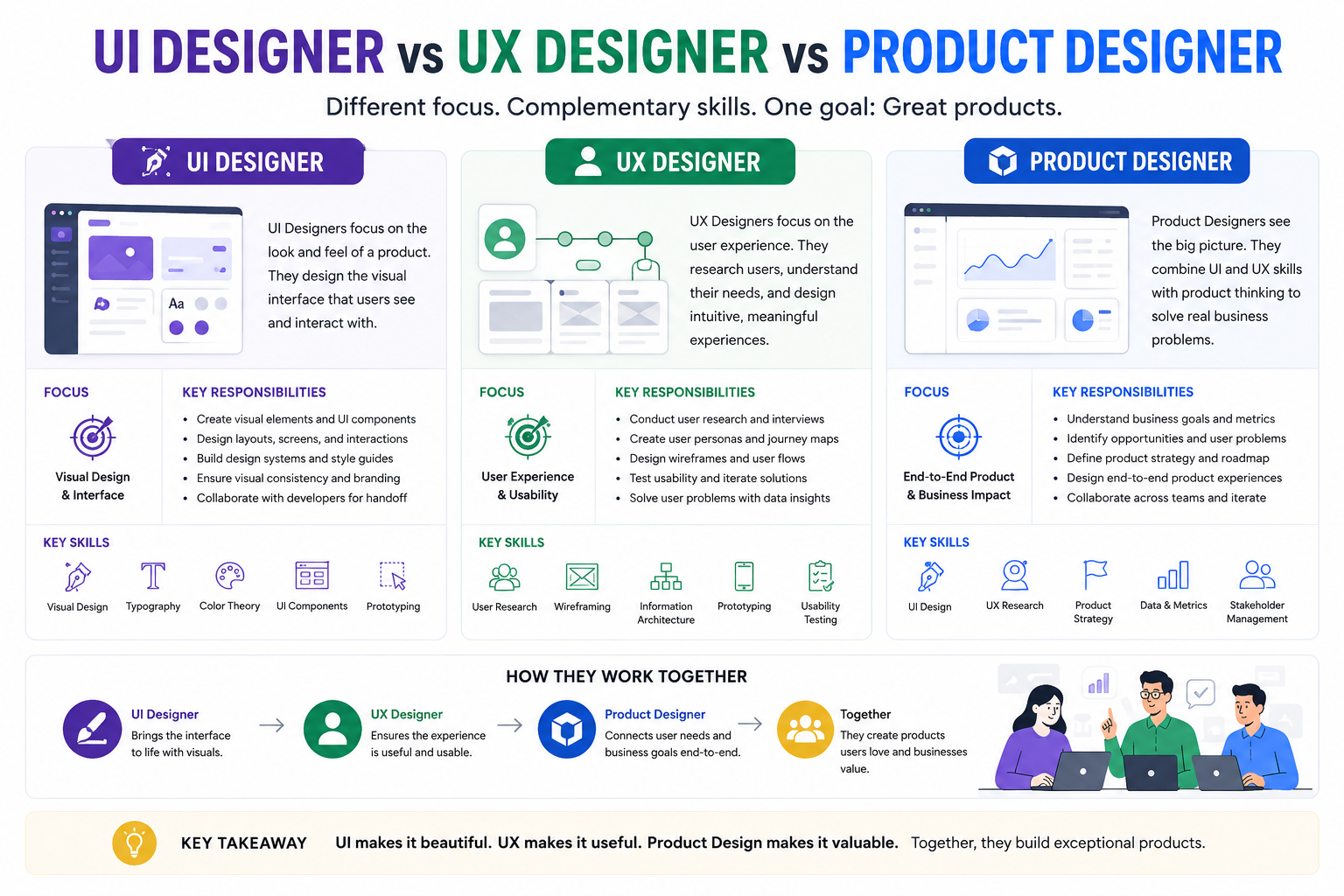
Factor UI Designer UX Designer Product Designer Primary question Does this look right and communicate clearly? Can users accomplish what they came here to do? Should we build this and will it achieve the business goal? Scope Individual screen or component User journey through a product or feature Entire product and business strategy Key deliverables Visual mockups, design system, component library User research, wireframes, journey maps, usability tests Product strategy, full design plus business metrics Primary tools Figma, Adobe XD, Sketch Figma, Maze, Miro, UserTesting, Hotjar All UX and UI tools plus analytics and roadmap tools Key collaborators UX designers, developers UI designers, researchers, developers PMs, engineers, founders, leadership Measured by Visual quality, brand consistency, design system adoption Task completion rate, error rate, user satisfaction Revenue, retention, activation, market share Analogy Interior designer Architect Property developer Where in the process After wireframes are approved Before and during visual design From concept through post-launch iteration
UX Design vs Graphic Design: What Is Actually Different?
The comparison between UX design and graphic design comes up frequently because the two fields share overlapping visual skills and because many graphic designers transition into UX roles. The overlap is real but the disciplines serve fundamentally different purposes.
Graphic design is the discipline of visual communication, creating images, layouts, and visual systems that convey a message to a viewer. A graphic designer produces logos, brand identity systems, print materials, advertising campaigns, book covers, and editorial layouts. The output is primarily static. The viewer looks at it. They do not interact with it in a sustained way that requires usability consideration.
UX design is specifically concerned with interactive digital products and how people use them over time. A UX designer considers what happens when a user makes an error, how the system communicates that error, what the recovery path is, how the interface adapts to different screen sizes and contexts, and whether the product's structure matches the mental model of its target users. None of these are graphic design considerations. They require a different knowledge base, different tools, and a different approach to evaluation.
Factor UX Design Graphic Design Primary output Interactive digital experiences Static visual communication User interaction Central to the work Minimal User research Essential Rarely required Accessibility concerns Critical consideration Considered occasionally Overlapping skills Color, typography, visual hierarchy, composition Color, typography, visual hierarchy, composition Example outputs App flows, wireframes, design systems, prototypes Logos, posters, brochures, brand guidelines
Digital Designer vs UX Designer: What's the Difference?
"Digital designer" is one of the least precisely defined titles in the industry, and that imprecision is exactly why it gets confused with UX designer so often. Unlike UI, UX, and product design, which have reasonably consistent industry definitions, "digital designer" is frequently used by companies, particularly outside dedicated tech and product organisations, as a catch-all title for someone who produces a broad range of digital visual assets: web graphics, email templates, social media creative, banner ads, landing page visuals, and sometimes basic website layouts.
The practical distinction is scope and rigour rather than a clean conceptual boundary. A digital designer's work is typically asset-based and visual, closer in spirit to the graphic design comparison covered above than to UX design's research-driven, structural focus. A digital designer is rarely expected to conduct user interviews, build information architecture, or run usability testing, the core UX activities described earlier in this guide. Where a UX designer asks whether a specific flow helps a specific user complete a specific task, a digital designer is more often focused on whether a specific asset looks right and is delivered on brand and on time across the range of formats a marketing or content calendar requires.
This makes "digital designer" more of a generalist marketing-adjacent role than a specialised discipline, which is also why the title varies so much between companies. At a small business or agency, "digital designer" might genuinely include some UI or even light UX responsibility bundled into one broad role. At a larger, more design-mature organisation, the title tends to disappear entirely in favour of the more specific UI, UX, or product designer titles this guide covers in depth.
Other Related Design Titles: UX Architect, UX Strategist, Visual Designer, and Interaction Designer
Beyond the core UI, UX, and product design titles, a handful of more specialised job titles appear often enough in hiring and portfolio contexts to be worth defining clearly.
A UX architect is a specialisation within UX design that focuses specifically on the structural and organisational side of the discipline: information architecture, navigation systems, content hierarchy, and how the pieces of a large or complex product fit together logically. Where a general UX designer's responsibilities span research through to usability testing, a UX architect's work concentrates most heavily on the structural layer, and the title appears most often at larger organisations with products complex enough to need a dedicated specialist for that layer alone.
A UX strategist operates closer to the product designer role described earlier in this guide, but with a specific focus on the research and planning phase rather than end-to-end delivery. A UX strategist is typically responsible for aligning user needs with business goals before design work begins, often producing the research synthesis, competitive analysis, and strategic recommendations that a UX or product designer then executes against.
A visual designer is closely related to a UI designer but with a narrower scope: visual designers typically focus purely on the aesthetic layer — colour, typography, imagery, visual style — without necessarily owning the interactive states, component systems, or developer handoff responsibilities a UI designer usually carries. The title is more common in contexts where visual design and interaction design are explicitly split between two specialists rather than combined in one UI designer role.
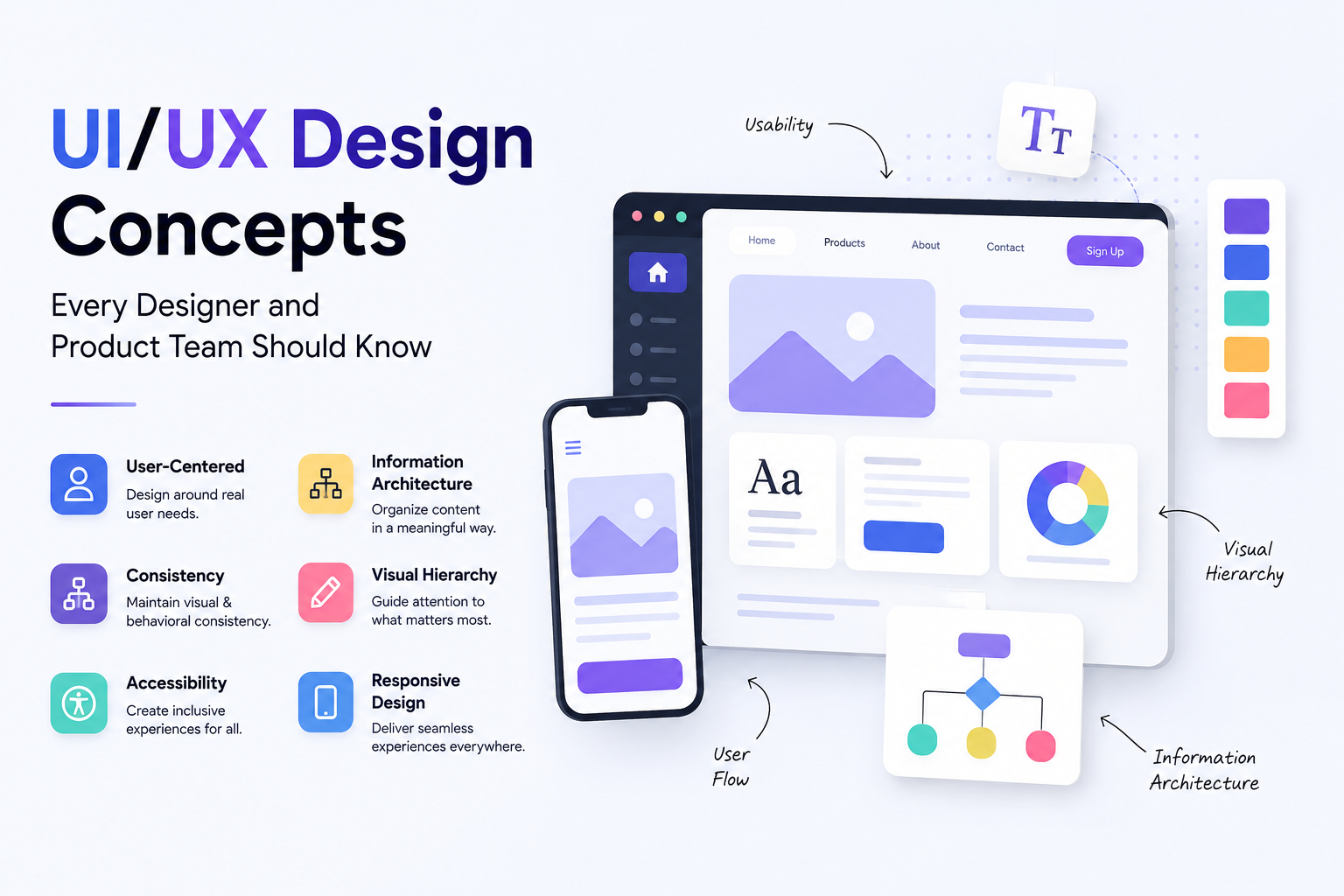
An interaction designer, covered in more depth from a conceptual standpoint in this site's UI/UX Design Concepts guide, is a specialisation within UX design focused specifically on how an interface behaves in response to user actions: what happens when a button is pressed, how transitions and states are defined, and how feedback is communicated. It's a narrower, more execution-focused role than general UX design, most common at organisations large enough to separate the research and structural side of UX from its moment-to-moment behavioural design.
Which Type of Designer Does Your Business Actually Need?
One of the most common and expensive mistakes businesses make is commissioning the wrong type of design work for the problem they actually have. Hiring a UI designer to fix a UX problem produces beautiful screens that are still confusing to use. Hiring a UX designer to address a visual identity problem produces well-structured experiences that look amateurish and fail to build brand trust. Understanding which problem you have is the prerequisite to choosing the right solution.
Your Problem Who You Need Why Users say the product is confusing or hard to use UX designer This is a usability and flow problem, not a visual one The product works but looks dated or unprofessional UI designer Visual redesign is the primary need, structure is sound High bounce rates or low conversion on key pages UX designer or UX audit first Drop-offs are almost always flow and clarity problems Building a new product from scratch Product designer or UX then UI Strategy, UX, and UI all required from day one Redesigning the brand identity and visual system UI designer plus graphic designer Visual identity and interface design need to align Product is not retaining users past the first week Product designer or UX specialist Onboarding and activation UX are the core problem
UI Design for Beginners: Where to Start
UI design is one of the more accessible entry points into the design profession because the tools are learnable without formal education and the feedback loop is fast. You can produce a screen in Figma, share it for critique, and iterate within the same day. The visual nature of the work also makes it easier to build a portfolio quickly compared to UX, which requires documentation of research processes and testing findings alongside visual outputs.
The foundational skills for a beginner UI designer are visual hierarchy, which is the ability to arrange elements so the most important information receives the most visual attention, color theory, typography, spacing and layout grids, and component-based design thinking where interface elements are built as reusable parts rather than individual one-off designs for each screen. Learning Figma is practically mandatory in 2026 since it has become the industry standard tool for interface design work.
Beginner UI designers should study existing interfaces systematically before trying to create their own. Analyze why a specific app feels polished while another feels cluttered. Identify the spacing decisions, the font choices, and the color relationships that contribute to each impression. This kind of reverse-engineering of existing work builds design intuition faster than any tutorial because it trains you to see intentional decisions rather than treating finished interfaces as monolithic wholes.
Stage What to Learn Recommended Resources Timeline Foundation Visual hierarchy, color, typography, spacing, layout grids Figma tutorials, Refactoring UI book, Dribbble for inspiration 4 to 8 weeks Tool proficiency Figma components, auto layout, prototyping Figma official docs, YouTube tutorials, Figma community files 4 to 6 weeks Design systems Component libraries, tokens, accessibility standards Material Design docs, Apple HIG, existing open design systems 4 to 8 weeks Portfolio building Redesign existing apps, personal projects, case study writing UI challenges, design communities, peer critique groups Ongoing
UX Design for Beginners: Where to Start
UX design has a different learning curve from UI design. The visual skills that make a beginner UI designer's work immediately recognizable as design work take longer to develop in UX because UX outputs, wireframes, journey maps, and research documentation, are functional rather than aesthetic. This means building a compelling UX portfolio requires documenting the thinking and process behind design decisions rather than just presenting polished screens.
The foundational skills for a beginner UX designer are user research methodology, including how to conduct interviews, analyze findings, and present insights without letting personal bias distort the data. Information architecture, which is the ability to organize content and features into structures that match how users think about them. Wireframing, which is the ability to sketch and structure screen layouts before visual design begins. And usability testing, which is the ability to design and run sessions that reveal how real users interact with a product and what prevents them from succeeding.
Beginners in UX should start by doing actual research rather than assuming they understand user needs. Pick a product you use regularly, recruit three to five people who fit the target user profile, watch them try to complete a specific task in the product, and document what you observe. This exercise consistently reveals that real user behavior differs from what designers assumed it would be, which is the core insight that makes UX research valuable.
Stage What to Learn Recommended Resources Timeline Foundation UX principles, design thinking, user research methods NN/g articles, Interaction Design Foundation, Don Norman's The Design of Everyday Things 4 to 8 weeks Research skills User interviews, usability testing, affinity mapping Maze tutorials, Lookback documentation, Steve Krug's Rocket Surgery Made Easy 4 to 8 weeks Information architecture and wireframing Sitemaps, user flows, low-fidelity wireframes, card sorting Figma for wireframing, Miro for flows, Optimal Workshop for card sorting 4 to 6 weeks Portfolio building Full case studies with research, process, and outcomes documented UX portfolio guides from NN/g, real project work even if unpaid Ongoing
How AI Is Changing These Roles in 2026
AI tools have accelerated execution across all three design roles without fundamentally changing what makes each one valuable. Figma's AI features can generate initial layout suggestions and create content variations automatically. AI-powered research tools can synthesize user interview transcripts and identify behavioral patterns across large datasets in minutes. Prototyping tools can generate interactive flows from text descriptions faster than any manual process could.
What AI cannot replace across all three roles is judgment. A UI designer's judgment about which visual choice builds trust with a specific audience. A UX designer's judgment about which research finding is most important to act on. A product designer's judgment about whether a feature should be built at all. These decisions require contextual understanding, cultural awareness, ethical consideration, and strategic thinking that current AI tools do not reliably provide. The designers who thrive in 2026 are those who use AI to eliminate the repetitive and mechanical parts of their work and invest the freed time in the judgment-intensive work that produces the most value.
Work With Munix Studio on Your Design Project
At Munix Studio our design team covers UI design, UX design, and product thinking within a single integrated process. Rather than treating these as separate handoffs between specialists, we approach every project with the full range of design disciplines working together from discovery through to developer handoff, ensuring that the final product looks right, works right, and serves the business goal it was built to achieve.
UI/UX Design — End-to-end design covering user research, information architecture, wireframing, visual design, prototyping, and usability testing for web and mobile products.
Website Development — Custom websites where design and development work from the same team, eliminating the translation loss that occurs when separate agencies handle each discipline independently.
App Development — Mobile applications for iOS and Android where UI/UX design is built into the development process from the first day, not added as a finishing step.
Graphic and Branding — Visual identity and brand system design that provides the foundation your UI design builds on, ensuring consistency across every digital and physical touchpoint.
Frequently Asked Questions
Ready to Get Started?
UI/UX Design
End-to-end design covering user research, information architecture, wireframing, visual design, and usability testing for web and mobile products built around real user behavior.
Explore UI/UX DesignRelated Articles
What Is UI/UX Design? A Complete Guide for Businesses and Founders
The UI/UX Design Process: Every Stage, Method, and Tool Explained
Best UI/UX Design Tools in 2026: Figma, Prototyping, and Beyond
UX Design for Business: Why It Matters, What It Costs, and How to Get It Right