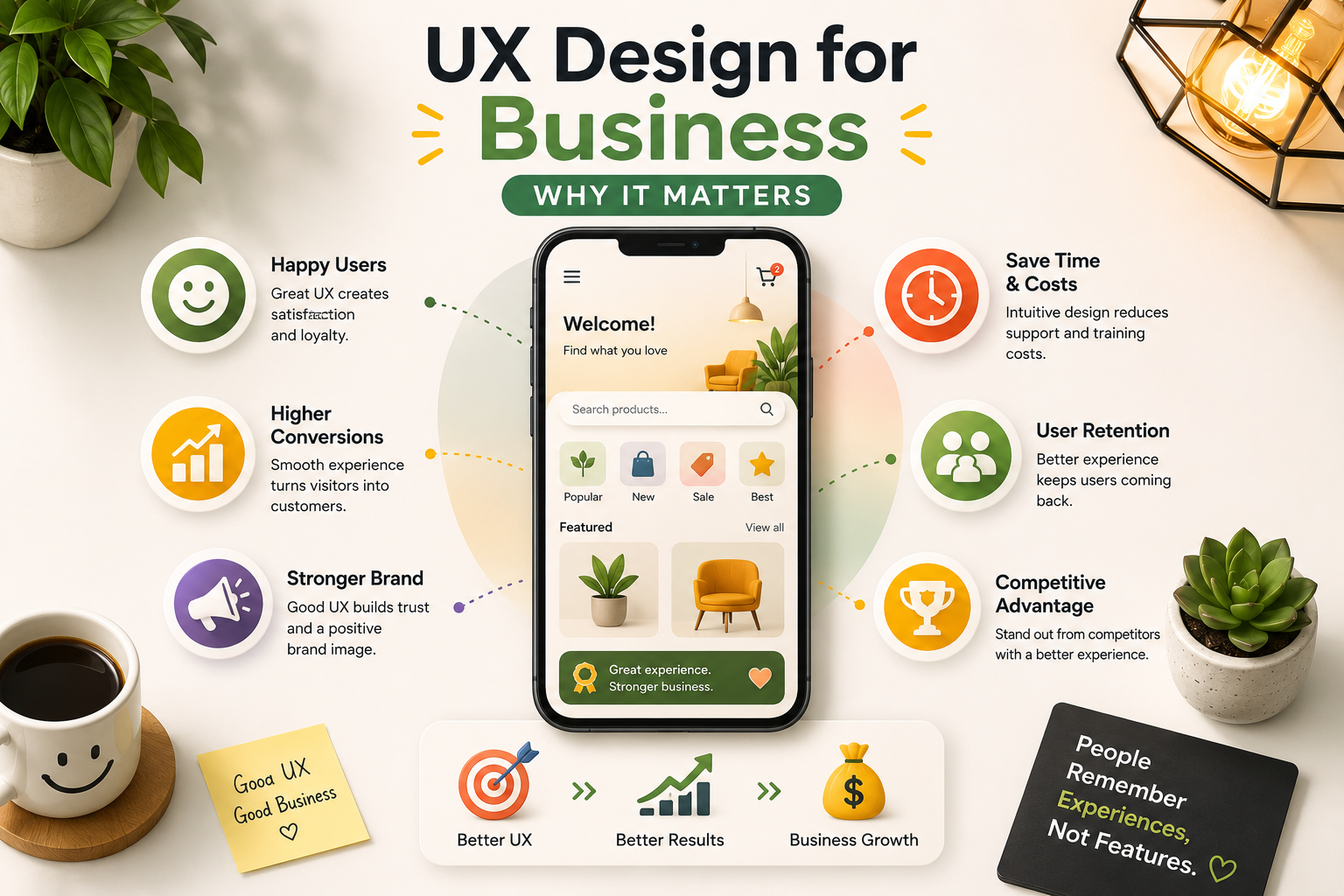
Why UX Design Is a Business Priority, Not a Design Preference
Most businesses think of UI/UX design as a visual concern. They commission it when something looks dated, when a rebrand is underway, or when a developer has finished building a product and it needs to be made presentable. This framing costs businesses significant revenue every year because it misunderstands what design actually does and when it has the most impact.
UX design is not a visual layer applied at the end of a project. It is a strategic discipline that determines whether a product works the way real users expect it to, whether they can accomplish what they came to do without friction or confusion, and whether the experience builds enough confidence and satisfaction to bring them back. These outcomes have direct and measurable commercial consequences that show up in conversion rates, retention metrics, support ticket volume, and customer lifetime value.
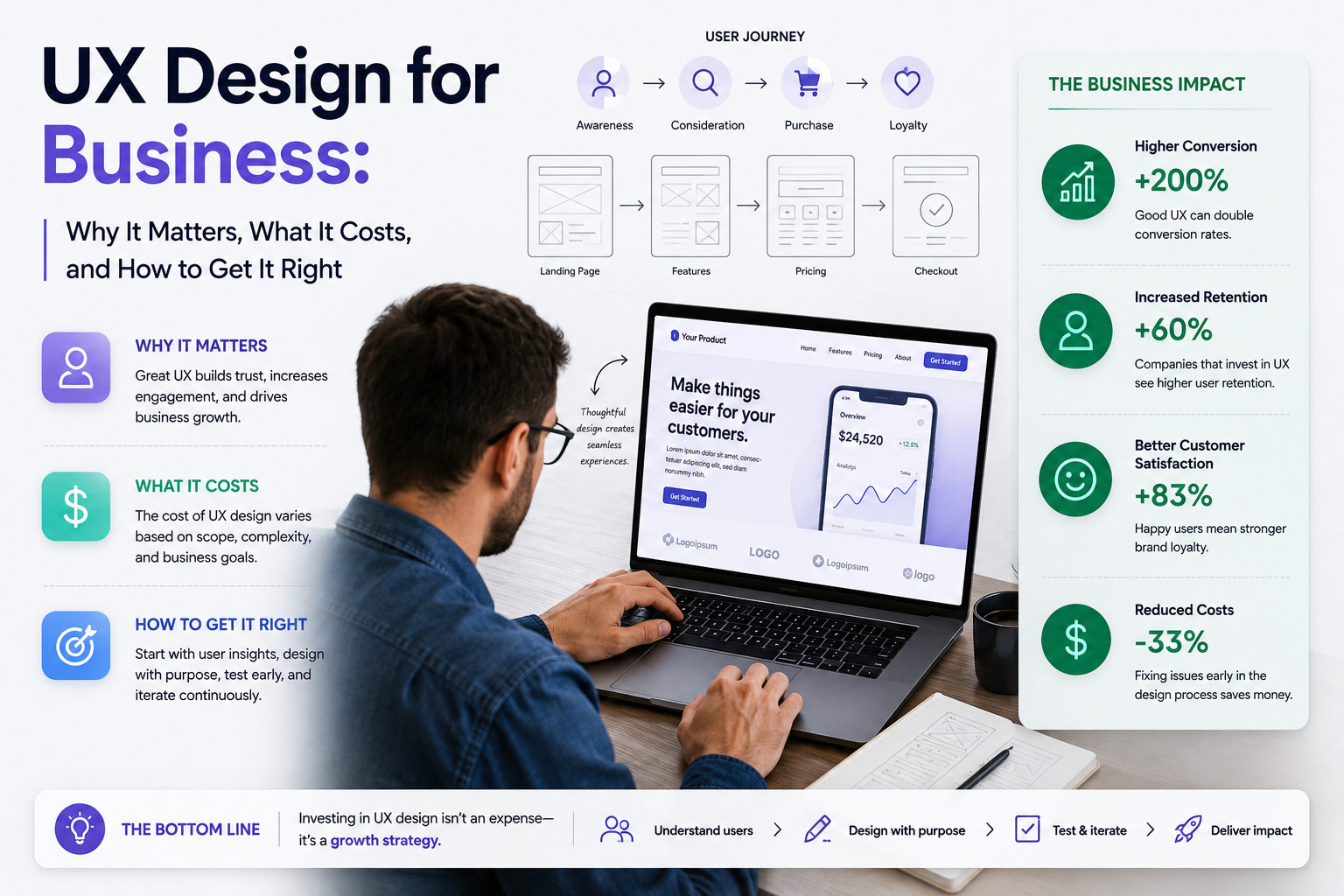
According to Forrester Research, every dollar invested in UX returns approximately one hundred dollars, representing a return of around 9,900 percent. Good UI design can improve conversions by up to 200 percent. Superior UX design improves them by up to 400 percent. These numbers are not aspirational benchmarks. They reflect what happens when friction is removed from the paths that users take through a product and the experience is designed around how people actually behave rather than how designers assumed they would.
The Direct Business Impact of Good and Poor UX
The business case for UX design becomes clearest when you connect specific design problems to specific financial outcomes. Poor UX does not just frustrate users. It costs money in ways that are measurable against real business metrics.
UX Problem Business Impact Metric Affected Confusing checkout flow Users abandon before completing purchase despite having intent to buy Cart abandonment rate, revenue per visitor Unclear onboarding in SaaS New users fail to reach the activation moment and cancel before value is demonstrated Activation rate, early churn Poor mobile experience Over 60 percent of web traffic on mobile is lost or bounces immediately Mobile conversion rate, bounce rate Difficult navigation or buried contact forms Interested visitors leave without converting because the next step is unclear Lead generation rate, CTA click-through rate Confusing product interface Support ticket volume increases as users struggle with basic tasks Support cost, customer satisfaction score Inconsistent visual design Brand trust erodes, users hesitate to enter payment information Trust signals, payment conversion rate
Research from McKinsey found that fixing a UX problem after a product launches costs between ten and one hundred times what it would have cost to fix during the design phase. This is the strongest financial argument for investing in UX design early and properly rather than treating it as something to address after the product is already live and underperforming.
How to Get Buy-In for UX Investment
Understanding that UX design delivers a strong return, covered above, is different from successfully convincing the people who control a budget to actually fund it. Getting buy-in for UX investment is a distinct and common challenge, particularly inside organizations where design has historically been treated as a cosmetic finishing step rather than a business function.
The most effective approach is to translate a UX problem into the specific business metric it affects, using the same framework as the business impact table above. Leadership rarely responds to "the checkout flow is confusing." Leadership responds to "a specific step in checkout is correlated with a measurable percentage of cart abandonment, and every percentage point recovered is worth an estimated amount in additional monthly revenue based on current traffic." The first framing is a design opinion. The second is a business case with a number attached to it.
A small, low-cost UX audit, covered in detail later in this guide, is often the most effective tool for building internal buy-in precisely because it produces exactly this kind of evidence. Rather than asking for budget to fix a problem based on a designer's intuition, an audit provides a prioritized, data-backed list of specific issues and their business impact, which is a fundamentally easier case to bring to a budget holder than an unsubstantiated recommendation.
It also helps to start small and demonstrate results before asking for a larger commitment. A single, well-scoped improvement to one high-traffic page or flow, measured before and after, creates internal proof that UX investment produces the return this guide describes. That proof point is worth more in future budget conversations than any external statistic, however credible, because it is specific to the organization's own product and its own numbers.
UI/UX Design for Startups
Startups face a specific version of the UX challenge. Resources are constrained, timelines are compressed, and the temptation to deprioritize design in favor of faster development is constant. The startups that give in to this temptation consistently discover that the cost of skipping proper UX design is higher than the cost of doing it correctly from the start.
For an early-stage startup, the most important UX investment is in the core user journey. Rather than designing every screen to a high fidelity standard before anything is validated, a smart startup UX approach focuses on the primary flow that delivers the product's core value and makes sure that flow is as clear, efficient, and frictionless as possible. Validating this through user testing before development begins prevents the most expensive scenario in startup product development: building something that works technically but that real users cannot or will not use.
Investors also evaluate UX quality as a signal of product maturity and team sophistication. A demo or prototype with a polished, clearly reasoned interface communicates that the team understands their users and has thought carefully about the product experience. A technically functional but visually and experientially rough product communicates the opposite, regardless of how strong the underlying idea is.
UX Design for Small Businesses, SMBs, and SMEs
Small and medium-sized businesses face a version of the UX challenge that differs meaningfully from both the enterprise products and the venture-funded startups covered elsewhere in this guide. Budgets are tighter, there is rarely a dedicated design or product team, and the person making the decision to invest in UX is frequently the business owner directly, not a product manager advocating internally. The advice that applies to a well-funded SaaS startup or a large enterprise redesign does not translate cleanly to this context, and treating small business UX as simply "startup UX with less money" misses what actually matters most for this audience.
For a small business, whether that's a single-location retailer, a professional services firm, a solopreneur, or a small e-commerce operation, the highest-value UX investment is almost always concentrated in one or two core conversion paths rather than spread across a comprehensive research and design process. A local service business needs its contact and booking flow to be frictionless above almost everything else. A small online retailer needs its checkout flow optimized before it needs a broader brand redesign. The discipline that matters most here is ruthless prioritization: identifying the single flow that most directly drives revenue or leads, and investing available budget there first, rather than attempting the full-scope research and design process appropriate for a well-funded enterprise engagement.
This is also where a lighter-weight, audit-first approach, covered in more detail later in this guide, delivers disproportionate value for small businesses specifically. A full UX audit at the lower end of the cost range described later in this guide can identify the two or three highest-impact fixes on an existing site or app, giving a small business a clear, prioritized action list without the cost of a full research-driven redesign. For many small businesses and SMEs, this audit-then-fix approach, rather than a ground-up redesign, is both the most affordable and the most effective way to capture the return on UX investment this guide describes.
Small businesses that also operate as franchises or across multiple locations face an additional consideration: consistency. A franchise's digital experience needs to work identically well whether a customer is interacting with the flagship location's site or a smaller satellite location's page, which makes a documented, reusable design system disproportionately valuable even at small business scale, since it prevents each location or future addition from reinventing basic UX decisions independently.
The practical takeaway for a small business, SMB, or solopreneur evaluating UX investment is to resist the temptation to think in terms of a full redesign at all. Start with the audit-driven, single-flow-focused approach described throughout this guide, prove the return on a small, contained investment first, and expand from there only once that initial investment has demonstrated its value against real numbers.
UX Design for SaaS Products
SaaS products live or die by the quality of their user experience in a way that few other business models do. In a subscription model, a user who cannot find value quickly enough cancels before the lifetime value of that customer covers the cost of acquiring them. The entire economics of SaaS depend on retention, and retention depends on users successfully integrating the product into their workflow. UX design is the primary lever that determines whether that integration happens.
The three highest-impact UX areas for SaaS businesses are onboarding, the activation moment, and ongoing feature discoverability. Onboarding determines whether a new user reaches the point where the product delivers its core value quickly enough to justify continued use. The activation moment is the specific action or outcome that correlates most strongly with long-term retention in a particular product. Feature discoverability determines whether users find and use the functionality that deepens their engagement and increases switching costs over time. Each of these is a UX problem with a measurable impact on churn and lifetime value.
UX Design for Ecommerce
Ecommerce UX is one of the most studied areas of user experience design because the conversion impact of specific design decisions is directly measurable in revenue. The Baymard Institute, which maintains the most comprehensive research database on ecommerce UX, has found that the average documented cart abandonment rate is approximately 70 percent. A significant proportion of that abandonment is attributable to UX problems that are fixable through deliberate design improvement.
The highest-impact ecommerce UX areas are the checkout flow, product page design, navigation and search, and mobile experience. Amazon's checkout design illustrates the commercial power of UX clarity better than any theoretical argument. Every element is designed to remove friction from the purchase decision, from one-click purchasing to transparent delivery estimates to prominent and specific trust signals. The result is a conversion rate that significantly exceeds industry averages for every category in which Amazon competes.
For ecommerce businesses, a UX audit focused specifically on the checkout flow is often the highest-return design investment available. A single well-identified friction point in checkout, such as a forced account creation step, hidden shipping costs revealed only at payment, or a mobile form that triggers the wrong keyboard type, can be responsible for a measurable percentage of revenue loss that a targeted redesign can recover within weeks of launch.
UI/UX Design for Mobile Apps
Mobile UI/UX design operates under a different and more demanding set of constraints than web design. Users on mobile are frequently in low-attention contexts, moving between tasks, dealing with interruptions, or operating with one hand. Every additional tap, every unnecessarily small touch target, every interaction that requires the user to stop and think represents a drop-off risk that a better-designed competitor eliminates.
The most common mobile UX failures that damage business metrics are navigation patterns that mirror desktop rather than mobile conventions, interactive elements that are too small to tap reliably, forms that do not invoke the correct keyboard type for each input field, pages that load slowly due to unoptimized assets, and onboarding flows that ask for too much information before demonstrating value. Each of these problems is identifiable through usability testing and addressable through targeted design changes that do not require rebuilding the entire product.
What Is a UX Audit?
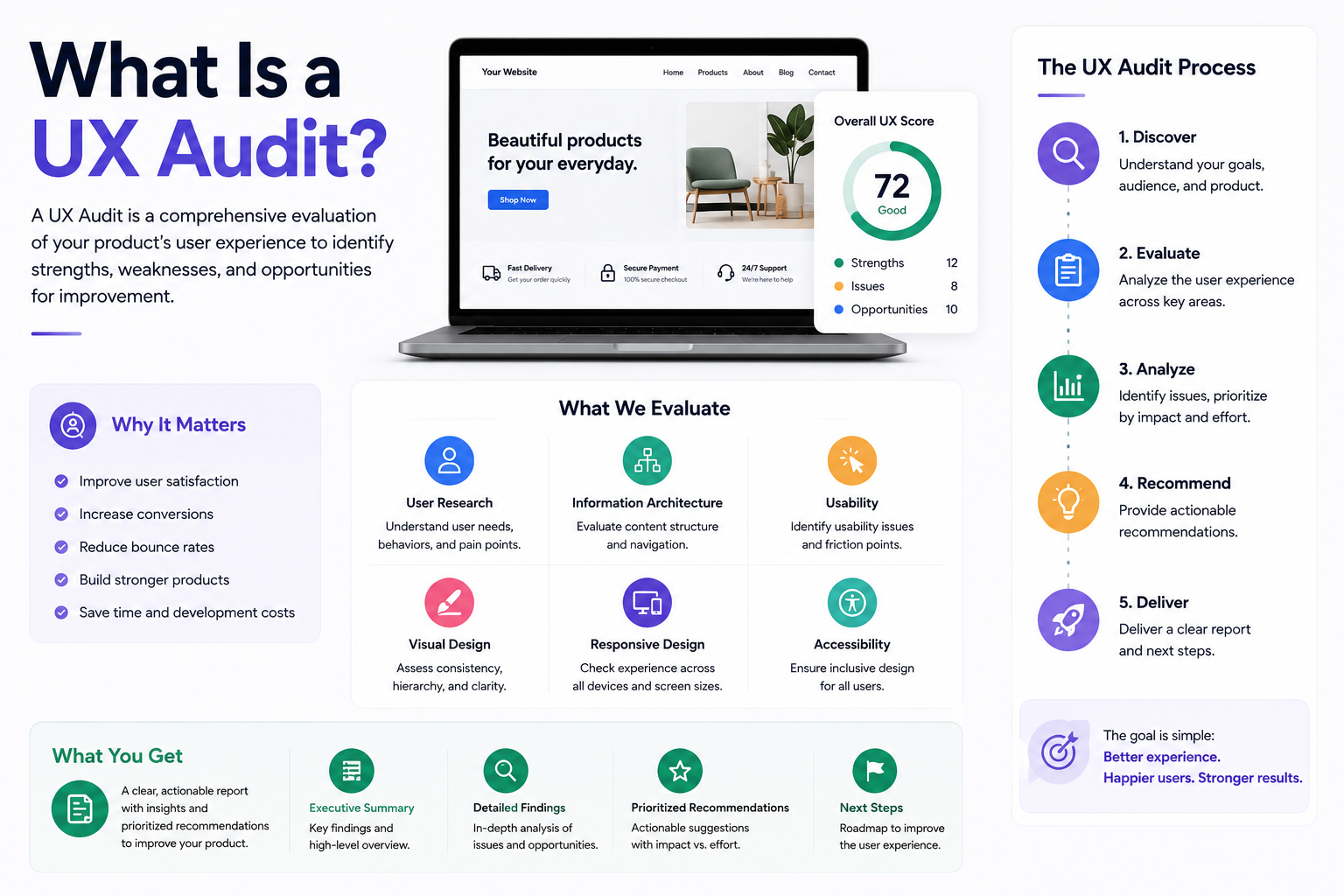
A UX audit is a structured expert review of an existing digital product that identifies usability problems, friction points in key user flows, accessibility issues, and opportunities to improve conversion rates and user satisfaction. It is the diagnostic tool that tells a business where its product is losing users and why, before committing to a redesign.
A UX audit typically involves a combination of heuristic evaluation, where an expert assesses the product against established usability principles, analytics review, where traffic and behavior data is analyzed to identify where users drop off, session recording analysis using tools like Hotjar to observe real user behavior, and in some cases moderated usability testing with real users. The output is a prioritized list of issues ranked by severity and business impact, with specific recommendations for addressing each one.
A UX audit is most valuable when a product already has users but is underperforming on conversion, retention, or satisfaction metrics. It is also the right starting point before a significant redesign, since building a new version of a product without understanding why the current version underperforms risks repeating the same mistakes in a newer visual wrapper.
Audit Component What It Involves Tools Used Heuristic evaluation Expert review against Nielsen Norman usability principles Expert judgment, usability frameworks Analytics review Identifying drop-off points, rage clicks, and low-performing pages from quantitative data Google Analytics, Firebase, Mixpanel Session recording analysis Watching how real users actually navigate the product Hotjar, Microsoft Clarity, FullStory Competitor benchmarking Comparing the product's UX against industry leaders and direct competitors Manual review, Baymard Institute benchmarks Accessibility review WCAG compliance check, keyboard navigation, screen reader compatibility Axe, WAVE, manual testing Usability testing Moderated sessions with real users completing defined tasks Maze, UserTesting, Lookback
How Much Does UI/UX Design Cost?
UI/UX design costs vary significantly based on the scope of work, the complexity of the product, the depth of user research required, and the experience level and location of the team delivering the work. The following ranges reflect professional quality work at different scales and engagement types.
Project Type What Is Included Typical Cost Range Timeline UX audit only Heuristic review, analytics analysis, prioritized recommendations $2,000 to $15,000 1 to 4 weeks Startup MVP design Core flow wireframes, UI design, basic prototype $5,000 to $20,000 3 to 6 weeks Website redesign UX research, information architecture, full UI design, design system $8,000 to $35,000 6 to 12 weeks Web application design Full UX research, multiple user flows, high-fidelity UI, usability testing $15,000 to $60,000 8 to 16 weeks Mobile app design iOS and Android UI/UX, full prototype, developer handoff $12,000 to $50,000 8 to 14 weeks Enterprise product design Extensive research, complex multi-role flows, comprehensive design system $50,000 to $150,000+ 16 weeks plus
These ranges reflect work delivered by professional agencies. Freelancers typically charge less but bring less process structure, fewer specializations, and single-point-of-failure risk for projects that run over several months. The right choice between a freelancer and an agency depends on the scope, the timeline, and how much process and stakeholder management the engagement requires.
What Does a UX Designer Do?
A UX designer is responsible for ensuring that a digital product works the way its intended users expect it to. On a practical level, the work involves conducting user research through interviews, surveys, and usability testing to understand how real people think about the problem the product solves, creating user personas and journey maps that synthesize research findings into a shared reference the whole project team can work from, designing wireframes that define the structure and flow of the product before visual design begins, and running usability testing to validate that design decisions are working as intended before they reach development.
In many organizations the UX designer also performs information architecture work, defining how content and features are organized and navigated within the product. On teams without a dedicated content strategist, UX designers often handle the writing of interface copy and error messages, which has a significant and often underestimated impact on user comprehension and task completion rates.
In 2026, most UX designers also work increasingly closely with data. Analyzing behavior data from analytics tools and session recording platforms is now a standard part of UX practice, not a specialist skill. Designers who can connect their design decisions to quantitative metrics are significantly more effective at advocating for the user within product teams where engineering and commercial priorities frequently compete for priority.
How to Hire a UX Designer or UX Design Agency
Hiring a UX designer or agency is a decision that warrants careful evaluation because the quality variance between providers is large and the consequences of a poor choice are not just a failed design project but a product that is built on a flawed foundation and performs below its potential until a redesign is commissioned.
The most important thing to evaluate in any UI/UX design agency or designer is their process, not their portfolio. A portfolio shows what they have produced. A process conversation shows whether they understand why they made the decisions they made and whether those decisions were grounded in user research or purely aesthetic preference. Ask specifically how they approach discovery and research at the start of a project, how they validate design decisions before development begins, and how they have handled situations where usability testing revealed that the initial design direction was wrong.
Factor Freelance UX Designer UI/UX Design Agency Cost Lower Higher Breadth of skills Single generalist or specialist Multiple specialists available Process structure Varies significantly by individual Established and documented process Availability risk High, single point of failure Low, team coverage Stakeholder management Depends on individual Dedicated account management Best for Focused tasks, smaller budgets, known scope Complex products, long engagements, full process required
What to Look for in a UI/UX Design Agency
When evaluating UI/UX design agencies, portfolio quality is the starting point but not the deciding factor. Beautiful screens in a portfolio case study reveal nothing about the research and thinking that produced them or whether the final product actually improved the metrics it was designed to improve. The agencies worth working with can articulate not just what they designed but why, and what happened to user behavior and business metrics after the design was implemented.
Ask for examples of measurable business outcomes from their previous design work, not just visual before and after comparisons.
Ask how they handle situations where usability testing contradicts the client's initial assumptions about what users want.
Ask what their process is for developer handoff and how they ensure the implemented product matches the approved design.
Ask whether they have experience with products in your specific context, whether SaaS, ecommerce, mobile app, or B2B platform, since the UX challenges in each are distinct.
Ask how they charge and what the scope change process is, since UX projects frequently surface new requirements during research that were not visible at the start of the engagement.
When to Invest in a UX Audit vs a Full Redesign
One of the most common and expensive mistakes businesses make is commissioning a full visual redesign when a targeted UX audit and focused improvements would deliver a better return on investment at a fraction of the cost. A redesign is appropriate when the product's underlying information architecture is fundamentally broken, when the product is more than four years old without meaningful UX investment, or when the brand and visual identity need to change significantly. In most other cases, an audit that identifies and fixes the highest-impact friction points produces faster and more measurable results than a full rebuild.
The right decision framework is to ask whether you know why your conversion rate or retention rate is where it is. If you do not know where users are dropping off or what is causing them to leave, a UX audit provides that answer. If you already know where the problems are through analytics and user feedback but the design is too constrained to fix them without rebuilding, a redesign is warranted. Starting with an audit and using its findings to scope a targeted redesign is the approach that consistently produces the best return on design investment.
Work With Munix Studio on Your UI/UX Design
At Munix Studio we approach UI/UX design as a business investment rather than a visual exercise. Whether you need a UX audit to understand where your product is losing users, a startup MVP design that validates your core experience before development begins, or a full product redesign grounded in user research and usability testing, we deliver design work that connects directly to the metrics that matter to your business.
UI/UX Design — End-to-end design services covering user research, wireframing, visual design, prototyping, and usability testing for web and mobile products.
Website Development — Custom websites built on React and Next.js where the design and development teams work together from day one, ensuring the final product matches the approved design without translation loss.
App Development — Mobile applications for iOS and Android where UI/UX design is built into the development process rather than treated as a separate upstream phase.
SEO Optimization — UX improvements that reduce bounce rates and increase dwell time directly support search rankings. Our SEO service integrates with design work to improve both organic visibility and on-page conversion rates.
Frequently Asked Questions
Ready to Get Started?
UI/UX Design
End-to-end design services covering user research, wireframing, visual design, prototyping, and usability testing for web and mobile products built around real user behavior.
Explore UI/UX DesignRelated Articles
What Is UI/UX Design? A Complete Guide for Businesses and Founders
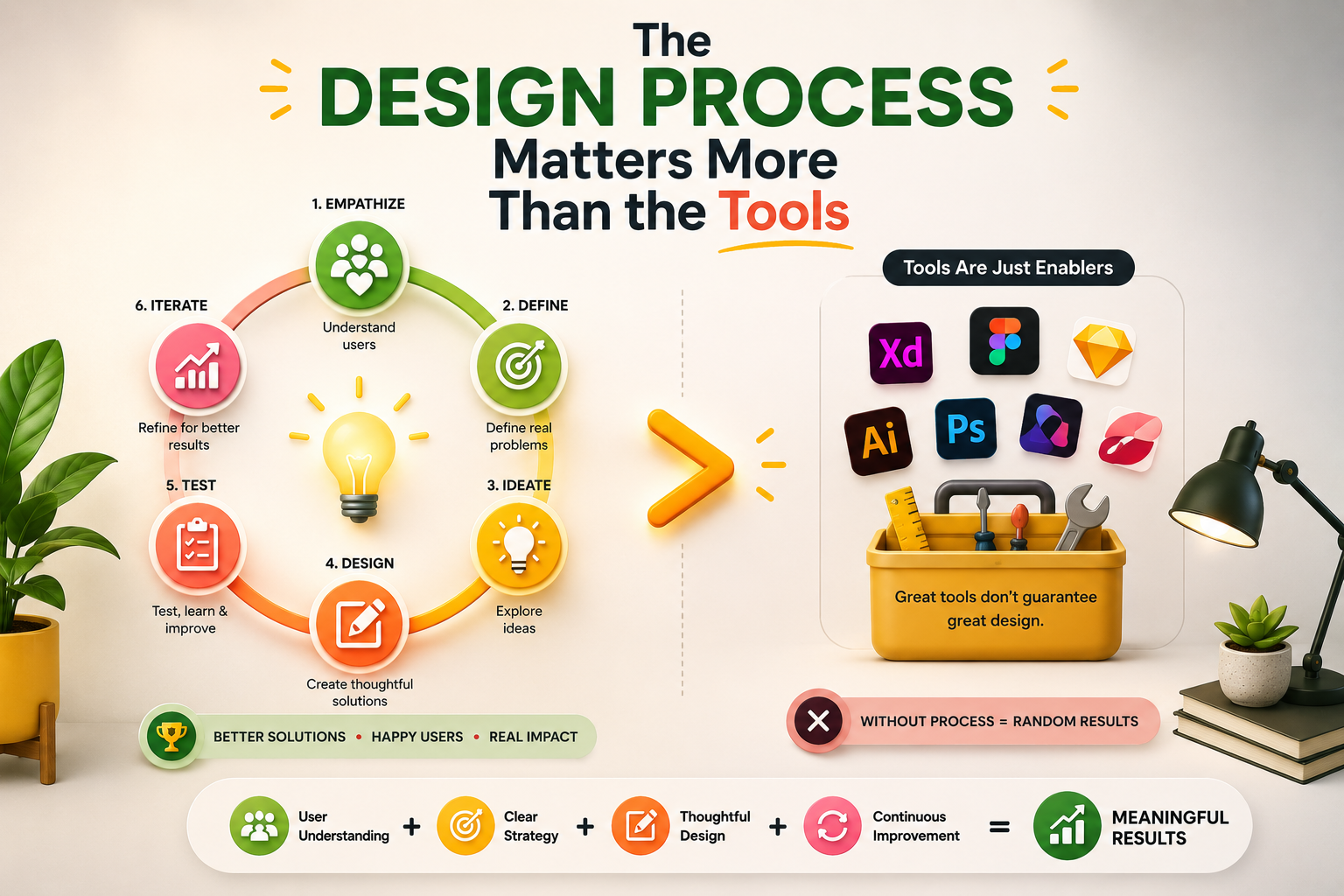
The UI/UX Design Process: Every Stage, Method, and Tool Explained
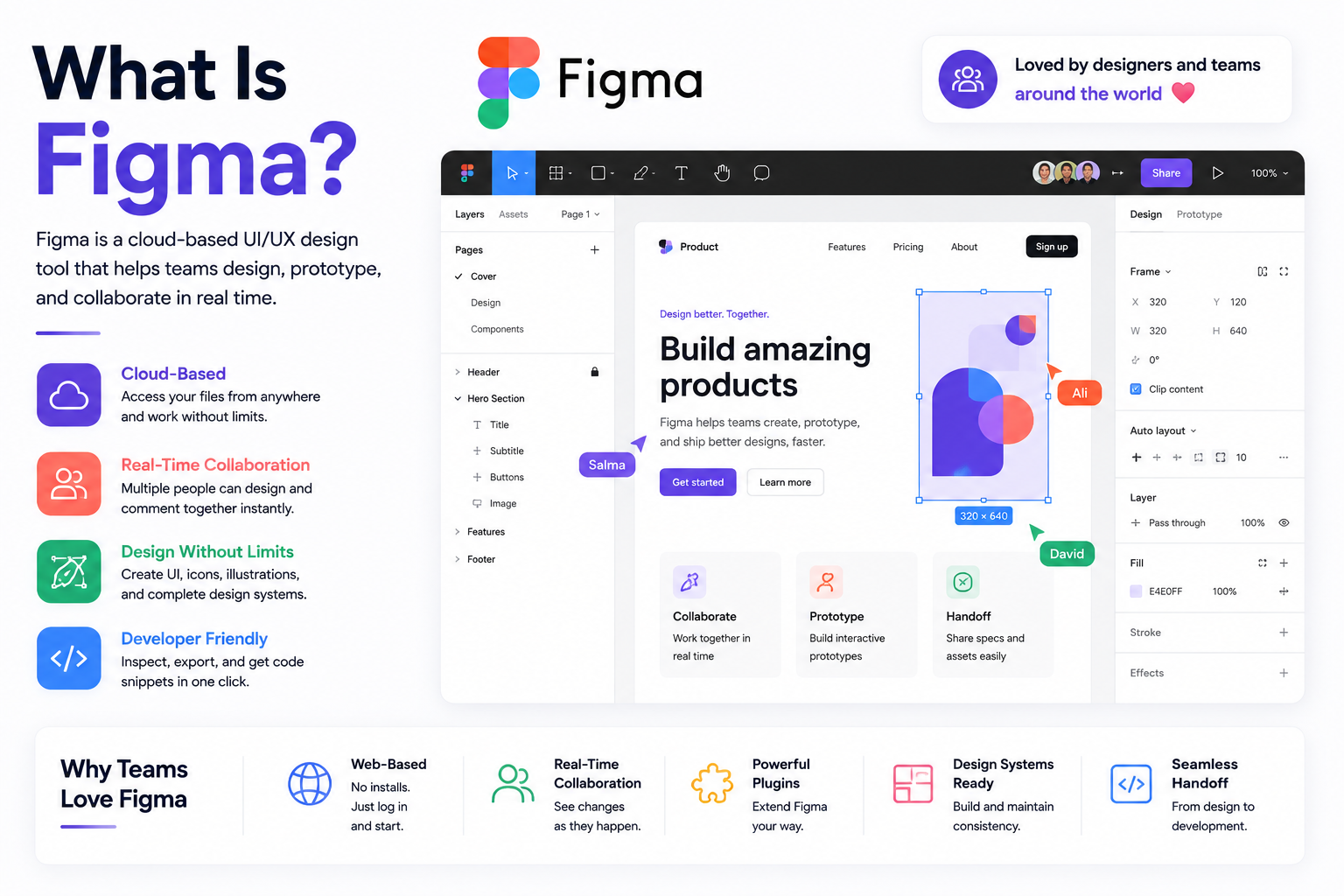
Best UI/UX Design Tools in 2026: Figma, Prototyping, and Beyond
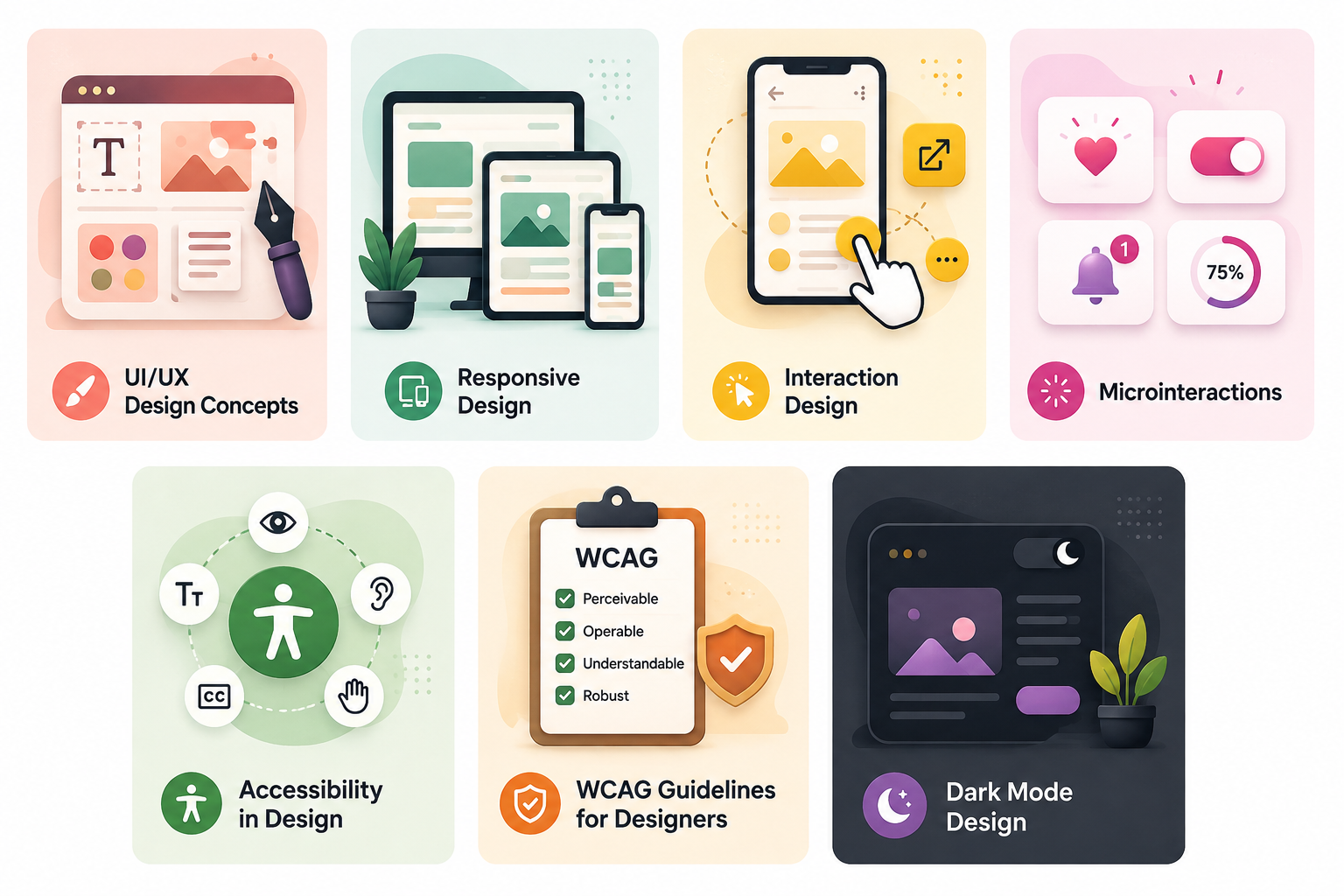
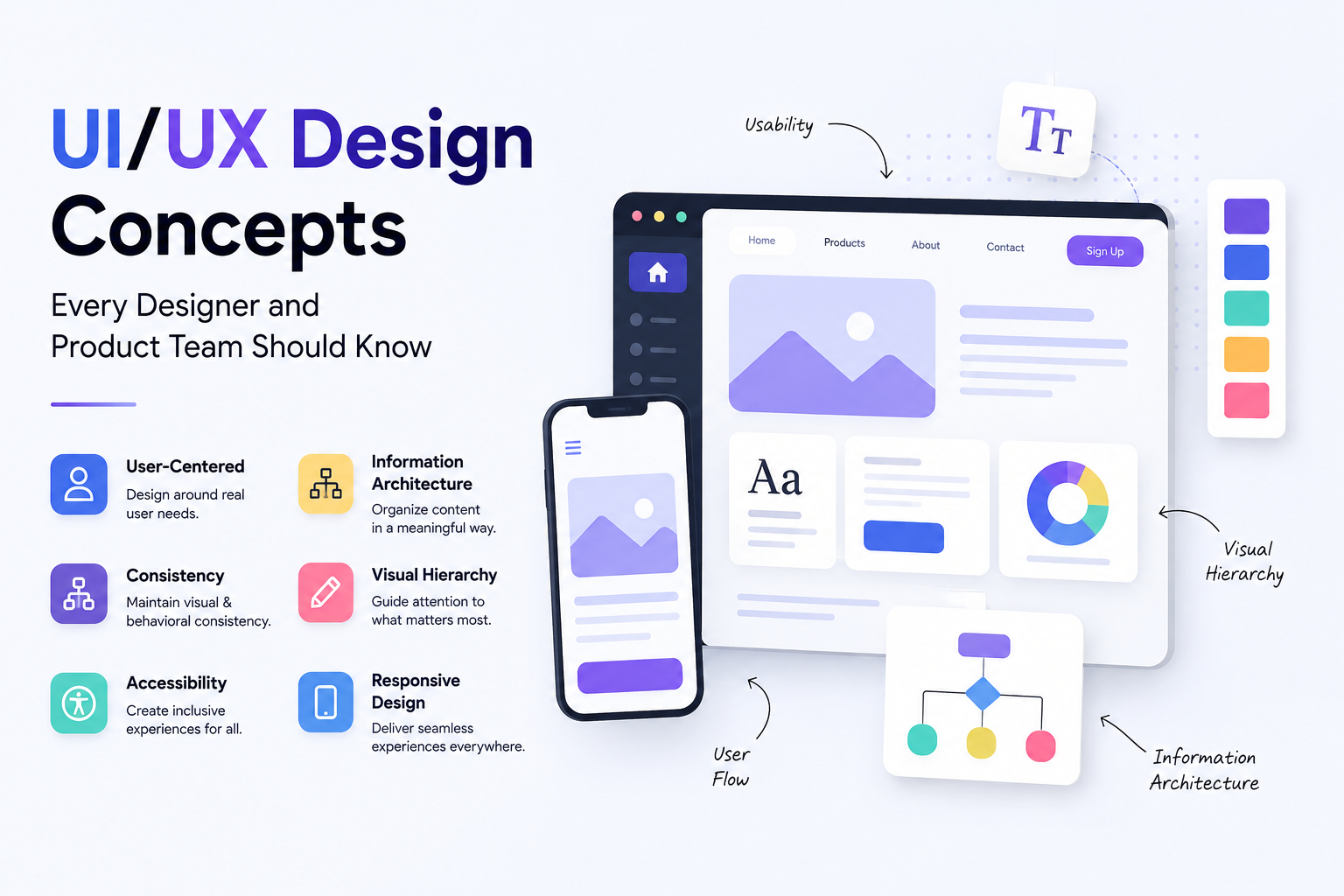
UI/UX Design Concepts Every Designer and Product Team Should Know