If you are reading this page, you are probably not casually comparing platforms. You have a WordPress site that is giving you trouble, you have heard that Next.js is the solution, and you want to know what the migration actually involves before committing to it. This page assumes the decision is basically made and focuses on what the process looks like, what genuinely improves, what breaks, and where the real cost overruns come from.
WordPress still powers roughly 43 percent of all websites. That is not a platform in decline. It is the context for why migrating away from it is a considered decision rather than an obvious one. The sites that migrate to Next.js tend to do so for specific, documented reasons, not because WordPress is obsolete.
Why Teams Actually Migrate
The trigger is almost always performance. Not abstract performance, but the specific frustration of having tried every caching plugin, every image optimization tool, and every hosting upgrade available, and still watching the site load slowly on mobile. Developers who have written about this migration across multiple independent platforms describe the same pattern: a plugin-heavy WordPress setup where the homepage loads two to five megabytes of assets, a Lighthouse performance score sitting in the 30 to 60 range despite significant optimization effort, and a growing sense that the ceiling has been reached within the WordPress architecture.
The plugin bloat problem is specific and worth naming directly. The average WordPress site runs somewhere between 20 and 30 plugins. Each one loads its own JavaScript and CSS on every page regardless of whether that page actually uses the plugin's functionality. A page builder like Elementor loads its full CSS file on every page. A contact form plugin loads its scripts on pages with no form. A slider plugin loads its scripts on pages with no slider. The cumulative effect is a frontend asset bundle that cannot be code-split or optimized in the way a modern JavaScript application can be.
Security is a secondary trigger for some teams. WordPress is the most attacked CMS in the world, and in 2025 there were over 90,000 attacks per minute targeting WordPress sites, primarily through plugin vulnerabilities, brute-force login attempts, and SQL injection. A Next.js frontend with no publicly exposed CMS backend presents a fundamentally smaller attack surface.
Is It Worth Migrating From WordPress to Next.js?
For the right site and the right team, yes. For a simple content site maintained by a non-technical team with no developer on staff, probably not. The honest answer depends on three things: how performance-critical your site is to your business, whether you have access to ongoing developer support to maintain a Next.js codebase, and how much of your current site's functionality is provided by WordPress plugins that have no straightforward equivalent in a custom-built application.
If your site is a primary revenue channel and load time directly affects conversion, the performance gains from a well-executed Next.js build are real and significant enough to justify the investment. If your site is a marketing brochure that gets updated a few times a year by a non-technical team, the developer dependency and operational complexity of Next.js creates ongoing cost that outweighs the performance benefit.
What Actually Improves After Migration
The performance improvement is the most documented and most consistent outcome. Developers writing about completed migrations across multiple independent sources report Core Web Vitals scores commonly moving from the 40 to 60 range into the 90 plus range. A typical WordPress business site loads two to five megabytes of assets on the homepage. A well-built Next.js site loads 200 to 500 kilobytes, with automatic code splitting ensuring only the JavaScript needed for the current page is loaded.
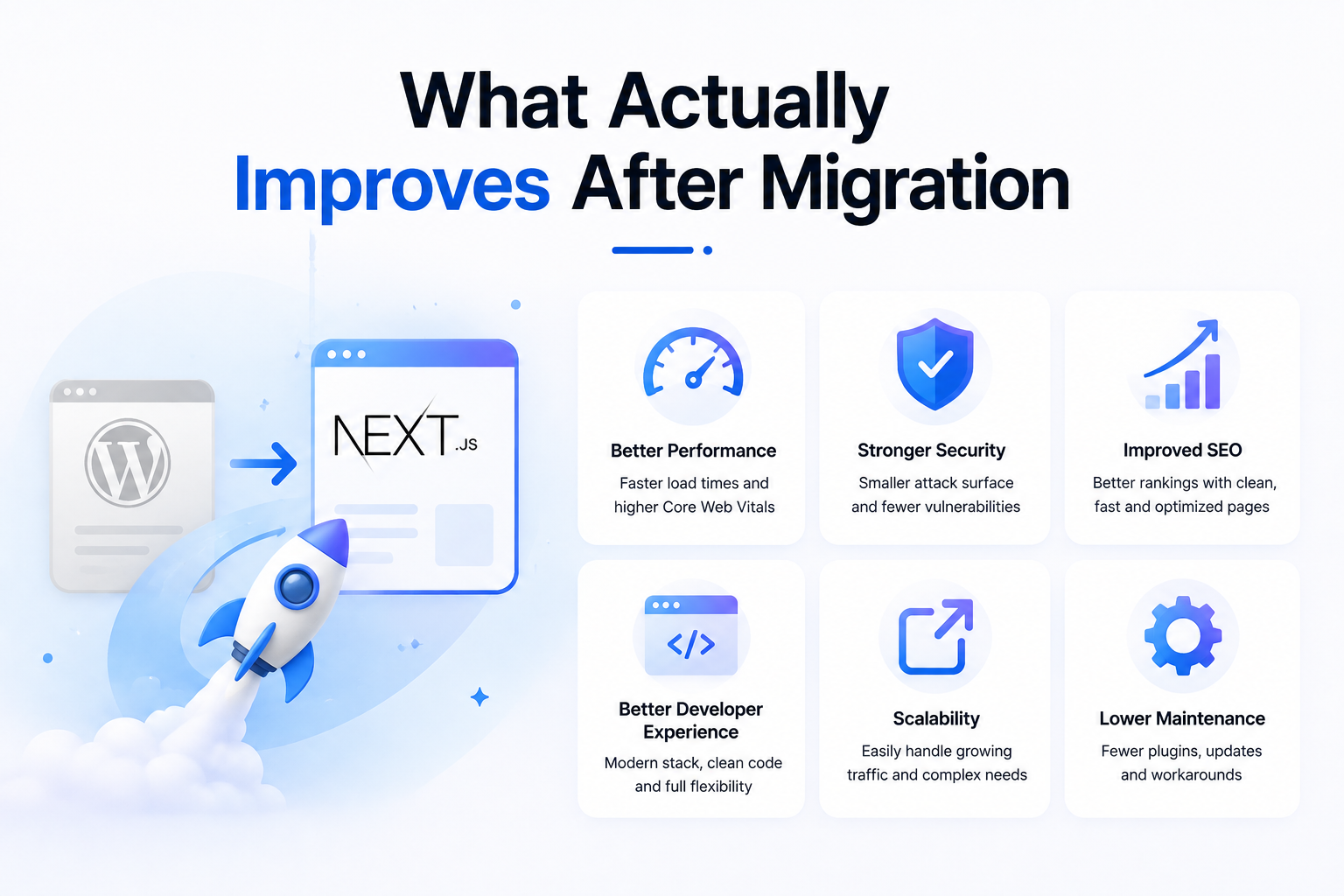
These are commonly reported patterns across independent developer write-ups, not a guaranteed outcome for any specific project. The actual improvement depends heavily on how well the Next.js site is built, whether images are properly optimized, and whether the developer team has experience with performance-conscious React patterns. A poorly built Next.js site can perform worse than a well-optimized WordPress site. The framework provides the capability for excellent performance. It does not guarantee it automatically.
Metric Typical WordPress (plugin-heavy) Well-built Next.js Change Lighthouse performance score 30 to 60 range 90 to 100 range Significant improvement Homepage asset load size 2 to 5 megabytes 200 to 500 kilobytes Up to 10x smaller Security attack surface Large, PHP and admin exposed Smaller, no public CMS backend Meaningful reduction Developer experience PHP, theme structure, plugin conflicts React, TypeScript, modern tooling Strongly preferred by JS developers Non-technical content editing Excellent, familiar admin Requires separate CMS or stays on WP Significant trade-off Ongoing plugin maintenance Constant, security patches weekly Minimal, npm dependencies only Lower operational burden
What Actually Breaks or Gets Complicated
This is the section most migration guides skip because it is not the content that generates leads. It is also the most useful section if you are genuinely planning a migration and want to avoid the common sources of cost overrun and timeline extension.
Shortcodes Do Not Translate
If your WordPress content uses shortcodes, which are the plugin-specific tags that embed functionality inside post content such as contact forms, pricing tables, sliders, or custom fields, those shortcodes mean nothing in a Next.js application. They are WordPress-specific syntax. Every shortcode in your content needs to be identified, and the functionality it provided needs to be rebuilt as a React component. On a site with hundreds of posts containing shortcodes, this is a substantial amount of manual work that is easy to underestimate at the scoping stage.
Plugin Functionality Needs to Be Rebuilt or Replaced
Every WordPress plugin that provided user-facing functionality needs an equivalent in the new stack. Contact forms need to be rebuilt as React components with API routes handling submission. SEO plugins like Yoast or RankMath are replaced by Next.js metadata API and JSON-LD structured data in code. Analytics plugins are replaced by script tags or npm packages. Simple replacements like these are manageable. Complex plugins covering learning management systems, membership access control, WooCommerce stores, or advanced custom field configurations require significant custom development to replicate. Some functionality may require significant development to replicate, which is why a thorough plugin audit during the planning phase is critical.
URL Structures Rarely Match
WordPress URL structures with category and subcategory segments rarely align with Next.js routing conventions. For sites with over 1,000 URLs, the 301 redirect table becomes a load-bearing artifact that requires careful mapping. Missing redirects mean losing the search equity those URLs have accumulated. On a large site, redirect mapping is a substantial piece of work that needs dedicated time and careful QA rather than being treated as a minor technical task.
Content Migration Is Not a Simple Export and Import
WordPress stores content in a MySQL database with a specific schema. Migrating that content to a new setup, whether that is a headless CMS like Sanity or Contentful, or a flat file system, or keeping WordPress as the backend API, requires writing migration scripts that transform the old data structure into the new one. Content that was formatted using a page builder plugin is particularly difficult because page builder markup is proprietary HTML that does not translate cleanly into a structured content model. Cleaning and restructuring legacy content takes longer than building the application itself in many cases.
Does Migrating to Next.js Actually Improve SEO?
The honest answer is that the architectural change itself is not an SEO improvement. What produces SEO improvement is the performance gain that the migration enables. Google's Core Web Vitals are a confirmed ranking signal, and moving from a Lighthouse score in the 40 to 60 range to 90 plus has a measurable positive effect on rankings for sites where performance was the binding constraint. Most developers who have completed this migration report rankings improving within four to six weeks as Core Web Vitals scores improve substantially.
The risk to SEO during a migration is real and worth taking seriously. If the redirect mapping is incomplete, if canonical tags are not properly configured, if the new site structure differs significantly from the old one, or if indexed pages are accidentally removed from the sitemap, organic rankings can drop significantly during and after the migration. A migration executed with proper SEO preservation, including comprehensive 301 redirects, metadata migration, and active Google Search Console monitoring, should maintain or improve rankings. A migration executed without those safeguards can cause ranking drops that take months to recover from.
Can You Keep WordPress as the CMS and Still Use Next.js?
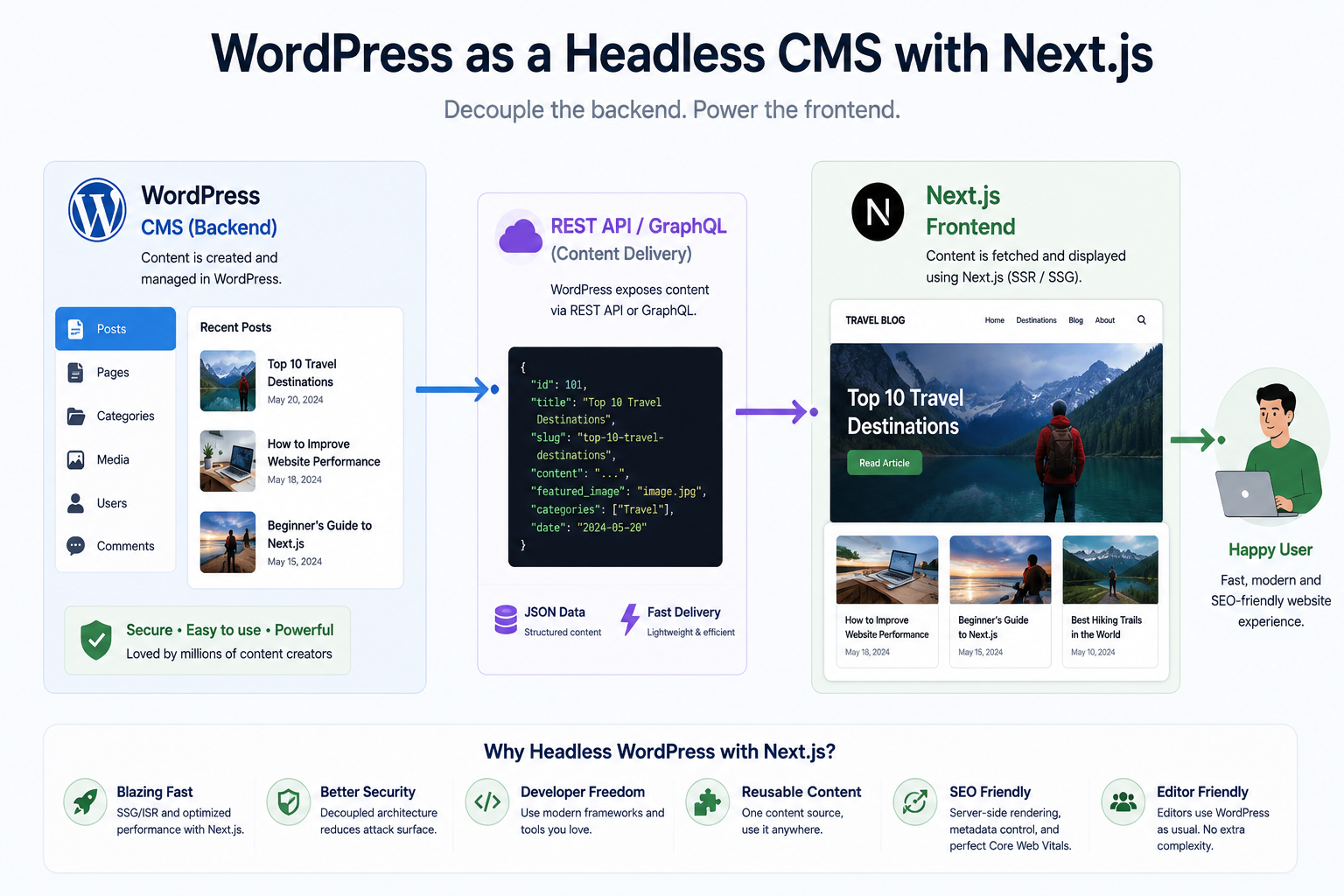
Yes, and this is the most common path for teams where the editorial team's comfort with WordPress is a genuine constraint. In a headless WordPress setup, WordPress continues to run as the content backend and the admin interface stays exactly as editors know it. The public-facing frontend is rebuilt entirely in Next.js, fetching content from WordPress via its REST API or via WPGraphQL. The WordPress installation is locked down and not publicly accessible, which resolves most of the security surface concern. The Next.js frontend is deployed separately, typically on Vercel or a similar edge platform, and handles all rendering.
This approach avoids the content migration problem entirely, since the content stays in WordPress. It avoids the editorial team learning a new interface. The trade-off is that you are still running and maintaining a WordPress installation, which means plugin updates, core updates, and hosting costs remain. You are also managing two separate systems rather than one. For teams where both the performance gain and editorial continuity matter, headless WordPress is the practical compromise. We cover the broader decision between headless WordPress and a dedicated headless CMS in more detail in our page on headless CMS vs WordPress.
Realistic Cost and Timeline
The range is wide because scope varies enormously. A small site with ten to twenty pages, minimal custom functionality, and cleanly structured content can be migrated in six to ten weeks at a cost of $8,000 to $20,000. A larger site with hundreds of posts, multiple custom post types, significant plugin-provided functionality, a complex URL structure requiring a large redirect table, and WooCommerce or membership features takes four to six months and costs $30,000 to $80,000 or more.
Site Type Complexity Estimated Cost Estimated Timeline Small marketing site, 10 to 20 pages Low $8,000 to $20,000 6 to 10 weeks Content site with blog, 100 to 500 posts Medium $20,000 to $40,000 10 to 16 weeks Complex site with custom functionality High $40,000 to $80,000 16 to 24 weeks WooCommerce or membership site Very high $60,000 to $120,000 plus 20 to 36 weeks
The most reliable predictor of cost overrun is underestimating the plugin audit and content migration phases. Agencies that quote migrations without a thorough discovery phase involving a complete plugin inventory and content structure audit are almost always quoting a number that will increase once the actual scope becomes clear. A proper migration quote should be preceded by a scoping engagement that documents exactly what exists in the current WordPress installation before any build estimate is provided.
How Munix Studio Approaches a Migration
We start every WordPress to Next.js migration with a discovery phase before we quote anything. That discovery covers a complete plugin audit with functionality mapping, a content structure review, a URL inventory and redirect plan, a decision on the CMS strategy (headless WordPress, Sanity, Contentful, or flat files depending on the editorial team's needs), and a performance baseline from the current site. Only after that do we provide a scoped estimate.
We build on Next.js and we have built headless WordPress setups for clients who need the editorial team to stay on the admin they know. We are honest when the existing WordPress site does not need a full migration and optimization would solve the problem at a fraction of the cost. If you want a rough budget range before any conversation, our free website cost calculator gives you a starting point based on your site's scope and requirements.
Related Services
Whether you are migrating a simple marketing site or a complex WordPress installation with years of content and custom functionality, the services below are where Munix Studio is directly relevant to what this migration requires.
Website Development — WordPress to Next.js migrations including headless WordPress setups, full rebuilds, content migration, redirect mapping, and SEO preservation handled as part of the same engagement.
SEO Optimization — Post-migration SEO monitoring and technical SEO work to ensure ranking recovery and sustained improvement after the new site goes live.
Maintenance and Support — Ongoing Next.js and headless WordPress maintenance after migration, covering dependency updates, build pipeline monitoring, and content system support for your editorial team.
Frequently Asked Questions
Related Articles
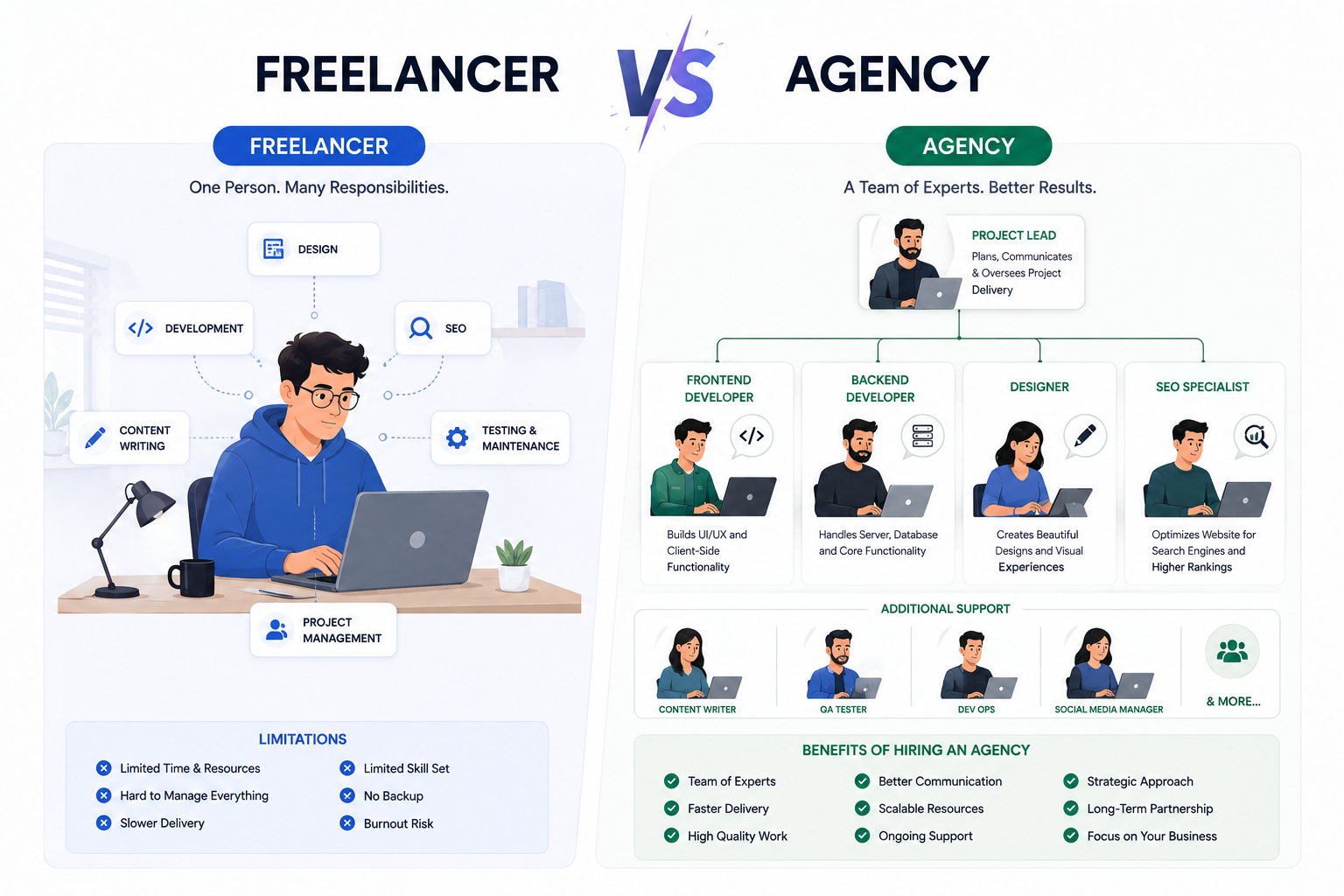
Freelancer vs Agency: What Reddit Users Recommend

Choosing a Web Design Agency: Reddit's View
Headless CMS vs WordPress: The Honest Take
React vs WordPress for Small Business

How Much Should a Website Cost in 2026