The Question Is a Bit Broken From the Start
When this comparison comes up in developer communities and Reddit threads, the sharpest responses tend to start with the same observation: React and WordPress are not really the same category of thing. WordPress is a complete content management system with a database, an admin interface, a plugin ecosystem, a theme system, and a hosting model built around it. React is a JavaScript library for building user interfaces. It has no opinions about routing, no built-in content editor, no hosting requirements, and no database. It is a tool that developers use to build things, not a thing you install and run.
So when a small business owner asks whether they should use React or WordPress for their website, they are often actually asking one of two quite different questions. The first is whether their site should be custom-coded using modern JavaScript tooling, which in practice means Next.js built on top of React, rather than a CMS-driven WordPress site. The second is whether plain React, by itself, is a viable website platform. The honest answer to the second question is almost always no, and most comparison articles never say it directly.
This page addresses both questions. It does not declare a winner. It gives you enough real information to figure out which one applies to your situation.
Quick verdict before we go deeper
For a typical small business website where the owner or a non-technical team member needs to update content, add blog posts, and manage the site without calling a developer every time: WordPress wins by a wide margin. For a small business whose website is a genuine product or commercial differentiator, needs custom interactivity, or has a development team available: a Next.js build is worth the investment. Plain React alone is not a website. If someone is quoting you a React website without mentioning a framework, ask follow-up questions.
Is React Good for a Small Business Website?
React on its own is not a complete website solution. This is the distinction most comparison articles skim past because it complicates the neat two-column table they are building. React gives developers reusable UI components and an efficient way to manage interface state. It does not give them a router, a server, a content editing interface, a sitemap generator, or any of the infrastructure a functional website requires. A developer who builds a React application has to make dozens of additional decisions and integrations to produce something a small business can actually publish and manage.
Next.js is what most developers actually mean when they say they are building a React website for a client. Next.js adds server-side rendering, static site generation, file-based routing, image optimisation, and API routes on top of React. It produces genuinely fast, SEO-friendly websites that outperform most WordPress builds on Lighthouse scores. But it still has no built-in content editor, which means someone non-technical cannot update a Next.js site without a headless CMS layered on top, and that adds complexity and sometimes cost. We will come back to this.
Should I Use Next.js Instead of Plain React for a Business Site?
Yes, without qualification, if you are going the custom-coded route. Plain React creates a single-page application where content is rendered entirely in the browser. Search engines have improved at indexing JavaScript-rendered content but server-rendered pages are still faster, more reliably indexed, and perform better on Core Web Vitals. Next.js handles all of that. It is what we build on at Munix Studio for every web project precisely because the performance and SEO foundations are correct from day one rather than bolted on afterward. If you are commissioning a custom website and the agency says React, the relevant follow-up question is which framework they are using on top of it.
What Reddit and Developer Communities Actually Argue About
In threads where developers who have built both types of site for small business clients share their experience, a few recurring points come up that most written comparison guides do not address with any honesty.
The most consistent one is that the ability to update the site without a developer matters far more to most small businesses than any technical performance difference. A WordPress site where the business owner can write a blog post, swap out a photo, or add a new service page in twenty minutes is delivering enormous practical value every month. A Next.js site where the same task requires either a developer visit or learning to commit changes through a headless CMS admin panel is a genuine operational burden, regardless of how much better it scores on Lighthouse.
A second recurring point is that WordPress's SEO advantage is not really about WordPress itself. It is about the plugin ecosystem. Yoast, RankMath, and similar tools give a non-technical business owner direct control over meta tags, canonical URLs, XML sitemaps, and structured data without writing a line of code. A Next.js site requires someone to build or configure all of that. When it is built well, it is arguably cleaner and more reliable. But it requires the developer to have done that work correctly, and there is no equivalent of Yoast that a non-technical owner can pick up and use independently.
The counter-argument developers make for custom builds is about differentiation. A WordPress site built on a popular theme, even a heavily modified one, tends to look and feel like a WordPress site. That sameness is not necessarily a problem for a local plumber or a single-location restaurant. For a business where the website itself is a competitive signal, a creative agency, a boutique product brand, a professional services firm competing on premium positioning, a genuinely custom Next.js build produces something that cannot be reproduced by a competitor buying the same theme.
Is React/Next or WordPress Better for SEO?
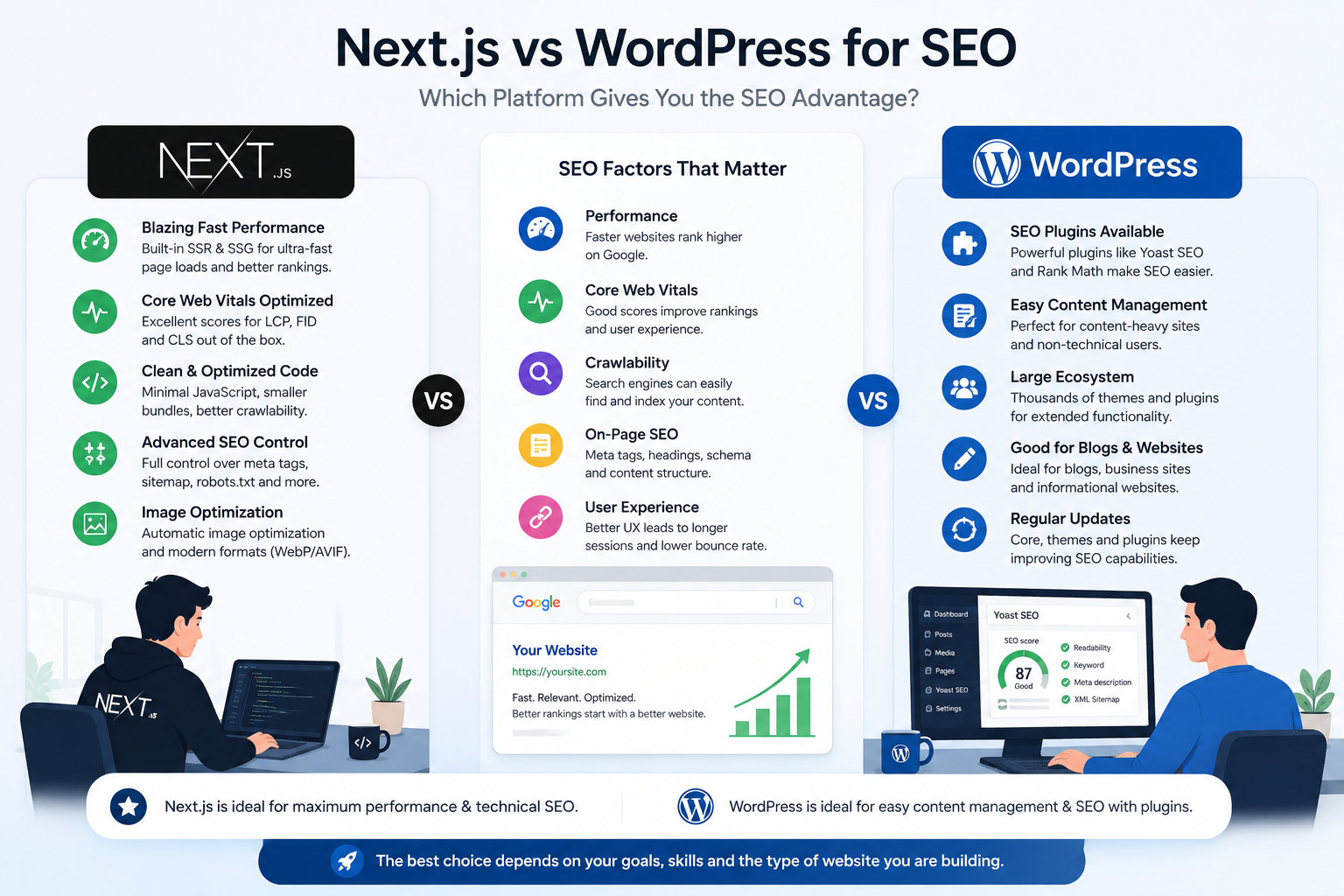
The honest answer that most SEO practitioners have landed on is that the framework or CMS is not the primary determinant of ranking. Both platforms can rank well and both can rank poorly depending on how they are built and maintained. The more specific answer is useful though.
SEO Factor WordPress Next.js (React) Page speed out of the box Variable, depends heavily on theme and plugins Strong, SSR and image optimisation built in Core Web Vitals Often needs optimisation work to pass Passes more reliably on well-built sites Meta tags and on-page SEO Yoast and RankMath handle this accessibly for non-technical owners Must be built or configured correctly by the developer Sitemaps Auto-generated by SEO plugins Requires implementation, can be done cleanly Structured data Plugin-dependent, sometimes messy Custom implementation, cleaner when done well Content publishing speed Owner can publish without a developer Requires developer or headless CMS unless configured Security patching burden Ongoing, plugins are a common attack surface Smaller attack surface, mostly dependency updates
The real SEO gap between the two platforms tends to show up at performance, not at content strategy. A WordPress site loaded with plugins, running a heavy theme, and hosted on cheap shared hosting can fail Core Web Vitals on every page. A lean Next.js site on Vercel consistently scores in the 90s. But a well-maintained WordPress site on a decent host with a lightweight theme and a disciplined plugin stack can also rank well. The framework is a variable, not the only variable.
Can a Small Business Owner Update a React Website Themselves?
This is the question most comparison articles skip entirely and most small businesses discover too late. The short answer is no, not without additional tooling. A Next.js site has no content management interface. Changing the text on the homepage or adding a new team member to the about page requires either editing code directly, or going through a headless CMS like Sanity, Contentful, or a headless WordPress setup where the content is edited in one system and the Next.js frontend pulls it in via API.
A headless CMS solves the content editing problem elegantly once it is set up, and Sanity in particular has an editing interface that non-technical users find approachable. But it adds a layer of complexity and cost to the build that not every small business project budget accounts for upfront. We include headless CMS configuration as standard on all our Next.js builds at Munix Studio precisely because we have seen too many clients left with a beautiful site they cannot actually update. It is not an optional extra, it is part of delivering something genuinely useful.
WordPress's editing interface, by contrast, is something most non-technical users can learn in an afternoon. The Gutenberg block editor is not perfect but it is accessible. A business owner who needs to swap out the hero image, publish a monthly blog post, and update their pricing page can do all of that in WordPress without calling anyone. That independence has real financial value over the lifetime of the site.
Is It Cheaper to Build a Small Business Site in React or WordPress?
The cost gap is large upfront and it narrows over time depending on how much developer involvement the WordPress site requires. Here are honest ranges for both, based on what agencies and freelancers in the US and UK market are actually quoting for small business work.
Cost Category WordPress Next.js (React) Initial build cost (agency) $2,000 to $10,000 for a small business site $5,000 to $25,000 depending on scope Hosting (annual) $100 to $600 per year on managed WordPress hosting $0 to $240 per year on Vercel (generous free tier) Plugin and theme costs $200 to $800 per year for premium plugins No ongoing licence costs Content updates (ongoing) Owner can do most updates themselves Depends on CMS setup, may need developer time Security and maintenance Ongoing plugin and core updates, security patches needed Smaller surface, mainly dependency updates Major redesign or rebuild Theme constraints may require full rebuild anyway Component-based architecture makes selective updates easier
A WordPress site is cheaper to get live. A Next.js site tends to age better technically and accumulates less maintenance debt over a three to five year period. The two-year total cost of ownership is often closer than the initial build cost suggests, especially for WordPress sites that end up needing a developer for updates regularly anyway.
What Is the Real Difference Between React and a WordPress Theme?
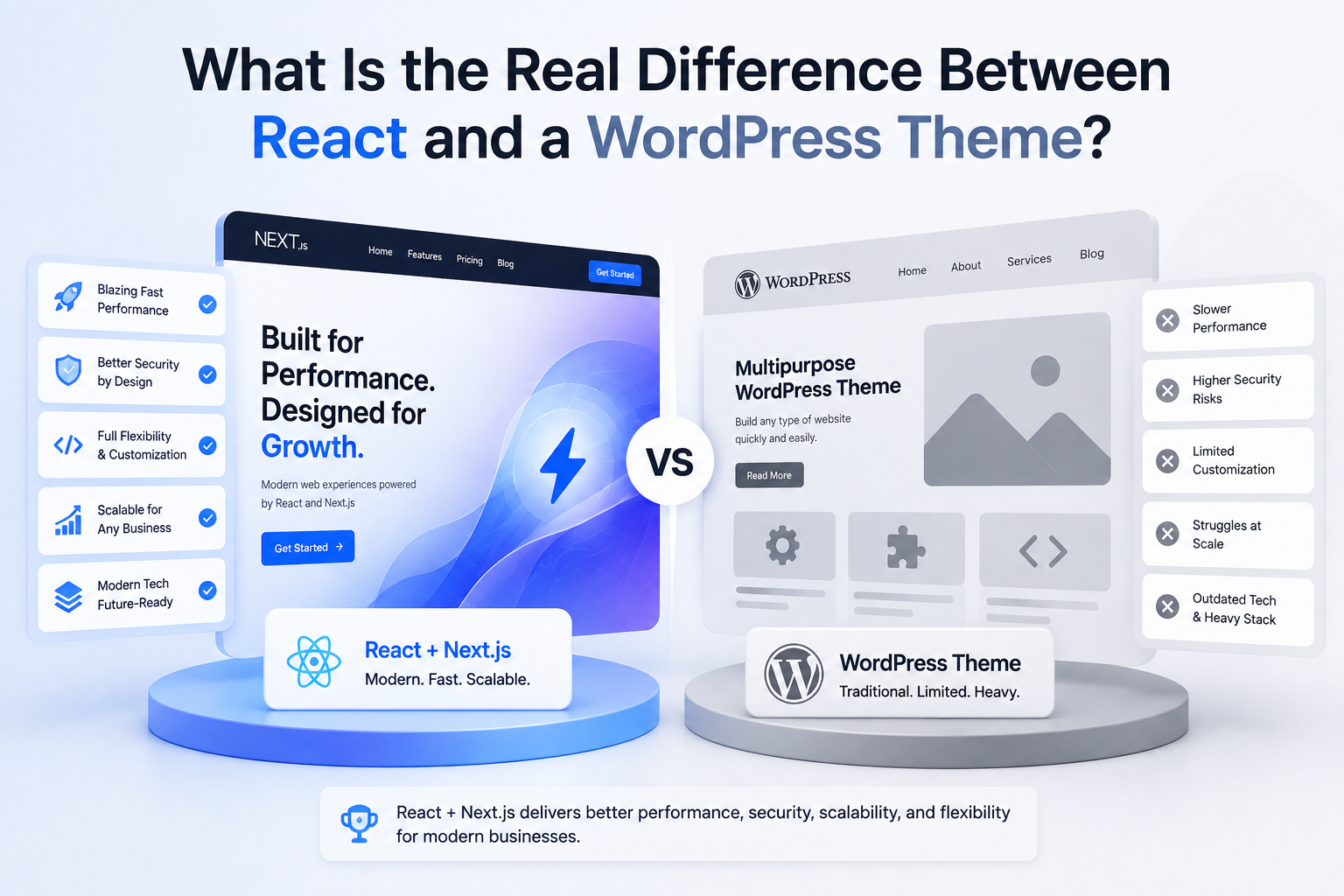
A WordPress theme is a pre-built visual template applied to a content management system. The site structure, the content model, the admin interface, and the publishing workflow all exist independently of the theme. Changing a theme is largely a cosmetic operation, though a significant one. The site keeps working. The content is still there. The URLs still resolve.
A React-based site built on Next.js has no theme in that sense. Every component, every layout, every page template is custom-built code. There is no off-the-shelf visual layer that can be swapped in or out. This is the source of both its advantage and its constraint. The advantage is that the site can look and behave however the brief demands, with no theme limitations. The constraint is that every change to the visual structure requires a developer. A WordPress site running Elementor can be visually redesigned by someone with no coding knowledge. A Next.js site cannot.
When Does a Next.js Build Actually Make Sense for a Small Business?
There are genuine use cases where a custom Next.js build is the right choice even for a small business, and naming them honestly is more useful than a blanket recommendation either way.
The website is a product, not a brochure. If the site contains a custom calculator, an interactive configurator, a real-time booking system, or any feature that requires complex client-side logic, WordPress with a plugin is a fragile solution. A custom Next.js build handles these correctly. Our app development cost calculator and website cost calculator are examples of the kind of interactive tooling that lives natively in a Next.js environment rather than being bolted onto a WordPress site.
Brand differentiation is a commercial priority. An interior design studio, a luxury product brand, or a consulting firm competing on premium positioning will find the visual ceiling of a WordPress theme a real constraint within twelve to eighteen months of launch. A custom build does not have a visual ceiling.
The business has a development relationship already. A small business with an in-house developer or an ongoing retainer with an agency does not have the same content update problem as one with no technical support. The economics shift considerably.
Performance is commercially critical. Ecommerce businesses where a one-second improvement in load time measurably affects conversion rate, or services where Google ranking depends on Core Web Vitals, have a stronger case for the performance ceiling a Next.js build provides.
The Middle Path: Headless WordPress With Next.js
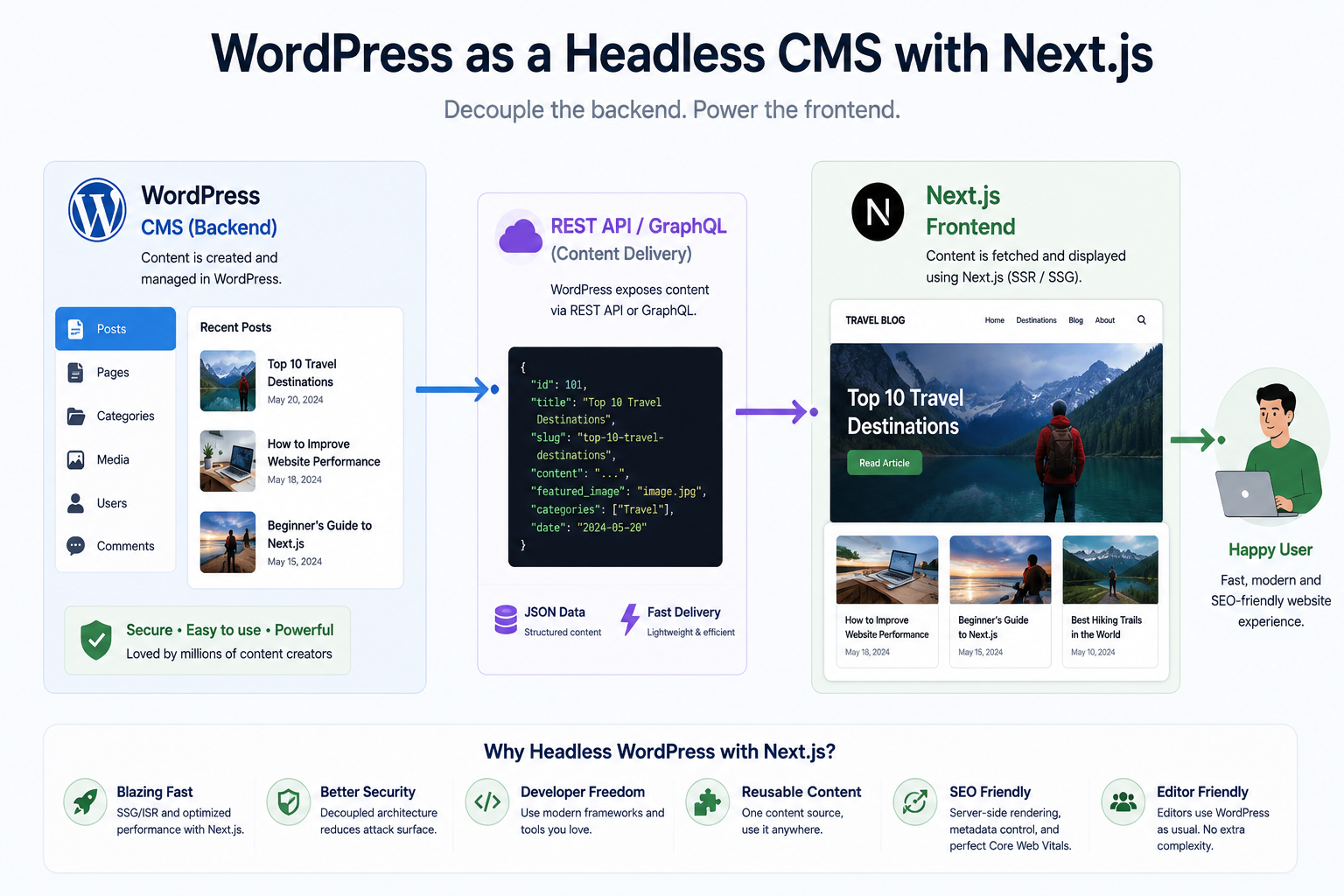
A combination that comes up repeatedly in developer communities as a practical middle ground is headless WordPress with a Next.js frontend. In this setup, WordPress is used purely as a content management and editorial interface. It has no public-facing pages of its own. The Next.js frontend fetches content from WordPress via the REST API or GraphQL and renders it as fast, server-side rendered pages that perform like a custom build but can be edited by a non-technical team member through the familiar WordPress admin.
This is not a simple setup and it is not the right choice for every project. But for businesses that have a meaningful content operation and want both editorial accessibility and performance, it is a more honest solution than either platform alone. The Next.js frontend handles routing, rendering, and performance. WordPress handles content authoring. Each does what it is actually good at.
Our Honest Take
We build on Next.js. That is our default, and it reflects genuine conviction about performance, maintainability, and what a custom-built site can do that a theme-based one cannot. But we also think it is the wrong choice for a meaningful proportion of small business clients, and saying so upfront is more useful than pretending otherwise to win a project.
If you are a small business with a tight budget, no developer on staff, and a site that is primarily informational with a blog, WordPress is genuinely the right answer. It will serve you well for years and cost less to operate. If your site needs to do something that a plugin cannot handle cleanly, if you are building toward a brand position where the website itself carries commercial weight, or if you want a technical foundation you will not outgrow: a Next.js build is worth the additional investment.
The decision is worth a proper conversation before any brief is written. If you want to think it through for your specific situation, our website cost calculator is a useful starting point for understanding what a custom build would involve for your scope, and we are happy to follow up from there.
How Munix Studio Approaches This Decision
Every web project we take on starts with a scoping conversation that includes the question of whether a custom build is the right fit for the client's situation. We do not default to Next.js because it is what we know. We recommend it when the brief genuinely calls for it.
Website Development — Custom Next.js websites built for performance, SEO, and the long term, with headless CMS integration so your team can manage content without developer dependency.
UI/UX Design — Design systems and custom interfaces that go beyond what any WordPress theme can produce, built for the specific audience and commercial goals of your business.
SEO Optimization — Technical SEO and content strategy that works regardless of which platform you are on, focused on the factors that actually move rankings.
Maintenance and Support — Ongoing support for both WordPress and Next.js sites, including security, performance monitoring, and content updates.
Frequently Asked Questions
Ready to Get Started?
Website Development
Custom Next.js websites built for performance, long-term maintainability, and content independence, with headless CMS integration so your team can manage content without calling a developer.
Explore Website DevelopmentRelated Articles
Freelancer vs Agency: What Reddit Users Recommend

Choosing a Web Design Agency: Reddit's View
Headless CMS vs WordPress: The Honest Take
WordPress to Next.js Migration: What Happens

How Much Should a Website Cost in 2026