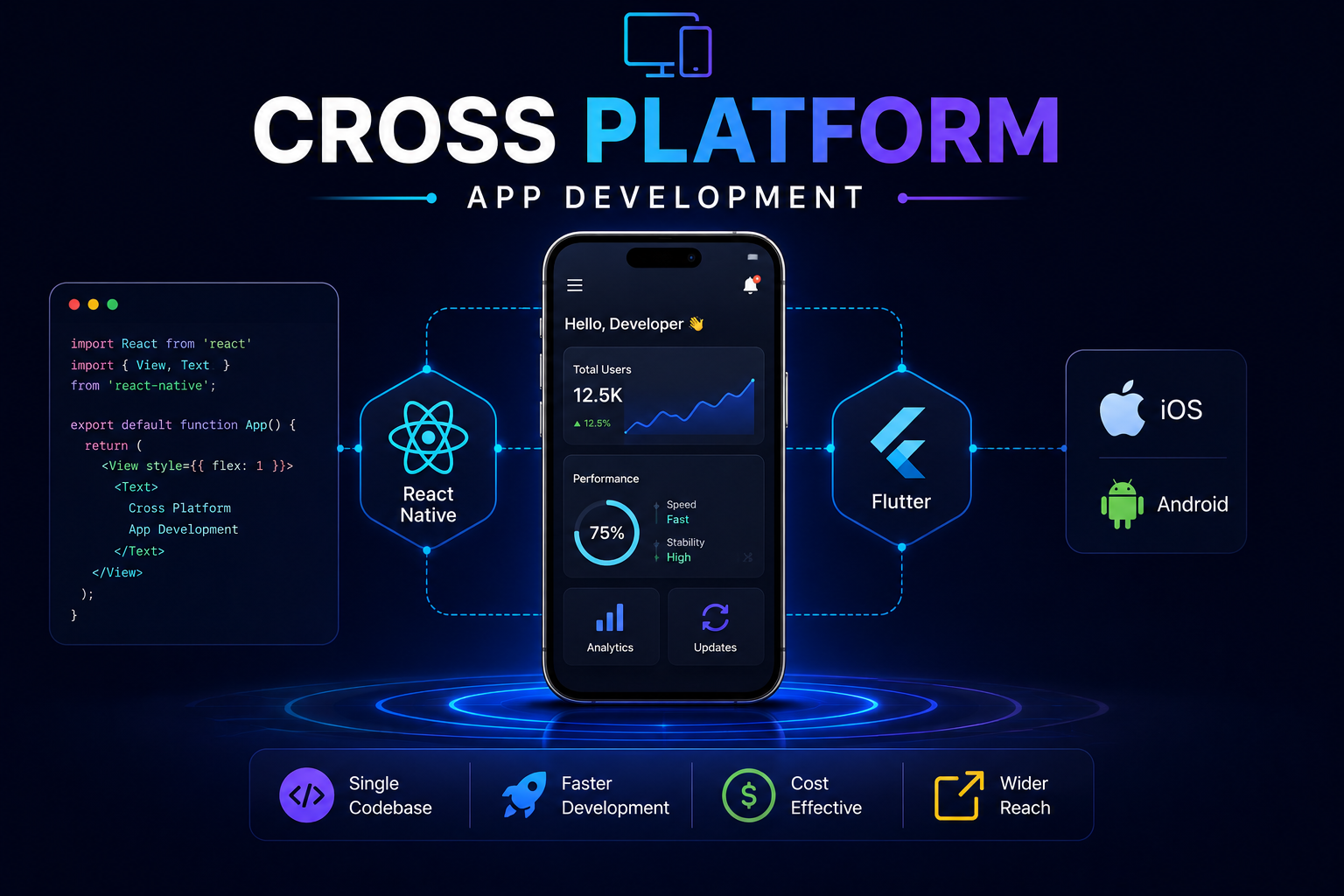
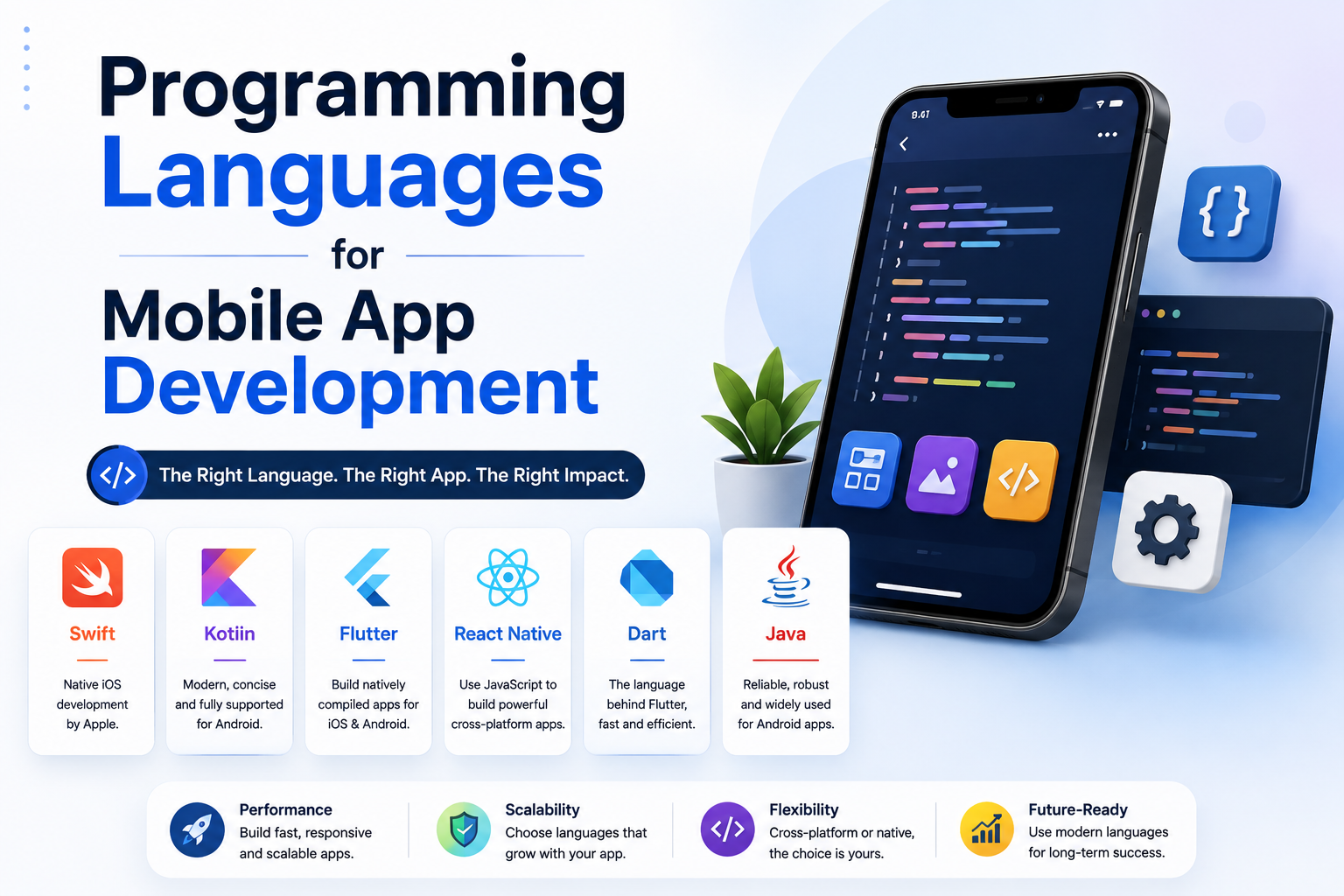
What Is App Development?
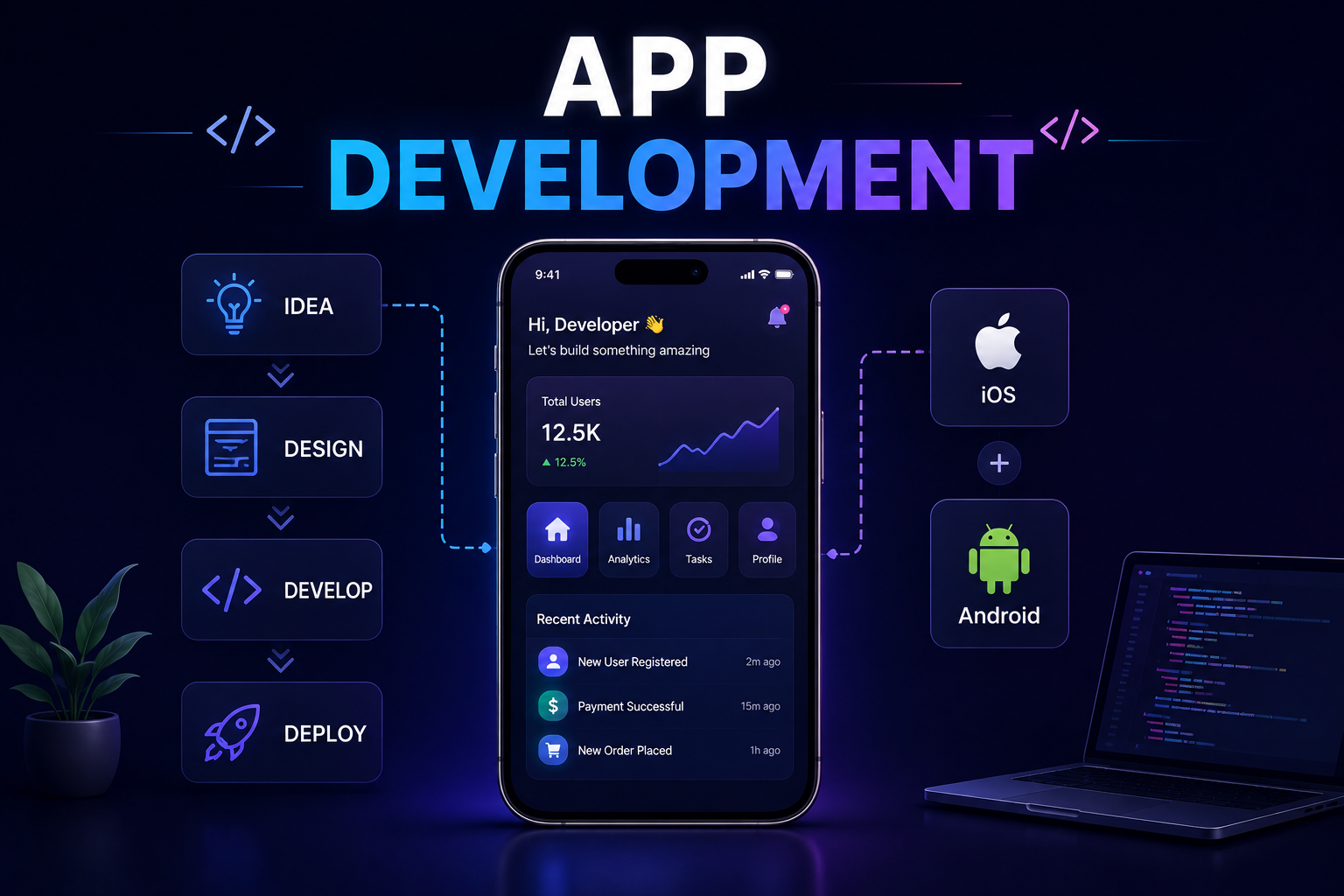
App development is the process of designing, building, testing, and deploying software applications that run on digital devices. This includes mobile applications that run on smartphones and tablets, web applications that run in browsers, and desktop applications that run directly on a computer's operating system. In common usage, the term app development most frequently refers to mobile app development for iOS and Android devices, though the discipline encompasses a much broader range of software products than mobile alone.
The app economy is enormous and continues to grow. Apple's App Store and Google Play together host millions of applications across every conceivable category, from productivity tools and entertainment platforms to healthcare applications, financial services, and enterprise software. Businesses of every size invest in app development because applications provide a direct, persistent, and highly personalized channel to customers and users that websites and other digital touchpoints cannot fully replicate.
This guide covers what app development involves at every stage, the different types of apps and development approaches available, how the development process works in practice, what businesses should expect in terms of cost and timeline, and how to choose the right development partner for your specific project.
Types of App Development
App development is not a single discipline. It encompasses several distinct approaches, each suited to different use cases, budgets, and performance requirements. Understanding the differences between these approaches is the foundation of making a sound technology decision before any development begins.
App Type Where It Runs Built With Best For Native mobile app iOS or Android only Swift for iOS, Kotlin for Android High-performance apps needing full device access Cross-platform mobile app iOS and Android from one codebase React Native, Flutter Most business apps needing both platforms efficiently Web application Browser on any device React, Next.js, Vue, Angular SaaS platforms, dashboards, complex interfaces Progressive web app (PWA) Browser but installable on device Modern web technologies App-like experience without app store submission Desktop application Windows, macOS, or Linux Electron, Swift, .NET Tools requiring deep OS integration Enterprise application Web or native depending on requirements Various depending on scope Internal business tools, workflow automation
Native vs Cross-Platform App Development
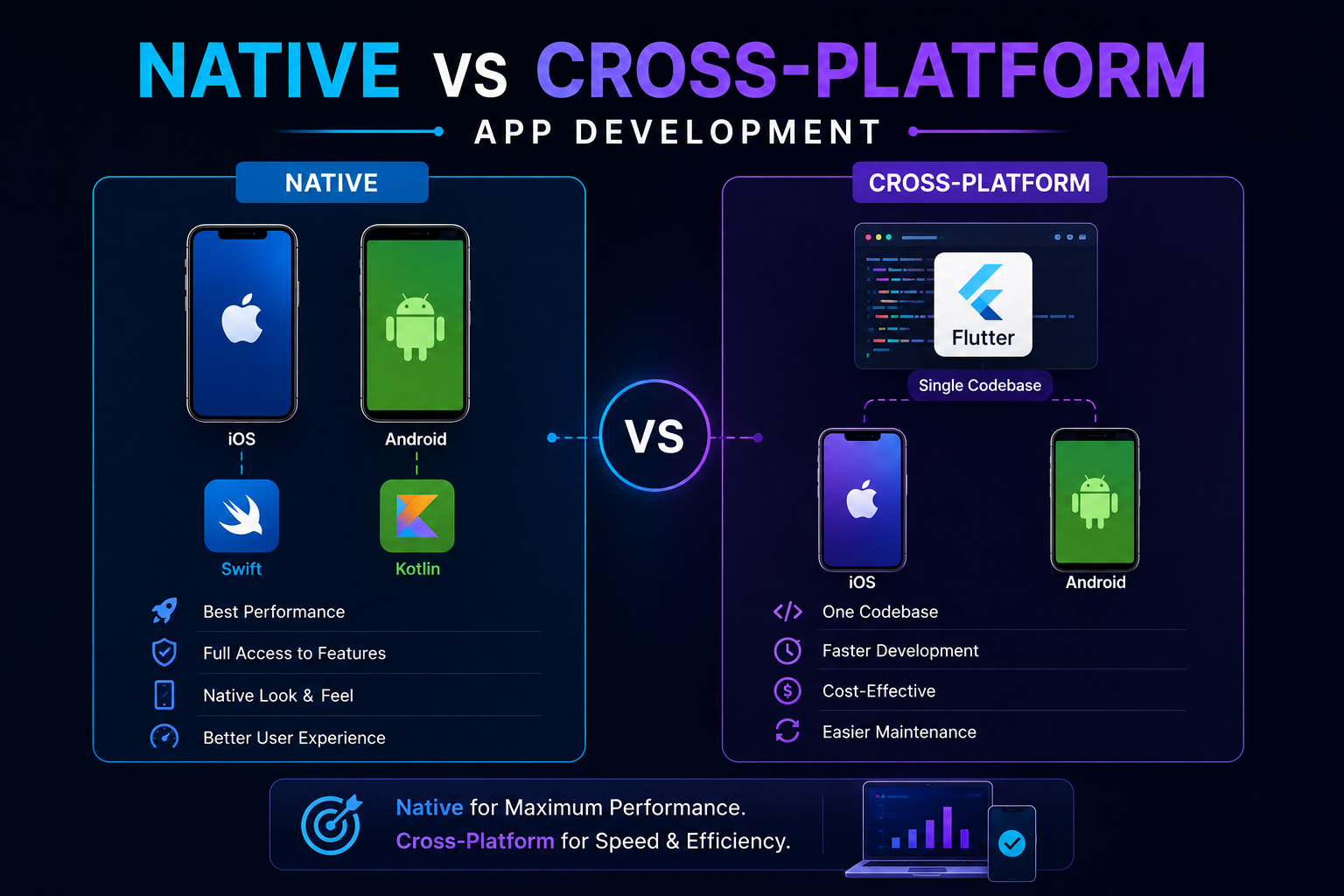
The most consequential technology decision in mobile app development is whether to build natively for each platform separately or to use a cross-platform framework that produces apps for both iOS and Android from a single shared codebase. Both approaches have genuine strengths and real trade-offs, and the right choice depends on the specific requirements of the project.
Factor Native Development Cross-Platform (React Native) Performance Maximum, direct OS access Very good for most use cases Development cost Higher, two separate codebases Lower, single shared codebase Time to market Longer Faster Device feature access Full access to all device APIs Most features available via libraries UI consistency Perfectly native look and feel per platform Very good, minor platform differences possible Maintenance overhead Higher, two codebases to maintain Lower, shared codebase Best for Games, AR/VR, apps needing maximum performance Most business apps, startups, and MVPs
For the vast majority of business applications, React Native delivers performance that is indistinguishable from native for real-world users while reducing development cost and timeline significantly. At Munix Studio we build cross-platform mobile applications using React Native because it gives our clients both iOS and Android coverage from a single engineered product, which is almost always the right economic decision for business-focused apps.
The App Development Process: Stage by Stage
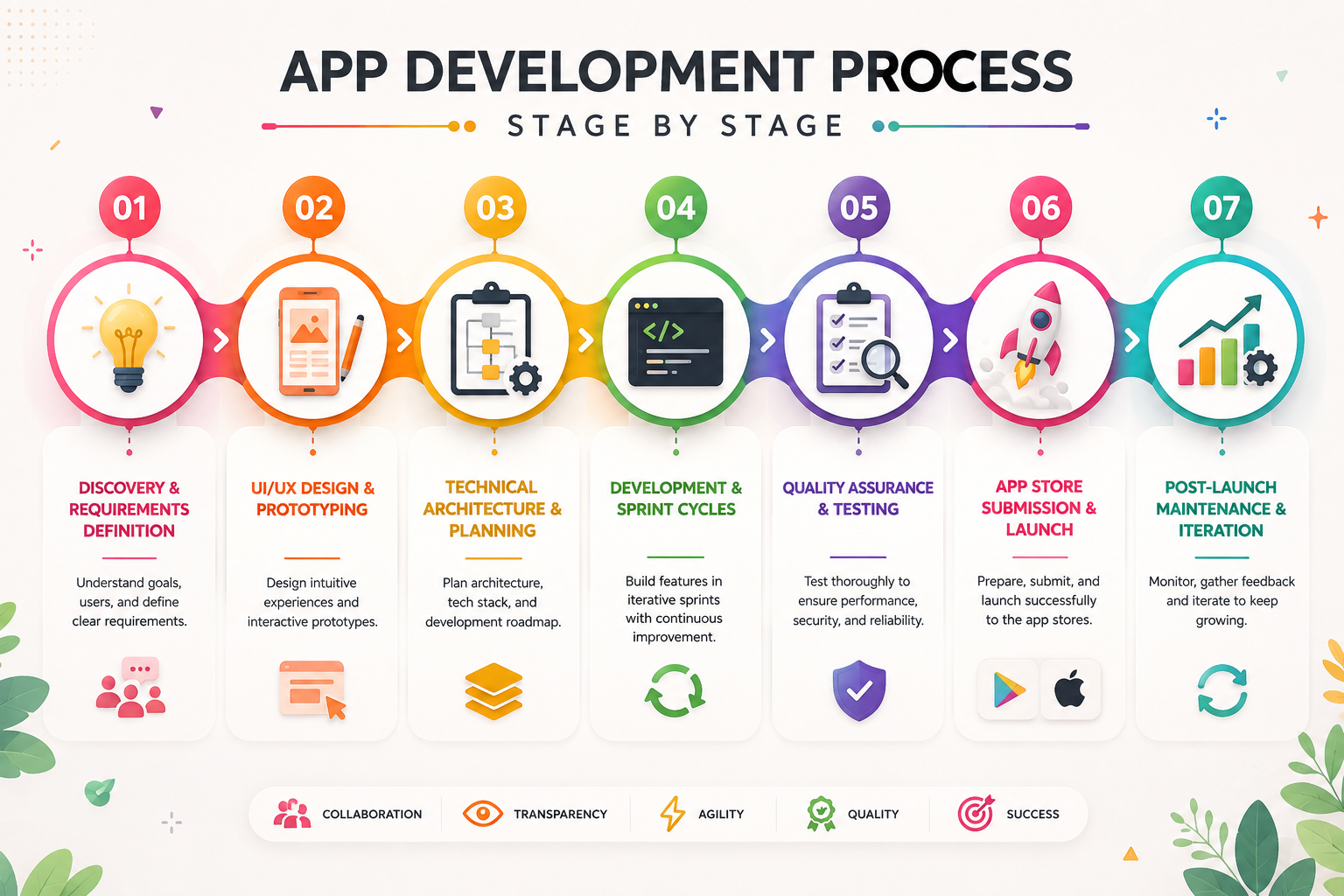
Building a successful application follows a structured process that covers discovery, design, development, testing, and post-launch management. Each stage builds on the previous one, and shortcuts taken early consistently produce expensive problems later. Understanding what happens at each stage helps business owners make better decisions, provide more useful input, and set realistic expectations about timelines and outcomes.
Stage 1: Discovery and Requirements Definition
Discovery is the stage where the development team deeply understands what the app needs to do, who it is for, and what success looks like. This involves stakeholder interviews, user research, competitor analysis, and a thorough documentation of functional and non-functional requirements. A well-executed discovery phase is what separates projects that deliver what the client actually needed from those that deliver what the client initially asked for, which are often very different things.
Stage 2: UI/UX Design and Prototyping
With requirements established, designers create wireframes that define the layout and flow of every screen in the application. These are then developed into high-fidelity visual designs that show exactly how the app will look and feel. An interactive prototype allows stakeholders to experience the user journey before any development code is written, catching design problems at the cheapest possible stage to fix them. Changes to design at this stage take hours. The same changes during development take days.
Stage 3: Technical Architecture and Planning
Before coding begins, the development team defines the technical architecture of the application. This covers the choice of frontend framework, backend technology, database structure, API design, third-party integrations, authentication approach, and deployment infrastructure. Getting the architecture right before writing the first line of production code avoids the structural problems that become increasingly expensive to fix as the codebase grows.
Stage 4: Development and Sprint Cycles
Development happens in sprints, typically one to two weeks long, with each sprint delivering a defined set of features that can be reviewed and tested on a staging environment. This iterative approach keeps the client involved throughout the development process rather than presenting a finished product at the end that may not match expectations. Regular milestone reviews create natural checkpoints for feedback, scope adjustments, and priority changes based on what the team learns as the product takes shape.
Stage 5: Quality Assurance and Testing
Quality assurance for a mobile application is more complex than for a website because the app needs to perform correctly across a wide range of physical devices with different screen sizes, operating system versions, hardware specifications, and network conditions. Testing covers functional correctness, performance under load, security vulnerabilities, battery consumption, offline behavior, and the specific edge cases that real users encounter in production that controlled testing environments rarely anticipate.
Stage 6: App Store Submission and Launch
Submitting an app to the Apple App Store and Google Play Store involves meeting each platform's specific requirements for app metadata, screenshots, privacy policy documentation, and technical compliance. Apple's review process is more stringent and typically takes one to three days, though rejections for policy violations can extend this significantly. Google's review process is generally faster. A development team experienced in app store submission prepares everything correctly from the start, avoiding the delays that come from rejection and resubmission cycles.
Stage 7: Post-Launch Maintenance and Iteration
Launch is the beginning of the product's life, not the end of the development process. Operating system updates from Apple and Google require regular compatibility reviews and updates to maintain functionality. User feedback from app store reviews and in-app analytics reveals usage patterns and pain points that inform the next round of feature development. Security patches need to be applied as vulnerabilities are identified. And the app needs to scale technically as the user base grows.
What Does App Development Cost?
App development costs vary enormously depending on the complexity of the application, the platforms it targets, the development approach, and the location and experience level of the development team. Understanding the factors that drive cost helps businesses plan budgets more accurately and make smarter decisions about scope and approach.
App Complexity Features Included Estimated Timeline Typical Cost Range Simple app Basic UI, limited screens, no backend 4 to 8 weeks $5,000 to $15,000 Medium complexity app User authentication, API integration, database, multiple screens 2 to 4 months $15,000 to $50,000 Complex app Real-time features, payments, complex backend, third-party integrations 4 to 8 months $50,000 to $150,000 Enterprise application Custom backend systems, high scalability, complex integrations, security compliance 6 to 18 months $150,000 and above
These ranges reflect professional agency development in markets with competitive but fair pricing. Offshore development in lower-cost markets can reduce these numbers significantly, though the trade-offs in communication, quality consistency, and timeline predictability need to be factored into the evaluation. The cheapest quote is rarely the most economical choice over the full lifetime of the product.
Key Technologies Used in App Development
The technology stack for an application determines its performance ceiling, the ease of maintenance over time, and the availability of developers who can work on it. Understanding the most commonly used technologies helps business owners have more informed conversations with development teams and make better technology decisions.
Technology Layer Used For Notable Users React Native Mobile frontend Cross-platform iOS and Android apps Facebook, Shopify, Discord Swift Mobile frontend Native iOS app development Apple, LinkedIn, Airbnb Kotlin Mobile frontend Native Android app development Google, Pinterest, Trello Node.js / NestJS Backend API development, server logic, real-time features Netflix, LinkedIn, Uber PostgreSQL Database Relational data storage and complex queries Apple, Instagram, Spotify MongoDB Database Flexible document-based data storage eBay, Forbes, Toyota AWS / Azure Infrastructure Cloud hosting, storage, scaling, security Netflix, Airbnb, Samsung
Why Businesses Invest in App Development
The business case for app development goes well beyond having a mobile presence. Applications create a fundamentally different relationship between a business and its users compared to websites or other digital channels. Understanding these advantages helps businesses identify whether an app investment is the right next step for their specific situation.
Direct channel to users. An installed app gives a business a permanent presence on a user's device, enabling push notifications, offline functionality, and engagement that does not depend on the user actively searching for the business.
Better user experience. Native and cross-platform mobile apps deliver smoother, faster, and more intuitive experiences than mobile websites for complex interactions like payments, real-time features, and hardware-dependent functionality.
Access to device capabilities. Apps can access the camera, GPS, accelerometer, biometric authentication, local storage, and other device hardware that mobile websites cannot use, enabling entirely new categories of functionality.
Improved customer retention. Users who install a business's app consistently show higher engagement, higher purchase frequency, and higher lifetime value compared to users who interact with the same business only through a website.
Operational efficiency. Internal enterprise applications streamline workflows, reduce manual processes, improve data quality, and give management real-time visibility into business operations that manual and paper-based processes cannot provide.
Advantages and Challenges of App Development
Advantages
Applications create a persistent, branded presence on users' devices that generates ongoing engagement without requiring users to actively seek out the business each time.
The performance and UX capabilities of native and cross-platform mobile apps significantly exceed what mobile websites can deliver for complex, interactive, or hardware-dependent use cases.
App store distribution provides a built-in discovery channel through search within the App Store and Google Play, giving applications organic visibility to users actively looking for solutions in their category.
User data and behavioral analytics collected through apps provide richer and more actionable insights than most web analytics tools can produce, enabling more precise product improvements over time.
Challenges
Higher upfront development cost compared to websites, particularly when both iOS and Android coverage is required, which makes the initial investment more significant for early-stage businesses.
App store approval processes introduce a dependency on third-party review that can delay launches and updates in ways that web deployments do not face.
Users must actively download and install the application, which creates an acquisition friction that websites do not have and requires a compelling value proposition to overcome.
Ongoing maintenance is non-negotiable since operating system updates from Apple and Google frequently require compatibility updates that must be released promptly to prevent the app from breaking for users who update their devices.
How to Get an App Developed: A Step-by-Step Guide for Businesses
Understanding what app development involves, covered throughout this guide, is different from actually knowing how to go from an idea to a live application. This section lays out that process from the perspective of the business commissioning the app, not the team building it.
Step 1: Define the problem before the solution. Write down specifically what the app needs to do and for whom, before thinking about features or technology. "An app for my restaurant" is not a requirement. "A way for regular customers to order ahead and skip the queue" is.
Step 2: Decide on your development approach. Using the comparison earlier in this guide, decide whether a native app, a cross-platform app, or a web application actually fits the requirement defined in Step 1. Most business apps are best served by cross-platform development, but the right answer depends on the specific use case.
Step 3: Set a realistic budget range. Use the cost table above to understand roughly where your project falls before approaching any development partner. Walking into a first conversation with a rough budget range, rather than an open-ended "how much would this cost," leads to a far more productive and honest conversation.
Step 4: Find and evaluate development partners. This is covered in full detail in the next section of this guide — the short version is to prioritise a team's shipped portfolio, their discovery process, and their transparency about cost and timeline over the lowest quote you receive.
Step 5: Go through discovery together. A development team worth hiring will want to understand your business and users in depth before quoting a final scope, mirroring Stage 1 of the process described earlier in this guide. Be prepared to invest real time here — a rushed discovery phase produces a rushed product.
Step 6: Review and approve designs before development starts. Once wireframes and visual designs are ready, review them thoroughly. Changes at this stage take hours; the same changes once development is underway take days, as this guide's design stage explains.
Step 7: Stay engaged during development sprints. A properly run project delivers work in reviewable increments, typically every one to two weeks. Attend these reviews. Projects that only re-engage the client at the very end are far more likely to deliver something that technically works but misses what was actually needed.
Step 8: Test the app yourself before launch. Beyond the development team's own QA process, use the app yourself, on your own device, before it goes live. Client-side testing regularly catches usability issues that a technical QA process, focused on functional correctness, does not.
Step 9: Plan the app store submission with your team. App Store and Google Play both have specific requirements for metadata, screenshots, and privacy documentation, covered in Stage 6 above. Confirm who owns your developer accounts and who is responsible for the submission itself before launch week arrives, not during it.
Step 10: Budget for maintenance from day one, not as an afterthought. As this guide's challenges section notes, ongoing maintenance isn't optional — operating system updates from Apple and Google require regular compatibility work. Agree on a maintenance arrangement with your development partner before launch, not several months after something breaks.
How to Choose the Right App Development Partner
Choosing the right development partner is the single most important decision in an app development project. A technically strong team with relevant experience will deliver a product that works reliably, performs well, and can be maintained and improved over time. The wrong partner produces code that cannot be built on, timelines that stretch indefinitely, and a product that requires a full rebuild before it can deliver genuine business value.
Evaluate potential partners on the quality of their portfolio, specifically the apps they have shipped and whether those apps are still live and performing well in their respective app stores. Ask about their process for discovery and requirements definition, since teams that skip this stage tend to produce products that miss the mark despite being technically functional. Understand how they handle scope changes during development, how they communicate progress, and what their process for quality assurance involves.
Transparency about timeline and cost from the first conversation is a strong positive signal. Development teams that provide vague estimates, refuse to commit to milestones, or significantly underestimate scope to win the project before revealing the true cost later are a consistently reliable indicator of a difficult project experience ahead.
Build Your App With Munix Studio
At Munix Studio we build mobile and web applications for businesses that need reliable, scalable, and well-engineered digital products. Every project follows a structured process from discovery through to post-launch support, using a modern technology stack that gives clients a product they own completely and can build on confidently over time.
App Development — Cross-platform iOS and Android applications built with React Native, engineered for performance, reliability, and a seamless user experience on every device.
Website Development — Web applications and platforms built on React and Next.js for businesses that need complex, database-driven functionality delivered through a browser.
UI/UX Design — Mobile-first interface design that maps every user journey, validates flows through interactive prototypes, and delivers screens that feel intuitive from the first interaction.
DevOps and Cloud — Backend infrastructure, API hosting, database management, and deployment pipelines that keep your application reliable, secure, and scalable as your user base grows.
Maintenance and Support — Ongoing app updates for OS compatibility, security patches, performance improvements, and new feature development to keep your application current after launch.
Frequently Asked Questions
Ready to Get Started?
App Development
Cross-platform iOS and Android applications built with React Native, engineered for performance, reliability, and a seamless user experience on every device.
Explore App DevelopmentWebsite Development
Web applications and platforms built on React and Next.js for businesses that need complex, database-driven functionality delivered through a browser.
Explore Website DevelopmentUI/UX Design
Mobile-first interface design that maps every user journey, validates flows through interactive prototypes, and delivers screens that feel intuitive from the first interaction.
Explore UI/UX DesignDevOps and Cloud
Backend infrastructure, API hosting, database management, and deployment pipelines that keep your application reliable, secure, and scalable as your user base grows.
Explore DevOps and CloudMaintenance and Support
Ongoing app updates for OS compatibility, security patches, performance improvements, and new feature development to keep your application current long after launch.
Explore Maintenance and Support